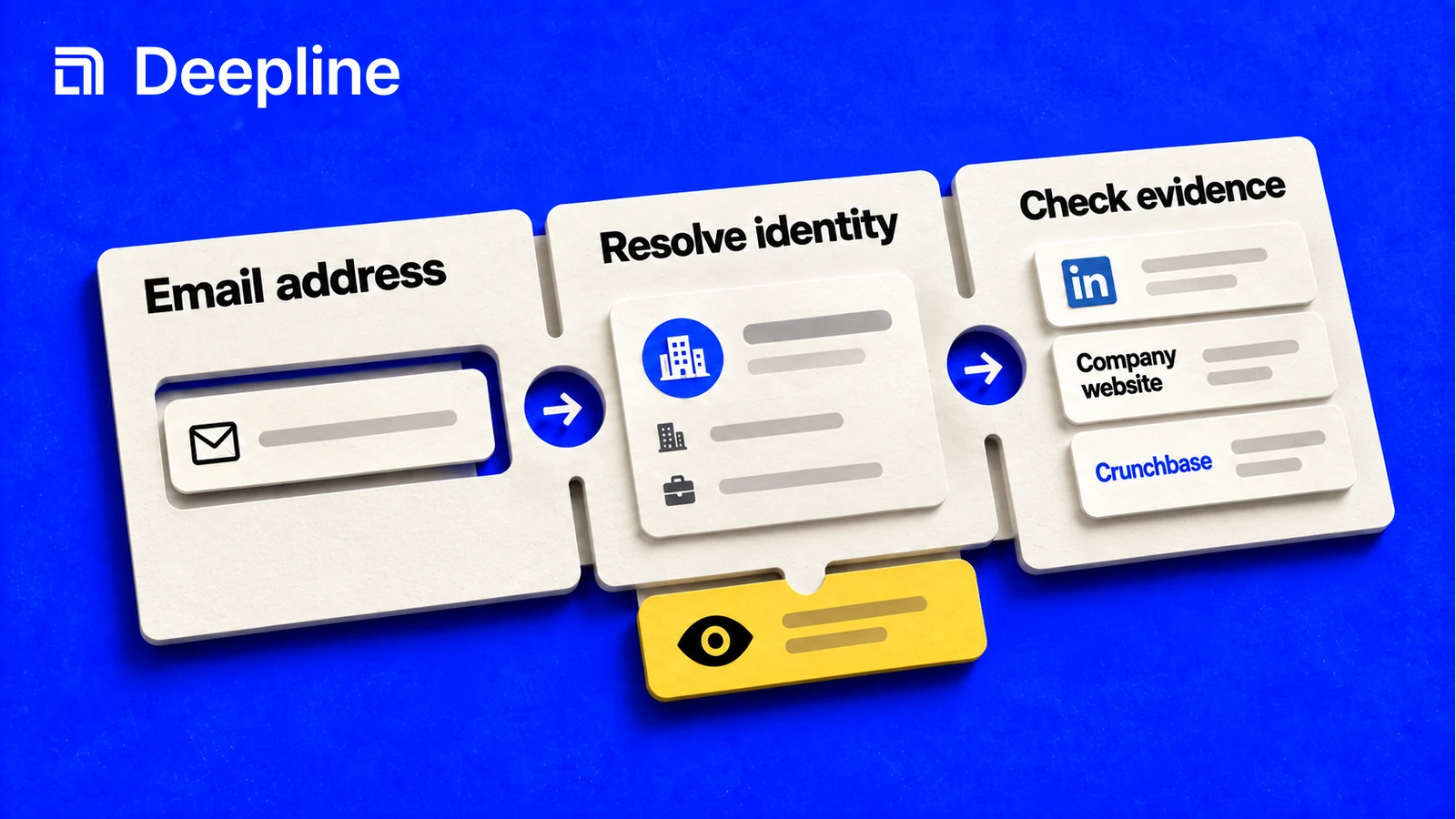
Action and system primitives
Primitive 1: find, verify, or resolve
People use "reverse email search" to mean a few different jobs. Separate them before you run anything.
| Job | Starting point | Desired output |
|---|---|---|
| Find email address by name | first name, last name, company | work_email, email_status |
| Verify an email before outreach | existing email | email_status, reason if available |
| Resolve identity from known email | person, company, title if available | |
| Waterfall email lookup from a list | CSV with names, domains, or URLs | email, status, provider context |
The human problem is not "can we find an email?" It is "can we trust this email enough for the next step?"
Primitive 2: the status-first email prompt
You are helping me find or verify work emails.

Input file: contacts.csv
Goal: prepare a safe outbound-ready sample.
Required output fields: email, email_status, verification_status, next_step.

First inspect the CSV headers and tell me whether this is an email-finder, verifier, or reverse-lookup job.
Run 10 rows first.
Do not invent emails.
Mark rows as not_found or needs_review when the result is incomplete.
After the sample, summarize how many rows are ready for outbound.
That prompt gives the human a usable acceptance check before the skill output becomes a script or Workflow.
Primitive 3: outbound-ready email output
| first_name | last_name | domain | email_status | next_step | |
|---|---|---|---|---|---|
| Ada | Lovelace | example.com | ada@example.com | verified | ready_outbound |
| Grace | Hopper | example.org | not_found | retry_provider |
The next_step column is what makes the result operational. It tells the operator, script, or Workflow what to do next.
How to use the skill before scaling email lookup
Start with the Deepline skill. Tell it what identifiers you have, what email result you need, and what good output looks like. For email lookup, that usually means an email, a status, the source path, and a next step for outbound or review.
The skill should run a small sample first and show good rows and bad rows. Once the sample is trusted, the same lookup contract can become a script or Deepline Workflow.
When the sample is approved, promote the same lookup contract into a script for repeatable list work or a Deepline Workflow for scheduled enrichment, review, and downstream handoffs.
For provider email actions, use:
POST /api/v2/integrations/{toolId}/execute
The {toolId} must be a provider email tool id, not a waterfall alias.
Email and identity waterfalls are composed Plays, not provider operations. A
supported named prebuilt runs through POST /api/v2/plays/run. Deepline
validates owned source through POST /api/v2/plays/check before execution.
Describe the selected Play because these tasks have different contracts.
Script pattern after the skill works
Use direct provider execution only after the skill has helped select and validate a specific email provider action:
deepline tools execute leadmagic_email_finder \
  --input '{"first_name":"Ada","last_name":"Lovelace","domain":"example.com"}'
For reverse lookup from an existing personal email, use the maintained identity-resolution Play. It returns the matching LinkedIn profile and identity context; it does not find a new work email:
deepline plays search "personal email to LinkedIn"
deepline describe prebuilt/personal-email-to-linkedin-batch
deepline plays run prebuilt/personal-email-to-linkedin-batch --csv contacts.csv --watch
The named Play defines the provider route, input contract, and output fields. Inspect the completed Runtime Sheet before you use the identity context.
Quality check before deploying a Workflow
No no-spend generic workflow-specific test route was found for reverse email search or email enrichment. POST /api/v2/integrations/test may execute real provider paths for provider-backed cases and must not be documented as safe test validation.
For waterfall-backed email workflows, POST /api/v2/plays/check validates an owned Play artifact before execution. That is workflow preflight, not a safe provider-email test endpoint. Named prebuilts should be described and then run through the Play routes.
Before a full run, inspect the sample for status coverage, empty values, and guessed-looking emails. The right output is a trustworthy contact list, not a maximum-fill spreadsheet.
Cost and billing behavior
Deepline bills managed requests in credits. If you connect a supported provider key, you pay that provider separately. Deepline's provider-key allowance and overage fees still apply.
Single-provider enrichment commonly leaves coverage gaps. Waterfall enrichment improves match rates by querying multiple providers in sequence, but the lift varies by ICP and region. Start with a small sample, inspect the output fields, then scale the reverse email search workflow when the skill has produced the right acceptance criteria.