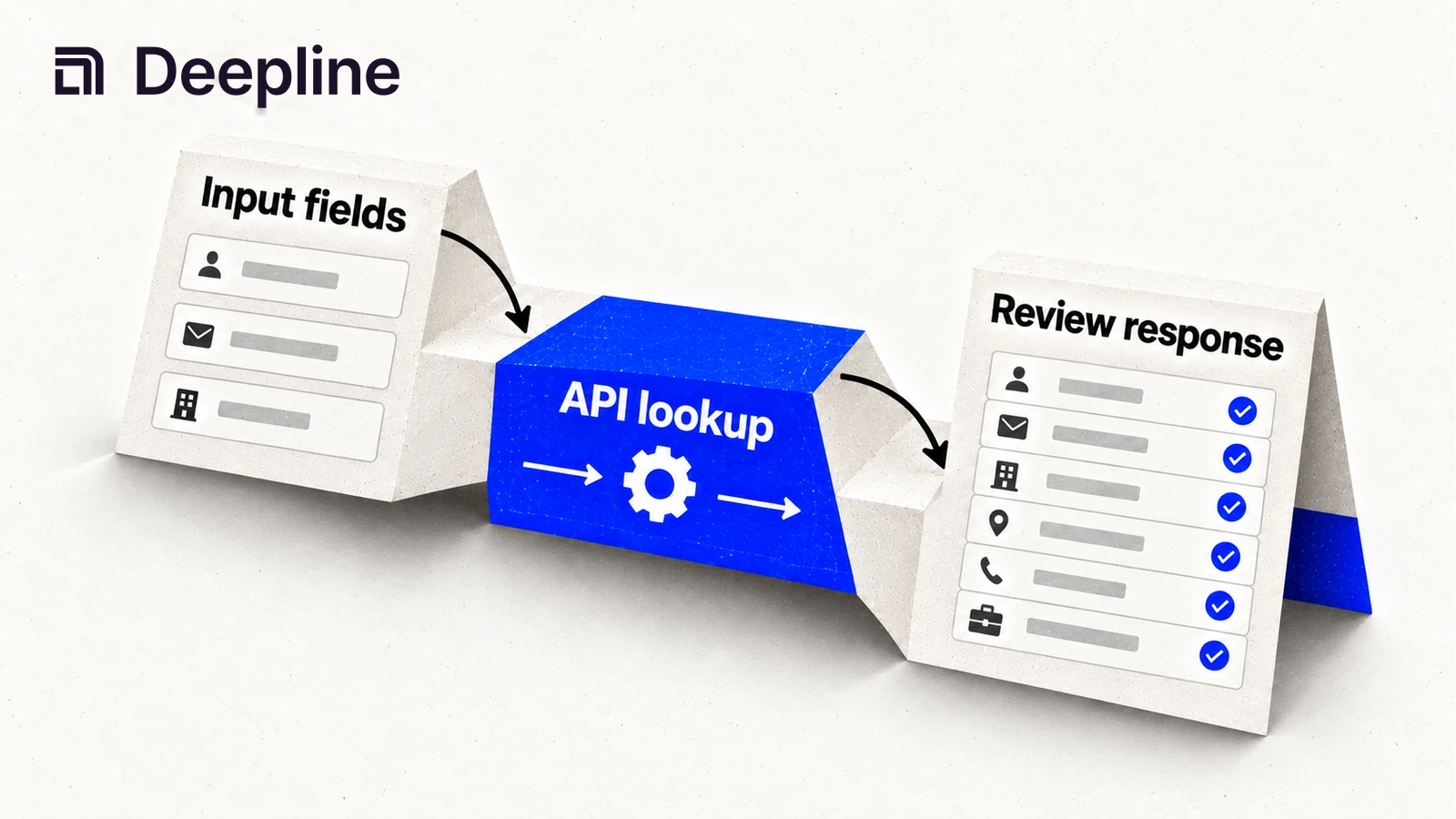
A data enrichment API takes identifiers you already have, such as a company domain or a person's name and employer, and returns additional fields. For a GTM team, those fields might support lead routing, account qualification, or work-email resolution.
The difficult part is deciding when the returned data is good enough to use. A response can be valid JSON and still describe the wrong person. Build the workflow around identity, evidence, and explicit write rules before you connect it to your CRM.
Choose the operation before choosing a provider
Search and enrichment solve different jobs. Search finds records that fit criteria. Enrichment starts with a record and tries to add information about it. Apollo documents People Search and People Enrichment separately. People Data Labs describes company enrichment as matching an input to a company profile.
| Job | Starting inputs | Result to evaluate | Failure worth preserving |
|---|---|---|---|
| Resolve a work email | Name and company domain | Address plus validation evidence | No acceptable address, domain mismatch, or provider error |
| Qualify an account | Company domain or other supported identifier | Firmographic fields tied to the matched company | Ambiguous subsidiary or wrong company |
| Refresh a contact | Supported person identifiers | Current role and employer evidence | Conflicting identity or stale employment information |
| Route an inbound lead | Existing lead plus accepted enrichment | Routing decision with a reason | Missing fields that require a fallback or review |
These are workflow requirements. The exact inputs and returned fields depend on the selected action's schema; do not infer them from a provider's product name.
Write a field contract
For each field, record the input needed to resolve it, the evidence you accept, and the action allowed downstream. A simple contract for a work-email workflow might be:
| Field or decision | Rule |
|---|---|
| Original record ID | Preserve it through every step; never match CRM records by CSV row order |
| Company domain | Normalize it and confirm that it represents the intended employer |
| Work email | Keep the address separate from its validation result |
| Missing result | Preserve a null or explicit missing state; do not invent a value |
| Provider error | Record it separately from a completed lookup with no match |
| CRM update | Write only approved fields to the matched record; protect existing reviewed values |
This is a design checklist, not the schema of every Deepline action. Use the actual action or Play contract when writing code.
Describe and run a maintained Play
In Codex or Claude Code, start by asking the agent to inspect your CSV headers and the current Play schema. For a batch of names and domains:
deepline describe prebuilt/name-and-domain-to-email-waterfall-batch
deepline plays run prebuilt/name-and-domain-to-email-waterfall-batch --csv pilot.csv --watch
The default headers are FIRST_NAME, LAST_NAME, and COMPANY_DOMAIN; the described contract also supports column mappings. Use a deliberately small pilot.csv before running the complete list. Executing the Play can incur charges through your configured billing arrangement.
The batch output preserves input columns and adds email, email_source, email_validated, email_attempts, and waterfall_attempts. Follow the run's printed inspection and export commands to review rows. Check both successful and unresolved records, including the evidence explaining each provider attempt.
For other tasks, use deepline plays search to discover a candidate and deepline describe to inspect it. A similar name is not enough to establish that a Play accepts your input or produces the fields you need.
Separate source validation from data validation
When you author your own Play, POST /api/v2/plays/check validates its complete module graph without executing provider calls. It can catch source and contract problems. It cannot prove that a provider will return the right contact or that the result belongs in your CRM.
Use the CLI or SDK to prepare the Play for execution through POST /api/v2/plays/run. The CLI documentation and waterfall guide cover the supported workflow. Keep the checked source and its input contract together so that the next run is reviewable.
Review the pilot before enabling CRM writes
Inspect a representative sample across your actual customer segments. Include incomplete inputs and ambiguous identities, not just easy matches. Record:
- how many eligible records received an acceptable result;
- which fields remained missing or conflicted with existing data;
- which rows encountered operational errors;
- the customer-visible cost of the run;
- the exact rules that would allow or reject a CRM update.
Do not report a provider failure as evidence that a person or company does not exist. Do not replace a populated CRM value with an empty enrichment result. If the workflow retries a write, use the destination's supported identity and idempotency mechanisms so the retry does not create duplicate records.
Once those rules work on the pilot, decide whether the job belongs in an operator-run script or a scheduled Play. Keep the same field and acceptance contract in both. Scheduling does not remove the need to inspect errors and changes in match quality.
Compare cost at the level of a usable result
A low price per lookup can still produce an expensive usable record when several attempts fail or return data you cannot accept. Compare the total customer charge with the number of records that pass the same acceptance policy. Keep the segment, sample size, and evaluation date next to that calculation.
For Deepline, consult the current pricing terms and the run's usage record. Check which platform charges apply to your plan, including when you bring provider keys.
Frequently asked questions
1What is a data enrichment API?+
A data enrichment API accepts identifiers for an existing person or company and returns additional fields. A useful integration preserves the match evidence, missing values, and errors alongside the returned data.
2How is enrichment different from search?+
Search discovers records from criteria such as a role or industry. Enrichment starts with an existing record and tries to resolve more information about that entity. Match the API operation to the job before choosing inputs.
3Does checking a Play prove that its enrichment data is correct?+
No. POST /api/v2/plays/check validates the submitted Play module graph without executing provider calls. Run a separate bounded sample to evaluate identity matches, field quality, errors, and customer charges.
4Should enrichment overwrite every existing CRM field?+
No. Define which fields may be updated, how records are matched, and what happens when an incoming value is missing or conflicts with a reviewed value. Test those rules before enabling writes.