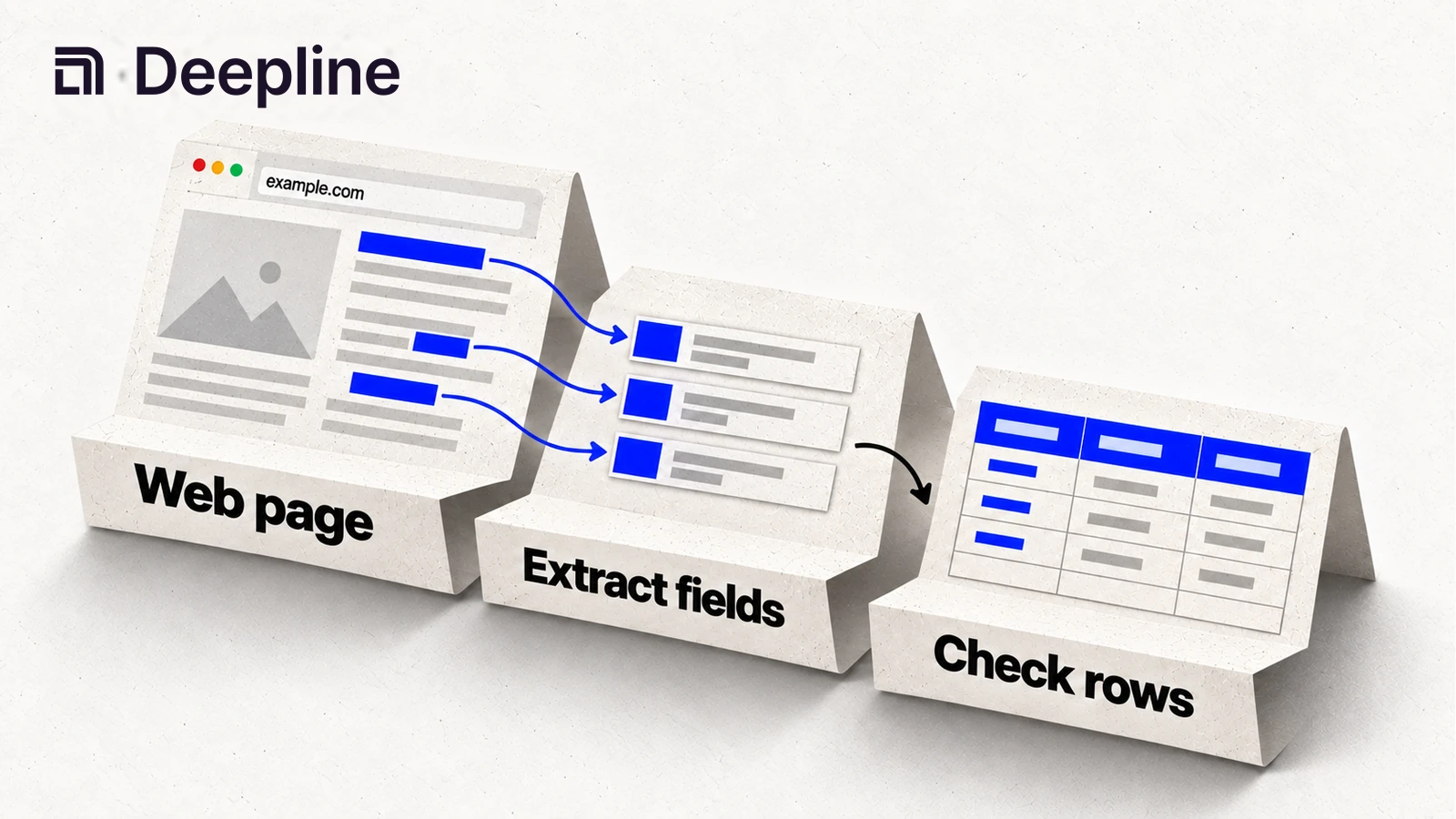
Action and system primitives
Primitive 1: web evidence that changes a GTM decision
Web scraping for GTM should not mean "research the company" and return a wall of text. The useful version collects public evidence that a human can review and a workflow can act on.
| GTM question | Web evidence to collect | Next action |
|---|---|---|
| Is this account hiring for our ICP? | job titles, department, posting URL | add or remove from target list |
| Does the company use a target tool? | docs, integrations page, source URL | score for partner or migration |
| What changed on the website? | page excerpt, date if available, URL | create research brief |
| Is the account relevant for outbound? | product page text, category, evidence | personalize or skip |
Primitive 2: the evidence-collection prompt
You are collecting public web evidence for a GTM workflow.

Target: example.com
Goal: decide whether the account fits our outbound campaign.
Required output fields: source_url, extracted_signal, evidence_excerpt, confidence, recommended_next_step.

Use scraping, search, or crawling only as needed.
Do not return a generic company summary.
Every recommendation must include a source URL and short evidence excerpt.
Mark low-confidence results as needs_review.
This is the difference between useful web scraping automation and another research note nobody trusts.
Primitive 3: source-backed extraction output
| source_url | extracted_signal | evidence_excerpt | recommended_next_step |
|---|---|---|---|
https://example.com/careers | hiring SDR managers | "Sales Development" | score_for_outbound |
https://example.com/docs | uses Snowflake | "Snowflake export" | partner_angle |
The source URL and excerpt make the output inspectable by a person before it affects CRM or outbound.
How to use the skill before automating web data
Start with the Deepline skill. Tell it what target surface you have, what web evidence you need, and what source-backed output should look like. The skill should find likely public sources, run a small extraction, and show source URLs, excerpts, confidence, and next action.
When the sample is trusted, promote the same extraction contract into a script for repeatable runs or a Deepline Workflow for scheduled crawls, review queues, and downstream enrichment.
Typical inputs include a target domain, a known URL, a search objective, a list of URLs, an actor id, a crawl scope, or an extraction objective. The exact payload depends on the confirmed provider tool id.
Common output shapes include discovered URLs, page text, structured extraction fields, crawl job ids, actor run ids, dataset handles, excerpts, source evidence, and normalized JSON that another Deepline workflow can consume.
The workflow boundary is important. Scraping is not the final GTM outcome. The output usually feeds one of these next steps:
- enrich a company or contact record,
- classify an account,
- route a lead,
- create a research brief,
- update a CRM or outbound campaign.
Implementation surfaces after the skill works
For provider-backed scraping and web-data tools, use:
POST /api/v2/integrations/{toolId}/execute
Confirmed provider tool ids in this repo include:
firecrawl_scrape,firecrawl_search,firecrawl_map,firecrawl_crawl, andfirecrawl_extractapify_run_actor,apify_run_actor_sync,apify_get_actor, andapify_get_dataset_itemsexa_searchparallel_search,parallel_extract, andparallel_run_task
The route is tool-id specific. A script or Workflow should choose the provider spoke based on the target surface, then call the shared integration execute route with the exact tool id. If the schema is uncertain, inspect the tool first instead of guessing a payload.
This keeps the workflow repeatable without turning it into a UI-only web research step.
Script pattern after the skill works
Start with discovery:
deepline tools search firecrawl
deepline tools search apify
deepline tools search exa
deepline tools search parallel
Then describe the exact tool before execution:
deepline describe firecrawl_scrape
deepline describe firecrawl_crawl
deepline describe apify_run_actor
deepline describe exa_search
deepline describe parallel_extract
After the schema is confirmed, execute the provider tool id with a payload that matches the describe output:
deepline tools execute firecrawl_scrape --input '<json matching deepline describe firecrawl_scrape>'
Use this pattern instead of copying guessed examples. It is especially important for actor-based workflows, crawl jobs, async extraction jobs, and provider-specific web scraping automation settings.
Quality check before deploying a Workflow
No generic no-spend workflow-specific scraping test endpoint is currently documented.
Do not claim a scraping test endpoint avoids billing unless the endpoint map names that behavior. Provider-backed integration test surfaces can exercise real provider paths, so they should not be presented as safe validation by default.
Use the skill to validate the evidence first. For scripted execution, use deepline describe <toolId> to confirm the schema before execution. For Workflows that wrap scraping steps, use deepline plays check <file.play.ts> to validate the play artifact before running it.
Before a full crawl, inspect a small result set. If the output has no source URL, no excerpt, or no next action, narrow the prompt and run a smaller job.
Cost and billing behavior
Deepline bills managed requests in credits. If you connect a supported provider key, you pay that provider separately. Deepline's provider-key allowance and overage fees still apply.
Scraping tools can have different billing semantics depending on provider, surface, crawl size, actor runtime, async job behavior, and whether the workflow returns usable results. Run a small scoped workflow first, inspect the structured output, and scale only after the target surface, extraction objective, and downstream field mapping are working.
Related Deepline workflows
- Best Web Scraping Tools for GTM
- Data Enrichment API
- Contact Data Enrichment
- Buyer Intent Data
- GTM Data Infrastructure
FAQ
Frequently asked questions
1What is web scraping for GTM workflows?+
Web scraping for GTM workflows means using search, crawl, scrape, extract, or actor-based web-data tools to collect structured account, market, hiring, product, or signal data that downstream GTM systems can use.
2How do Deepline skills fit web scraping workflows?+
Start with a Deepline skill to collect source-backed evidence, inspect the sample, and refine the extraction fields. Once the sample is accepted, deploy the same motion as a script or Workflow.
3Where do scripts and Workflows fit?+
Scripts and Workflows come after the skill output is trusted. Scripts work for repeatable extraction jobs. Workflows work for scheduled crawls, review queues, and downstream GTM handoffs.
4Is there a no-spend scraping test endpoint?+
No generic no-spend workflow-specific scraping test endpoint is currently documented. Use the Deepline skill to inspect source-backed samples first, and do not present provider-backed tests as no-spend validation unless a documented route says so.