What Deepline does
Suppose you have a list of companies you want to contact. You still need to find the right people and their work emails. Then you need to put those details in the system your sales team uses.
Deepline lets a coding agent such as Claude Code use data providers and business tools to do that work. You can also call those tools from your own code. Your team keeps using its existing customer database, or CRM.
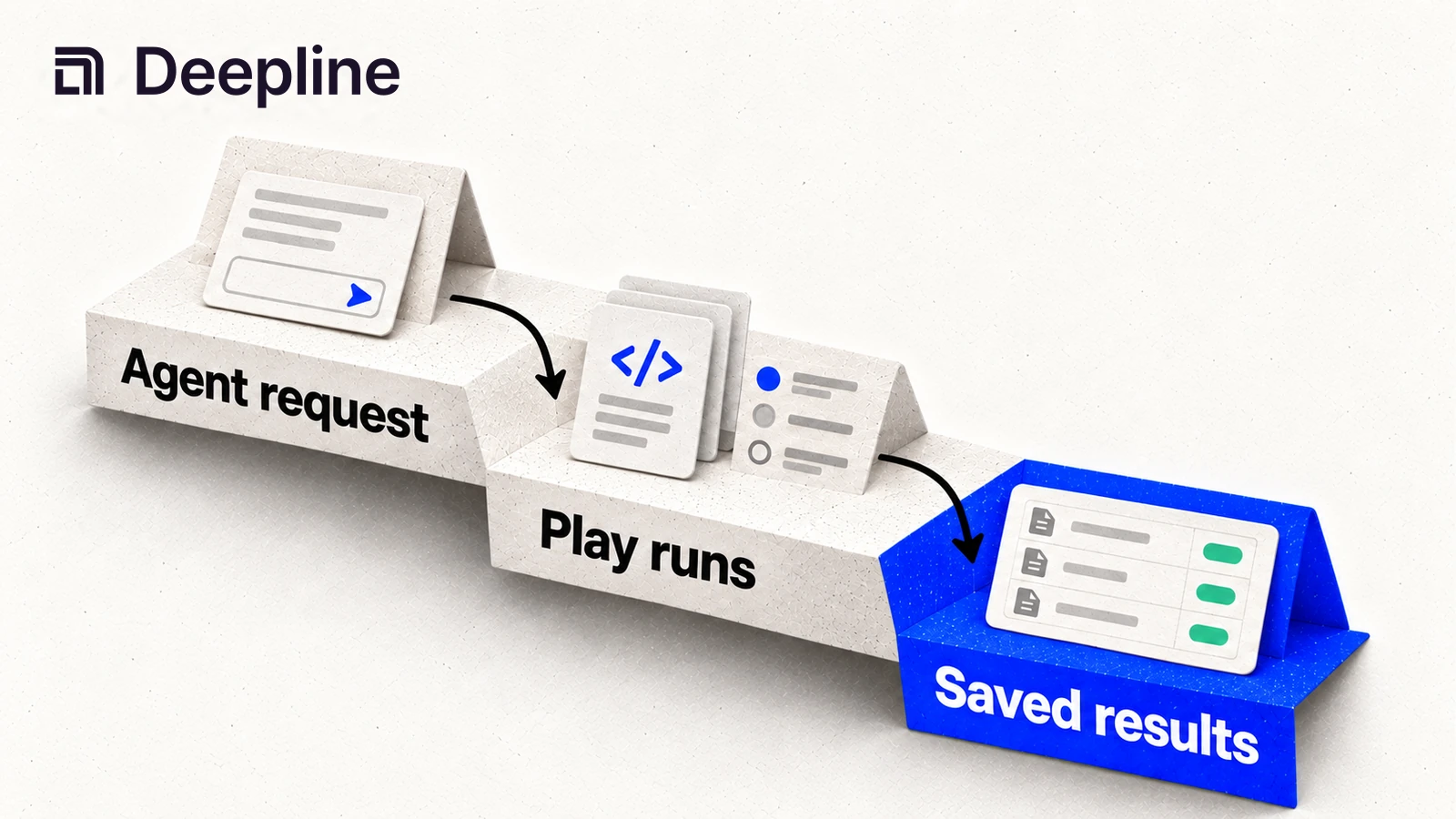
For this example, you could ask your agent to find contacts at the companies on your list and look up their email addresses. You can check the returned records before adding them to your CRM. If you want to repeat the job next week, save the steps as a workflow.
Saving a job you want to repeat
An email lookup is a tool. Each tool says what information it needs and what it returns. You can see the available tools in the integrations directory.
A saved workflow is called a Play. It can use several tools and include rules for what happens next. In the contact-list example, a Play could try another provider when the first one cannot find an email address.
Each time you start a Play, Deepline creates a run. That record shows which data you supplied, whether the job finished, and what it returned. You can use it to review the results before starting another list.
Find an email lookup tool
The command-line tool, or CLI, lets you use Deepline from a terminal. These commands install it, connect your account, and search for tools that work with email addresses:
npm install -g deepline@latest
npm exec --yes --package=deepline@latest -- deepline setup --json
deepline tools search email
deepline describe <tool-id>
Replace <tool-id> with an ID from the search results. The describe command
shows which fields that tool needs. For an example that adds missing details
to a CSV file, read the
data enrichment API guide.
If you are writing code, Deepline also has an API and a TypeScript SDK. They let your program call the same tools and saved workflows.
Using it with the tools you already have
Your CRM or data warehouse continues to hold the records your team works with. Deepline helps you look up missing information and send updates to connected applications.
The workflows are written in TypeScript. You can write the code yourself or ask an agent to write it. If you prefer arranging the steps in a visual spreadsheet, the Deepline versus Clay comparison explains the difference.
The use cases directory has examples of jobs you can run. Read the security overview for details on access and data handling.
Start with a list you can check
For a first test, choose a few companies you know. Decide which details you need, then ask your agent to look them up. Check whether it found the right people and how often it came back without an answer.
Review the time and cost alongside the results. If the job will update your CRM, decide which changes you want to approve before it writes anything.
Check the pricing options and which provider accounts the job uses before trying a larger list.