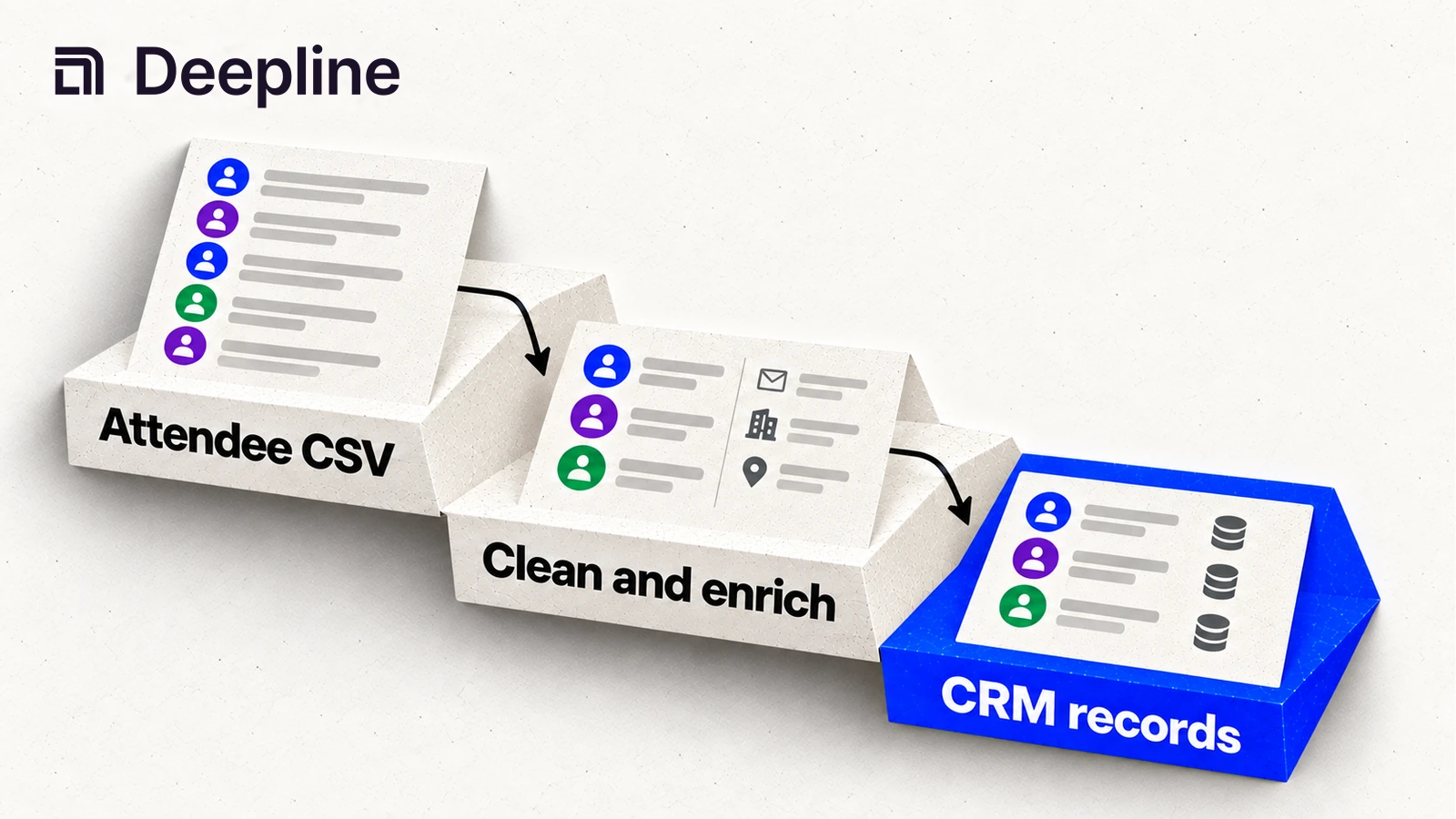
You ran an event. Fifty people showed up. Now you have a spreadsheet with names, maybe some company names, probably a mix of personal and work emails. Getting this into your CRM as enriched, qualified leads takes hours of manual work. Or one prompt.
Event exports are messy
Event platforms export messy data. A typical Luma export gives you:
- Name (sometimes first and last combined)
- Email (often personal - gmail, yahoo)
- Company (sometimes filled, often empty)
- Registration date
That is not enough to work with. You cannot segment these people by company size, industry, or role. You cannot verify if the email bounces. You cannot tell which attendees actually match your ICP.
The manual workflow looks like this: open LinkedIn, search each name, find their company, look up the company, check if it fits ICP, find a work email, manually add to HubSpot. Repeat 50 times. Takes 2-3 hours.
One prompt
In Claude Code with Deepline installed:
/deepline-gtm Take attendees.csv, enrich each person with company data
and verified work email, filter to companies with 50+ employees,
and push the qualified ones to my HubSpot event-followup list
Claude Code reads your CSV, runs enrichment through multiple providers, applies your filter, and pushes to HubSpot. Five minutes instead of three hours.
Workflow stages
Parse the export. Claude Code reads your CSV and identifies the columns: name, email, company, registration time. If names are combined ("Jane Doe"), it splits them. If emails are personal domains, it flags them for enrichment.
Enrich company data. For each person, Deepline enriches with company information:
- Company name (if missing)
- Domain
- Employee count
- Industry
- Funding stage
This uses a combination of Apollo person search, Crustdata company data, and reverse email lookup.
Find work emails. Personal emails are not useful for B2B outreach. Deepline runs waterfall email enrichment to find verified work emails. It tries Apollo, then LeadMagic, then Prospeo. Validates the result with ZeroBounce or Leadmagic.
Push to CRM. Qualified leads get pushed to HubSpot (or Salesforce) with all enriched fields. Deepline deduplicates against existing contacts so you do not create duplicates.
Handling messy data
Event exports have predictable problems.
Personal emails. If someone registered with jane.doe@gmail.com, Deepline cannot derive their company from the email alone. Include the company field when the event platform provides it, and review ambiguous matches before writing them to your CRM.
Combined names. Some platforms export "Jane Doe" as a single field. Claude Code splits on the space, handling middle names and prefixes ("Dr. Jane A. Doe" becomes first: Jane, last: Doe).
Empty company fields. Common with free events. Deepline searches for the person by name + email domain hint. If the email is personal, it searches by name only. Match rate drops but is better than nothing.
Duplicate registrations. Some people register multiple times. Deepline deduplicates by email before enrichment, so you do not waste credits on the same person twice.
Example walkthrough
You have a Luma export from your API launch event:
name,email,company,registered_at
Jane Smith,jane.smith@gmail.com,,2026-04-01
Bob Johnson,bob@acme.io,Acme Corp,2026-04-01
Carol Williams,carol@stripe.com,Stripe,2026-04-02
In Claude Code:
/deepline-gtm Enrich this attendee list with company data and work emails.
Filter to companies with 50+ employees. Push to HubSpot.
Claude Code runs:
- Reads the CSV
- Jane has personal email, no company. Searches Apollo for "Jane Smith" - finds her at TechCo
- Bob has work email at acme.io. Enriches Acme Corp with headcount (120), industry (SaaS)
- Carol already has work email at Stripe. Enriches Stripe data
- Filters: all three companies have 50+ employees
- Pushes all three to HubSpot with enriched fields
Output:
Processed 3 attendees:
- Jane Smith: Found at TechCo (85 employees), work email jane@techco.com
- Bob Johnson: Acme Corp (120 employees), existing email verified
- Carol Williams: Stripe (8000+ employees), existing email verified

All 3 passed filter (50+ employees)
Created 2 new HubSpot contacts, updated 1 existing
Added all to list: event-followup
Filtering by ICP
The real power comes from filtering before CRM push. Your event might have 200 attendees but only 30 fit your ICP.
/deepline-gtm Enrich attendees.csv.
Filter to: B2B SaaS, 50-500 employees, VP/Director/Head titles only.
Push qualified leads to HubSpot.
Claude Code enriches everyone, then applies your filter. Only matching leads get pushed. The rest stay in a separate CSV for review.
Common filters:
- Company size (employee count)
- Industry
- Seniority level
- Geography (company HQ location)
- Funding stage
- Tech stack (if available)
Connecting to HubSpot
Deepline uses the HubSpot MCP for CRM operations. Claude Code can:
- Create new contacts
- Update existing contacts
- Add contacts to lists
- Set custom properties
- Deduplicate before push
Before your first push, connect HubSpot in Claude Code:
/deepline-gtm Connect to my HubSpot instance
Claude Code walks you through OAuth. After that, CRM operations work automatically.
Handling webinar attendees
Webinars generate similar exports but often include additional fields: attended vs registered, watch time, questions asked.
Use these for filtering:
/deepline-gtm Enrich this Zoom webinar export.
Only push people who actually attended (not just registered)
and watched for at least 10 minutes.
Webinar engagement signals who is actually interested. Someone who watched the whole thing is a warmer lead than someone who registered and did not show.
Cost breakdown
For a 100-person attendee list:
- Person search (to find company): ~$0.01-0.05 per person
- Company enrichment: ~$0.01-0.03 per company
- Email waterfall: ~$0.02-0.10 per person (depends on how many providers needed)
- Email validation: ~$0.005 per email
Total: $2-8 for 100 attendees, depending on data quality. Personal emails cost more because they require more lookups.
Compare to the manual alternative: 3 hours at your hourly rate.
What to do next
- Quick start - Install Deepline and connect your first provider
- Email waterfall - How waterfall enrichment works
- Lead qualification and scoring - Advanced filtering and scoring