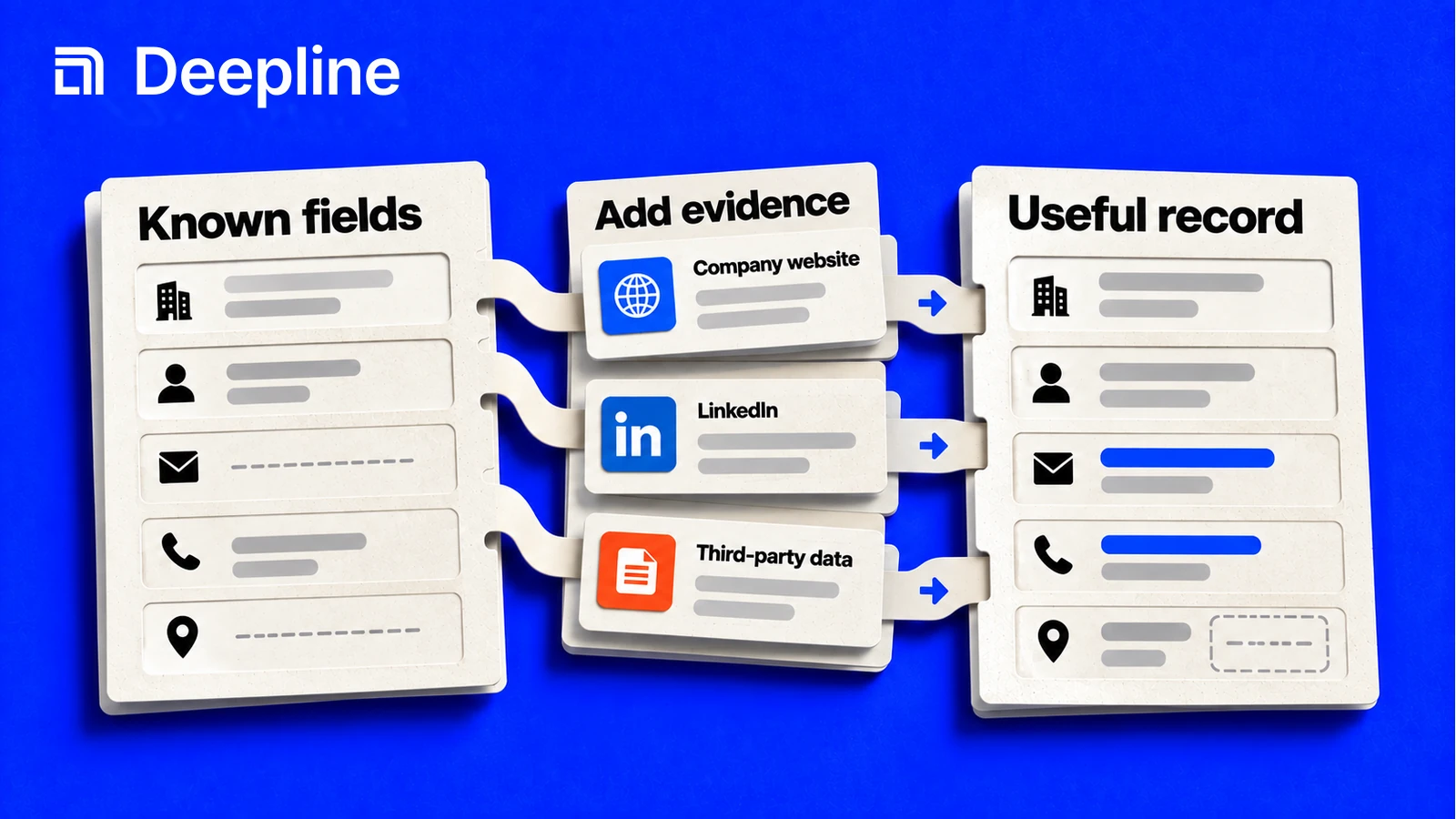
Definition
Match the enrichment tool to the data object
B2B contact and account enrichment are different from product-catalog enrichment. If the job is completing product attributes, categories, images or SKU descriptions for commerce, evaluate tools for that catalog and its publishing destinations. The contact and company workflows covered here should not be read as a product-information-management recommendation.
For a file upload, define the input identity and validate the file before calling providers. The incoming CSV validation guide covers that gate. For a trial signup, preserve the signup event and enrich independently using the signup workflow.
A prebuilt enrichment package should still expose its input fields, output contract, current stages and failure behavior. Inspect the maintained Play before running it, then review a representative pilot as shown in the waterfall guide. A package name alone does not establish that it fits your data or destination.
What data enrichment adds to a record
Data enrichment adds missing or updated attributes to an existing record. For a B2B contact, that might be a work email, current employer, role, or profile URL. For a company, it might be an industry, location, or technology signal. The output is useful only if it belongs to the right identity and satisfies the decision you need to make.
This guide helps you design the acceptance contract for enrichment: what counts as a usable record, which source can establish it, and when a proposed value is safe to use. For execution commands, use the waterfall enrichment guide. For the product layer behind it, see Deepline's GTM execution layer.
Email enrichment finds or verifies an address. Email delivery services send messages. A verified work email does not establish consent, satisfy your channel rules, or guarantee delivery to an inbox.
Start with the decision, then choose the fields
| Decision | Minimum useful output | Reject or review when |
|---|---|---|
| Route an inbound company | Matched company identity and the territory field your routing rule uses | A shared domain or conflicting location makes the match ambiguous |
| Find a buying-committee contact | Matched person, current employer and a role that meets your definition | A title is plausible but the employer or role evidence is stale |
| Prepare outreach | Matched person and work email accepted by your validation policy | The address is invalid, catch-all status is unresolved, or channel rules prohibit contact |
| Refresh CRM data | Exact CRM record, proposed field, source and a permitted update | The current value has a trusted owner or changed since the proposal |
Do not buy or collect fields merely because an API returns them. Each additional field adds a validation and maintenance obligation. Preserve the original record identifier so an output can be joined back without fuzzy matching a second time.
Choose single-source, waterfall or parallel lookup
| Pattern | Use it when | Acceptance rule |
|---|---|---|
| Single-source | A known source can provide the field with adequate evidence | Validate the result; a successful HTTP response is not a verified identity |
| Sequential waterfall | Another source can fill missing or rejected values | Stop only when a field passes the declared rule |
| Parallel comparison | Conflicting evidence needs comparison, and extra requests are justified | Resolve agreement, freshness and authority explicitly; more responses do not automatically mean better data |
Provider order should come from a representative evaluation of your inputs. A low advertised request price can become expensive if most outputs are unusable. Conversely, do not keep calling sources after the required fields have passed.
A worked acceptance example
The following records are illustrative, not customer data or a provider benchmark. The task requires a matched person at the current employer and a validated work email. A CRM field owned by sales must not be overwritten.
| Record | Evidence received | Decision | Reason |
|---|---|---|---|
| A | Current employer matches; email passes validation; destination field is empty | Propose the email update | All required checks pass; still read the CRM record before writing |
| B | Valid email but a different employer | Review identity | Deliverability does not prove the person is the intended contact |
| C | Identity matches; email is missing | Continue lookup if the budget permits | A successful lookup with no field is not a transport error |
| D | Request failed before a result was established | Reconcile the attempt | Do not treat an ambiguous request as a completed no-result or assume a retry is free |
| E | Identity and email pass; CRM value is protected | Keep the existing value | A valid enrichment result does not override field ownership |
This example separates usable enrichment from authorized CRM updates. Record E can count as a usable enrichment result while still being ineligible for an automatic write. Keep those denominators separate.
Measure cost per usable record
Use the customer-facing Deepline charges actually recorded for the evaluation. A tool quote is a planning input, not a settled charge. Include charged lookup, validation and retry work; do not substitute internal provider cost for the customer's cost.
Cost per usable record = total charged amount for the evaluation / distinct records meeting every required acceptance rule.
For an illustrative calculation updated September 13, 2026, suppose the recorded charge is $12.00 and 80 distinct records pass. The result is $0.15 per usable record. If 100 requests returned data but only 80 records pass, dividing by 100 would understate the cost. These numbers demonstrate the calculation; they are not Deepline rates, a measured benchmark or a prediction.
Report the input count, duplicate count, accepted records, rejected records, unresolved errors and actual charge together. If no record passes, report zero usable records and the amount spent; do not display $0 per usable record. For BYOK evaluations, account for separately billed vendor charges when comparing your total budget, while keeping them distinct from Deepline charges. Use current pricing and inspect the selected tool before estimating a run.
Run a representative evaluation
- Define the required fields and acceptance rules before seeing provider results.
- Select an authorized sample covering your real input quality, geographies and company types. Keep known identities for checking false matches.
- Deduplicate the inputs and retain stable record IDs. Record the sample date and selection method.
- Inspect the current workflow's input, output and pricing contract. Pilot it before scaling.
- Evaluate accepted results against independent evidence where available. A provider's confidence score is evidence to assess, not ground truth.
- Record the complete charged amount, failure states and rejected results alongside accepted coverage.
- Keep a holdout sample for checking the next workflow version. Compare like-for-like cohorts, not two unrelated lists.
A useful evaluation artifact contains record_id, the proposed field, source, observation time, identity decision, validation decision, workflow version and final disposition. Store sensitive contact information only in an approved system. A public write-up can show anonymized outcomes and methodology without publishing personal data.
Keep CRM changes explicit
Read the destination record before preparing the update. Compare its current value with the value the proposal was based on. If the record changed, return to review rather than replacing the new value.
Write only the approved fields with the supported CRM action, then read the record back to verify the result. Keep the prior value, proposed value and response in an audit trail. An ambiguous response requires reconciliation before retrying. An audit trail alone is not a rollback mechanism.
See the CRM validation and safe-write guide for the decision table. This is a workflow design method, not a claim that every enrichment tool automatically supplies conflict detection, approval or rollback.
Implement the workflow you evaluated
Start with the quickstart, then inspect the waterfall enrichment workflow. Use the B2B waterfall use case to check the operating rules and the Claude Code workflow collection for possible applications.
Choose a specific supported workflow, inspect its current contract and test authorized inputs. Preserve the acceptance rules when you turn the pilot into a scheduled or reusable process. A larger provider list is useful only when it improves the result you defined.
Common questions
1What is data enrichment?+
Data enrichment adds missing or updated attributes to an existing record. A useful result matches the right identity, passes a field-specific validation rule, and retains its source and observation date.
2How is enrichment different from email sending?+
Email enrichment looks up and validates a work email for a person. Sending infrastructure delivers a message. Finding a valid address does not establish permission to contact it or guarantee inbox placement.
3When should I use a waterfall?+
Use sequential lookup when another source can fill a missing or rejected field. Stop when the field passes the acceptance rule. Use parallel comparison when resolving conflicting evidence is worth the additional requests.
4How do I measure cost per usable record?+
Divide the total customer-facing charge for a completed evaluation by the number of distinct records that meet all required acceptance rules. Include charged validation and retries. If no record passes, report zero usable results rather than a misleading zero cost.
5Can enrichment overwrite my CRM?+
An enrichment result should be a proposed change. Define field ownership, match the CRM record, review conflicts, and inspect the current write action before authorizing an update. Do not assume a provider lookup includes rollback or safe merging.