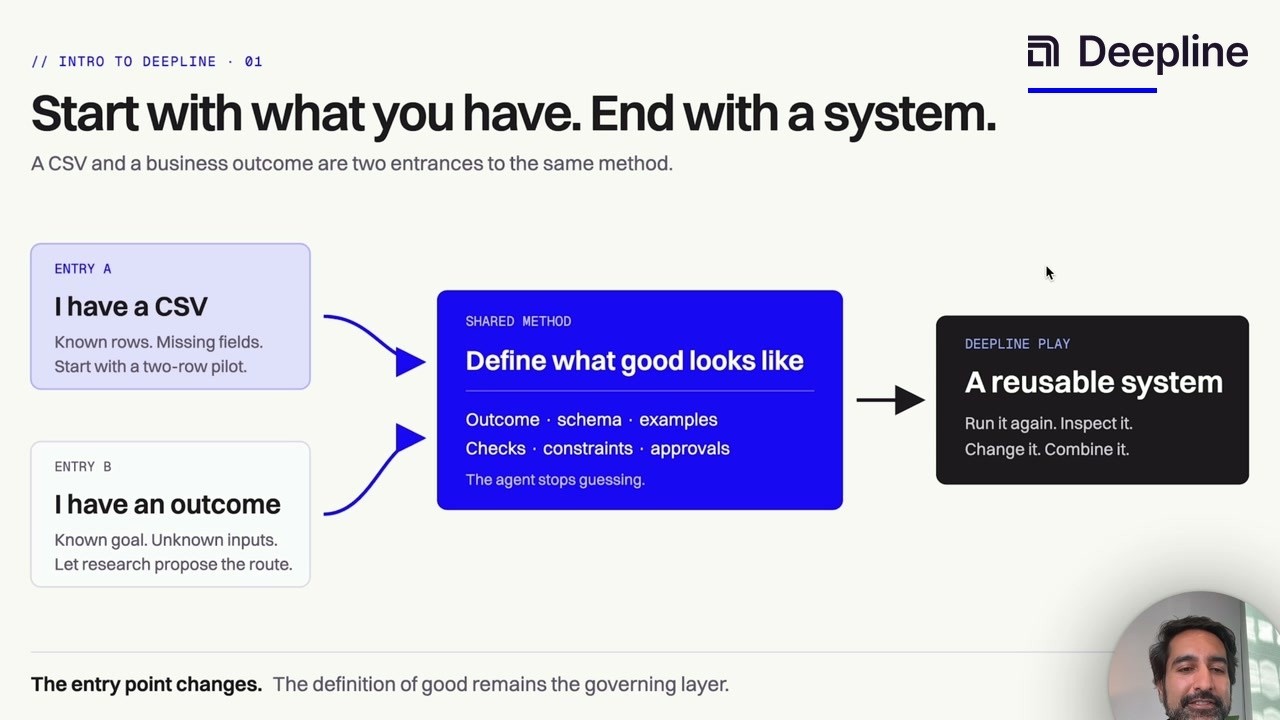
Video not loading in LinkedIn or your in-app browser? Watch it on YouTube.
The method
Start with the result, not the provider
The usual email-enrichment workflow starts with a vendor: upload a list, add a column, and hope the returned addresses are usable.
Claude Code works better when you reverse that order. Define what a trustworthy row looks like first. Let the agent choose and test the route second.
Your input can be messy. Some rows may already have a good work email. Others may have only a name, company, domain, or LinkedIn URL. The governing contract stays the same: preserve good data, return one accepted result per person, keep evidence, and flag uncertainty instead of guessing.
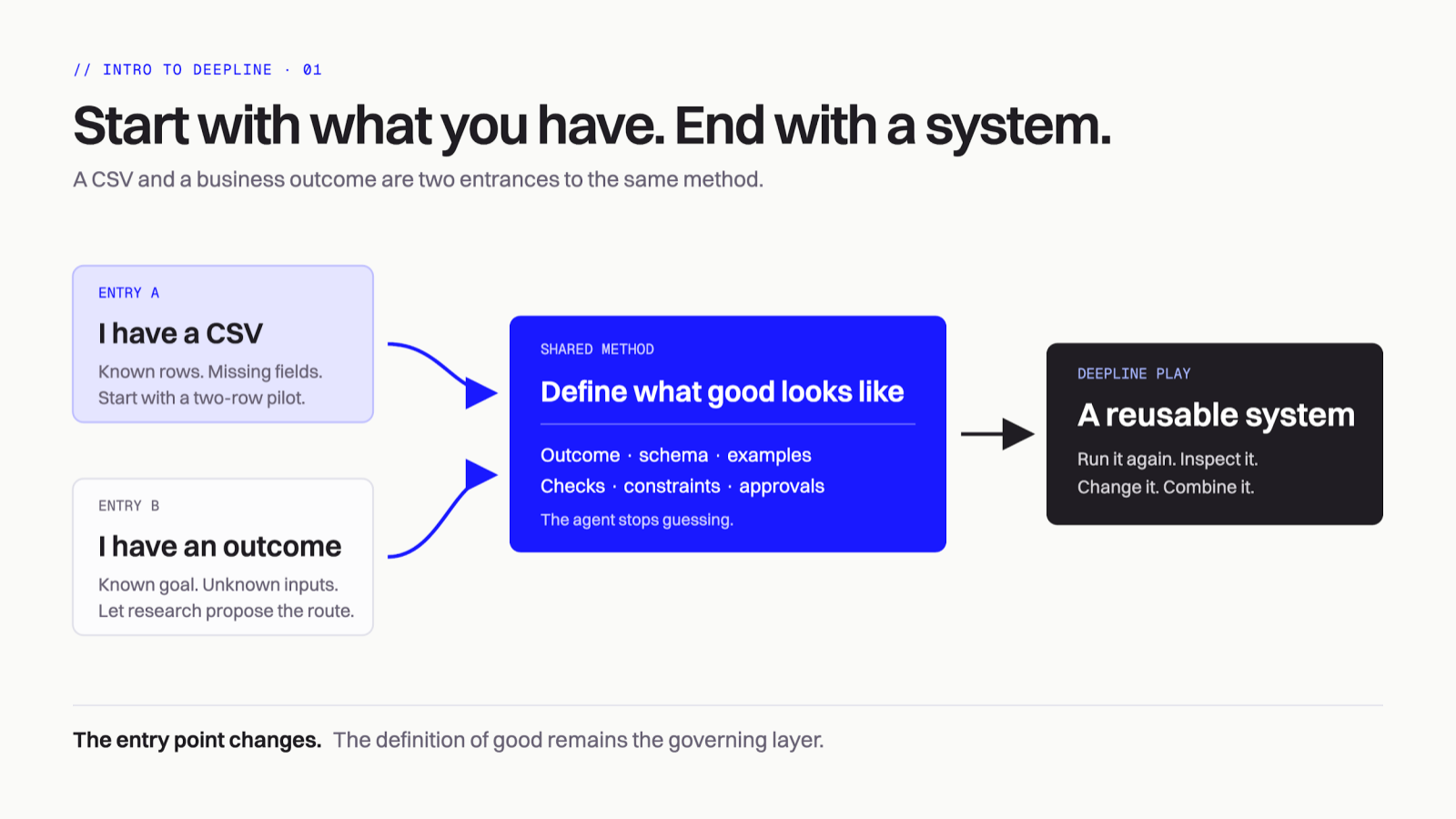
A CSV and a business outcome are two entrances to the same method.
For this tutorial, a good output has these columns:
| Column | What it means |
|---|---|
work_email | The best accepted current work address, or blank when none passes |
email_status | verified, catch_all, invalid, not_found, or needs_review |
email_last_verified | When the address was checked |
email_source | The route or source that produced the accepted value |
current_company_verified | Whether the person still works at the company in the row |
review_notes | Identity conflicts, stale employment, or other reasons a human should inspect the row |
Keep the original columns too. You want an audit trail, not a replacement file with no lineage.
Before Claude Code: prepare the smallest useful CSV
Use the strongest identity fields you already have. Do not buy the same data twice.
first_name,last_name,company_name,domain,linkedin_url,work_email
Jane,Smith,Acme,acme.com,https://www.linkedin.com/in/jane-smith,
Sam,Lee,Example,example.com,,sam.lee@example.com
The preferred routes are:
| Starting data | Likely email route |
|---|---|
| Standard LinkedIn profile URL | LinkedIn-to-work-email waterfall |
| First name + last name + domain | Name-and-domain waterfall |
| Company name but no domain | Resolve the domain, then run name-and-domain |
| Existing email | Validate it before buying a replacement |
Provider order and price can change. The skill should inspect the current play and its tools before it spends anything.
Claude Code workflow
Step 1: install Deepline and verify the workspace
npm install -g deepline@latest
deepline setup --json
deepline auth status
The setup command installs Deepline skills for supported coding agents. In a customer project, confirm the workspace before you expose or run customer data.
Step 2: give Claude Code the contract
Open Claude Code in the folder that contains the CSV. Invoke deepline-gtm explicitly so the agent loads Deepline's routing, pilot, and approval rules.
/deepline-gtm

Input file: ./contacts.csv

Enrich the file with current, verified work emails.

Accepted output:
- Preserve every existing email that is still valid.
- Replace an existing value only when the new result has stronger evidence.
- Prefer linkedin_url when it is present.
- Otherwise use first_name, last_name, and domain.
- Verify that the person still works at the company before accepting an address.
- Return work_email, email_status, email_last_verified, email_source,
  current_company_verified, and review_notes.
- A catch-all address is not the same as a verified address. Label it.
- If identity or employment is uncertain, leave work_email blank and use
  needs_review instead of guessing.

Run 10 representative rows first. Show me the planned route, acceptance checks,
estimated Deepline spend, and sample output. Stop for approval before the full file.
The words “representative rows” matter. A pilot made only of the easiest records proves very little. Include rows with a LinkedIn URL, rows with only name and domain, one existing email, and at least one stale or incomplete record.
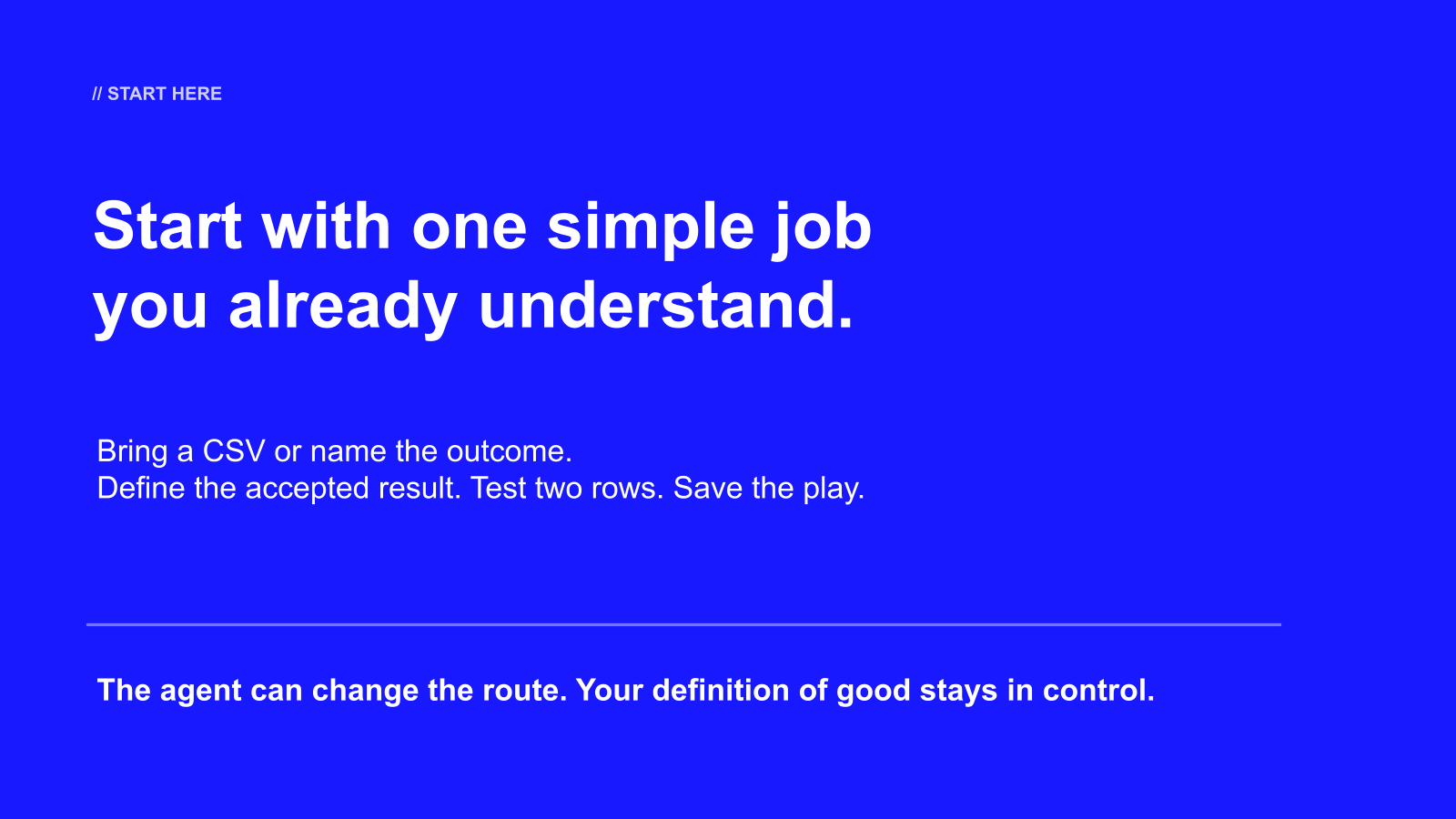
The route can change. Your definition of good remains the control layer.
Step 3: review the plan before the pilot runs
The agent should show four things before paid execution:
- Input mapping. Which columns identify the person and company?
- Execution route. Which waterfall or play will run, and which rows are eligible?
- Acceptance checks. What makes an email verified, rejected, or reviewable?
- Spend boundary. How many rows will run and what Deepline-facing cap requires approval?
If the plan says “fill every blank” but says nothing about current employment, catch-all status, or false identity matches, revise the contract before running.
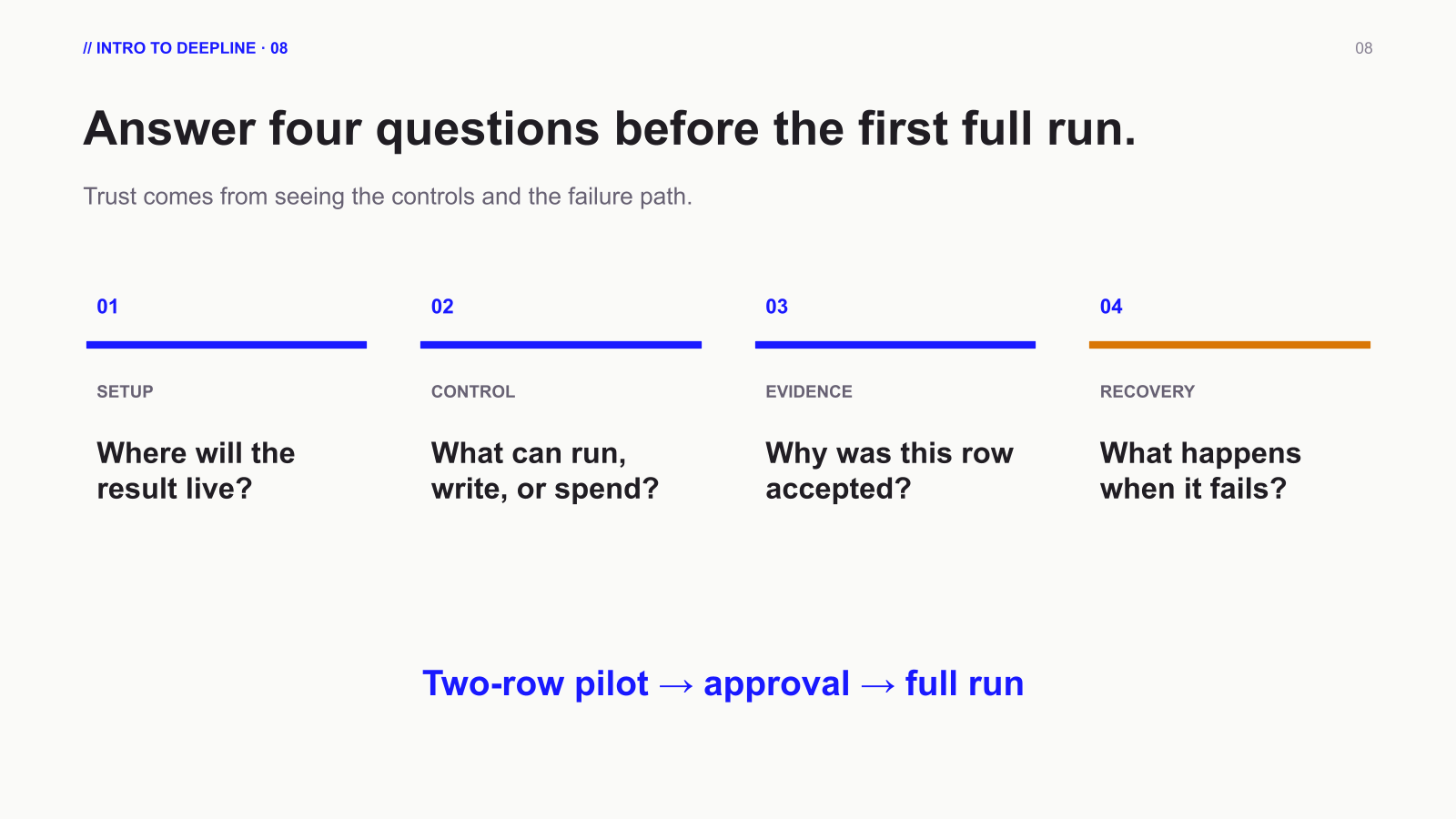
Answer setup, control, evidence, and recovery before the first full run.
Step 4: inspect the 10-row output
Do not judge the pilot only by fill rate. Review each accepted address against the contract.
| Check | Pass condition |
|---|---|
| Identity | The result belongs to the person in the row |
| Employment | The person currently works at the expected company |
| Domain | The email domain belongs to the current employer or an accepted parent domain |
| Validation | The status distinguishes verified, catch-all, invalid, and not found |
| Preservation | Existing good data was not overwritten without stronger evidence |
| Lineage | The row includes a source and useful review note |
| Failure behavior | Uncertain rows are blank or flagged, not fabricated |
Then ask the review skill to turn the sample into a correction loop:
/deepline-plays-review Review the latest email-enrichment pilot.
Create a row-level review sheet, separate accepted rows from needs_review,
and update the play contract from my corrections before rerunning failures.
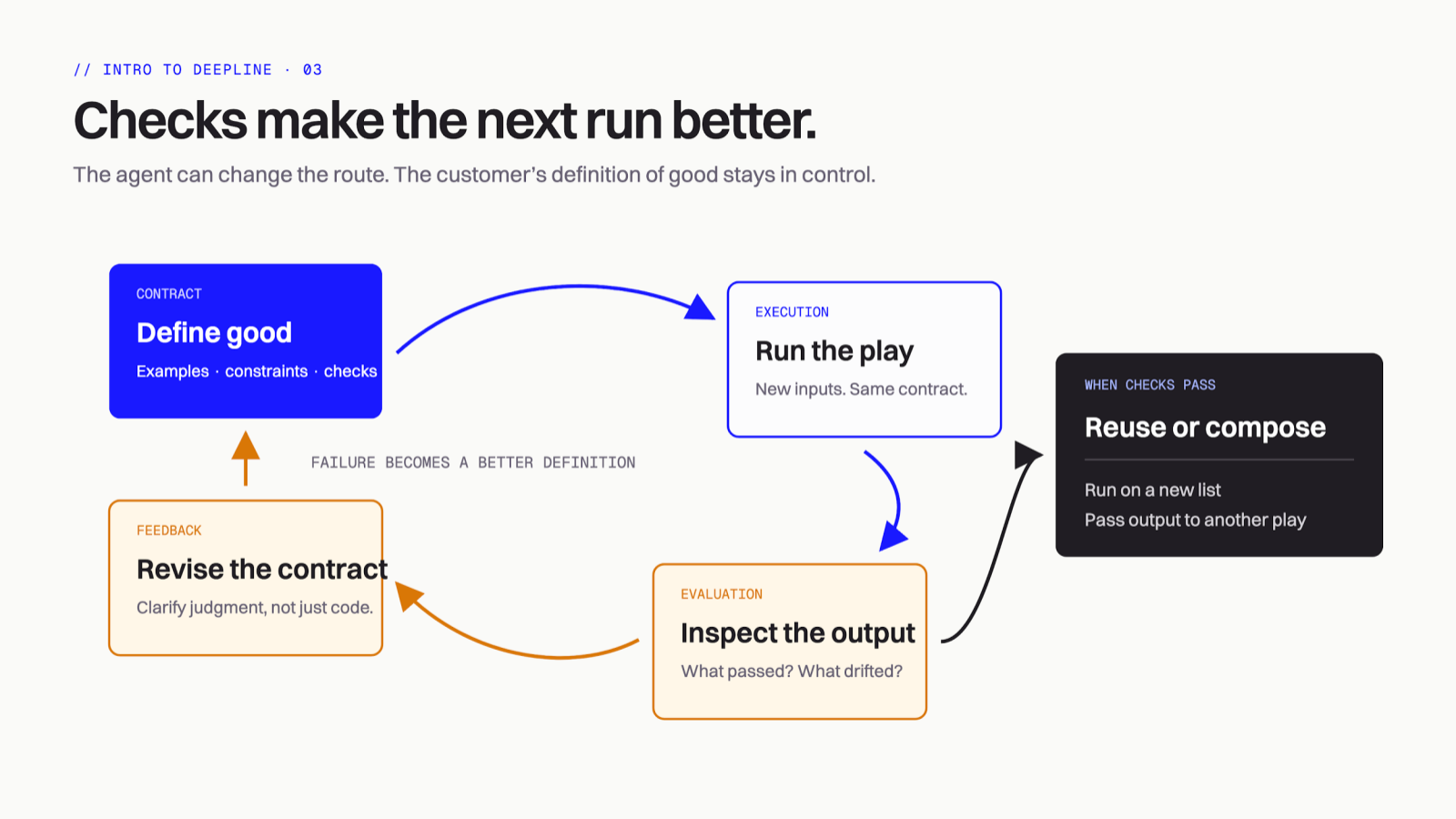
A failed row should improve the contract before the next run.
Step 5: approve the full file
Scale only after the pilot has stable columns and useful failure labels. Tell Claude Code what to do with the approved result:
The pilot is approved.

Run the accepted workflow across the remaining rows.
Do not rerun rows that already have an accepted work_email.
Keep the pilot columns and review notes.
Write the final output to ./contacts-with-work-email.csv.
Report rows attempted, verified, catch_all, not_found, needs_review,
and the final Deepline spend.
For a CSV with LinkedIn URLs, create a ten-row pilot plus its header. Then run the LinkedIn batch Play.
awk 'NR <= 11' contacts.csv > contacts-pilot.csv
deepline plays describe prebuilt/person-linkedin-to-email-batch --json
deepline plays run prebuilt/person-linkedin-to-email-batch --csv contacts-pilot.csv --watch
Use the skill when the file contains mixed identifiers. It can inspect the headers and route rows with LinkedIn URLs differently from rows that need name-and-domain resolution.
Step 6: save the accepted method as a play
A good one-off result is useful. A reusable play is the system.
Ask Claude Code to preserve:
- the input-column mapping;
- the email waterfall or tool-selection rule;
- the acceptance checks;
- the output schema;
- the review and approval boundary;
- the final export or database destination.
/deepline-plays Turn the approved email-enrichment contract into a reusable play.
Check it without running, pilot three mixed rows, and publish only after the
output matches the approved CSV schema.
The play can later run from another CSV, a schedule, a webhook, or another play. The table is an input or output; it does not have to be the workflow itself.
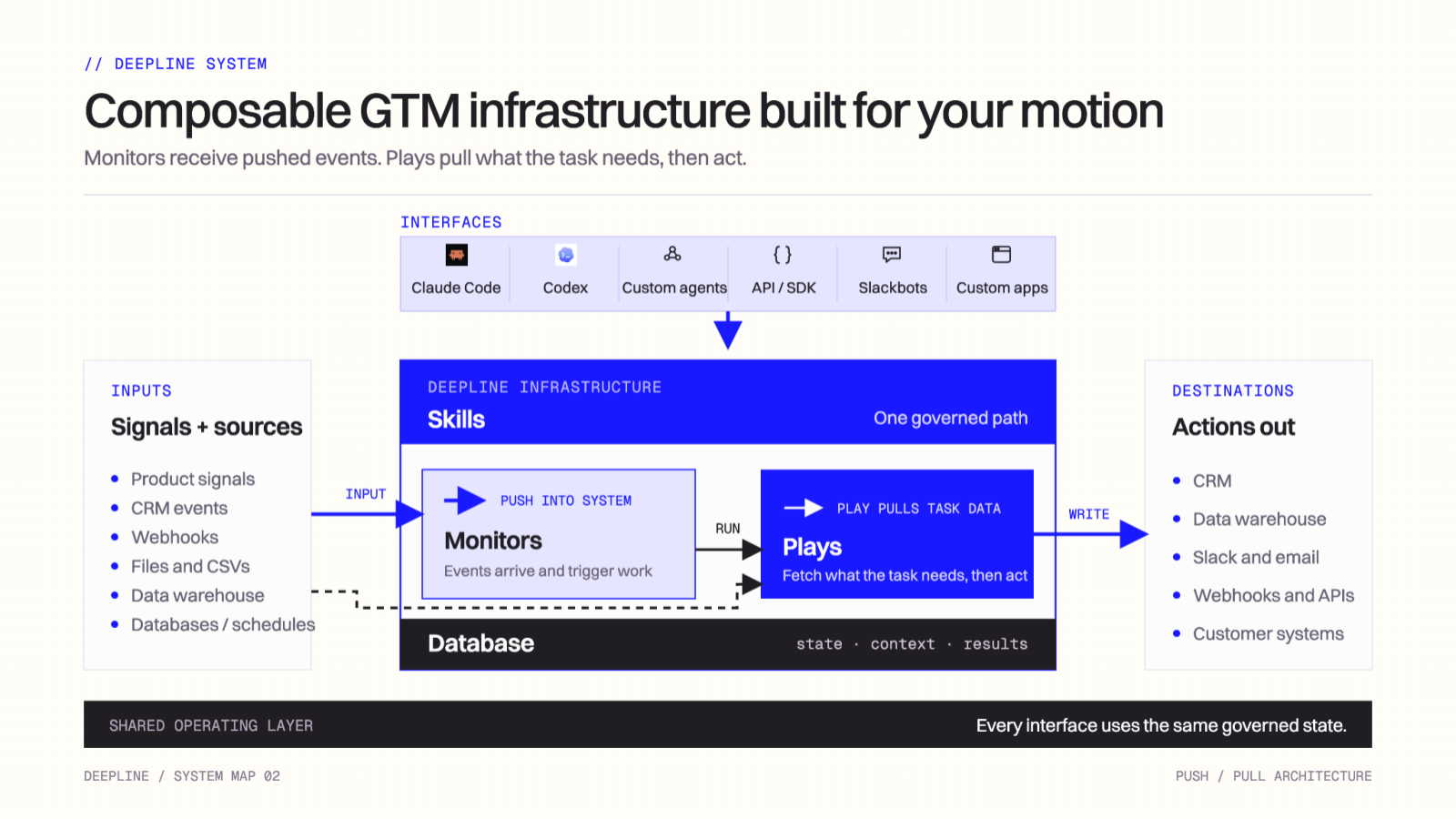
Skills guide the agent. Plays execute the job. The database keeps state, context, and results.
Common mistakes
Five ways CSV email enrichment goes wrong
1. Asking only for “email”
That leaves the agent to decide whether personal addresses, catch-all addresses, stale work addresses, or inferred patterns are acceptable. Name the email type and status contract.
2. Running the full file first
One wrong identity rule can produce hundreds of plausible-looking errors. Run a mixed pilot and inspect evidence.
3. Optimizing for filled cells
not_found is a valid result. A fabricated address is not. Measure accepted coverage, not blanks removed.
4. Overwriting data you already trust
Preserve valid existing emails. Re-enrich only stale, invalid, or missing values unless the new source has stronger evidence.
5. Treating a catch-all as verified
A catch-all domain may accept any address during validation. Keep that state visible so downstream teams can decide whether to send, review, or suppress it.
The short version
Bring the CSV. Define the accepted row. Invoke deepline-gtm. Pilot ten representative records. Review evidence, failure states, and spend. Approve the full run. Save the accepted workflow as a play.
That is the difference between filling a column once and building an enrichment system your team can reuse.
Keep these references open while you run
This article explains the method. Use the product docs as the current operational reference:
| Reference | Use it for |
|---|---|
| Quickstart | Installation, authentication, workspace checks, and a first run |
| I have X, I want Y | Choosing the play that matches the identity fields in your CSV |
| Waterfall enrichment | Current routing, accepted inputs, failure behavior, and examples |
| Cost control | Pilots, measured spend, and approval boundaries |
| Clay-native task recipe | Moving a Clay table into a safe Deepline pilot |
If a command or provider route differs from a screenshot or recording, follow the product docs. The written reference is the versioned source of truth.