The thesis
This is a living guide. We add plays and sharpen the existing ones as we run them with more teams, so the count and the ranking will keep changing. Last updated June 8, 2026.
Most product usage data dies in a dashboard. Someone builds a funnel chart, the team nods, and nobody does anything different the next morning.
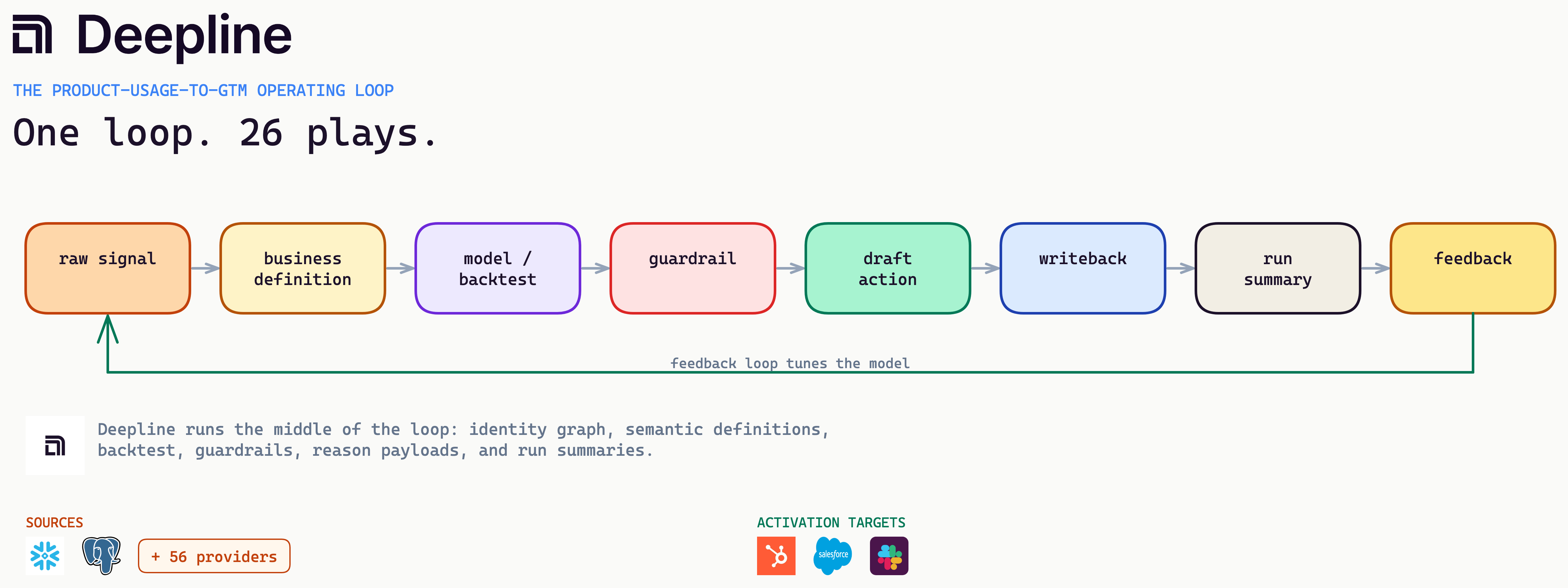
The job is to turn that data into a loop the GTM (go-to-market) team runs on:
- A warehouse signal becomes a definition.
- The definition feeds a model or an enrichment.
- You backtest it, draft an action, write it back, and log it.
- The result tunes the next run.
PQLs (product-qualified leads) are one motion in that loop, not the point. The point is that product usage should change what a rep, a CSM (customer success manager), or a lifecycle email does next.
"Connect product usage to sales" is the easy sentence. The hard part is what breaks when you wire warehouse data into CRM (customer relationship management) records, campaign tools, rep activity, and product telemetry at once. Most PLG (product-led growth) guides skip that part. This one leads with it.
You cannot skip defining what your events mean
This is the part people try to automate away and cannot. An agent has no idea what your product events mean:
event_usage_mom < -0.35is just a number until a human says it means renewal risk.first_workflow_run_at is not nullis just a timestamp until someone says it means activation.
The meaning lives in your head, not in the column name.
You have two ways to give it that meaning:
- In plain language: Tell the system what each event means and how to treat it. Fastest to start, and text-to-SQL handles a lot from there.
- In code: Write it down once as a dbt model your whole team reads from. More setup, but you stop redefining the same thing five times.
What does not work is handing the model your raw tables and hoping it infers the meaning from column names. It might get close. It might even sound sure. But fixing it from there takes longer than walking through the product, naming events as you trigger them, and writing down what actually fired. We have not seen anyone reverse-engineer an event model without deep context on how the product works. Events rarely fire when people say they do, and that gap is what eats the time.
Do you need to define events in code? No. Plenty of teams start in plain language and never touch dbt. Should you do it eventually? Yes. Writing the definitions down once means you stop redefining the same thing in five places, the quality compounds, and everyone on the team can build on what you did instead of guessing at it.
What breaks in warehouse-native GTM
The same pattern holds whether the motion is PLG, enterprise sales, or high-volume inbound: raw signal -> identity graph -> semantic definition -> backtest -> guardrail -> draft action -> feedback loop. Skip the middle and you have not built a workflow. You have built a faster way to make the same spreadsheet mess, with an API in front of it.
Here is what actually breaks, in roughly the order you hit it.
| What breaks | Why it breaks | What fixes it |
|---|---|---|
| The warehouse is not the workflow | Snowflake or Postgres can hold the data but they do not decide what should happen next. | A decision layer that answers which account, which user, which owner, which action. |
| The first project is identity | A product user does not match the CRM account; a form submit gets counted twice. | A canonical identity graph across anonymous IDs, users, contacts, accounts, and domains. |
| Source-of-truth priority | The same event lives in GA4, HubSpot, and Salesforce with different values. | Explicit priority rules in the semantic layer, not table-name guessing. |
| Unowned reverse ETL | The model changes, the sync keeps running, the CRM field goes stale, and nobody owns the fix. | Named owners, blocked-row rules, overwrite policy, and rollback. |
| Manual CSVs as an operating model | Fine for the first backtest, not for a recurring rep action. | A real model, run log, and owner once a rep action depends on the result. |
| Fake backtest insights | "signed_up correlates with purchase." Of course it does; users cannot buy before they exist. | Exclude prerequisites; look for effort, collaboration, limits, and intent. |
The most common mistake is jumping straight from raw source to activation draft, with nothing in between. That shortcut is where bad PQLs and bad outbound come from, and it always looks fine in the demo.
One word in that pattern carries the weight: backtest. Before you turn a workflow on, run it against real history. It is a dry run over the past, not a guess about the future:
- Replay the rule over real product and CRM history, as the data looked at the time.
- Check what it would have fired against what actually happened: who upgraded, churned, or booked.
- A play that flags the ten accounts that expanded ships. One that spams two hundred to catch three does not.
It is the cheapest insurance you have before a play touches a rep or a customer, and we run it on nearly every play.
The public consensus on lead scoring says the same thing: validate against the last 12 to 24 months of closed-won and closed-lost before you assign a single point, and treat the deals you lost as negative-scoring rules, not noise. We do it with one prompt:
Take the qualification rule we just defined and apply it to the last 100 closed
leads (50 that became customers, 50 that did not), in dry-run mode. Do not send.

For each lead, pull the product and CRM state as it was when the lead came in, run
the rule, and label it: would_send, blocked (which guardrail), or incomplete (which
step ran out of data).

Then score the rule against what we already know:
- of the would_send leads, how many actually converted
- how many converters it missed (blocked or never flagged)
- did any lost deal score above the send threshold (a false positive to fix)
- is the would_send conversion rate above our overall lead-to-customer baseline
- the worst three false positives, with the reason payload that fired them
Read the table, tighten the rule, run it again. The version that ships is the one whose would_send set lines up with the accounts that actually expanded, beats the baseline conversion rate, and never scores a lost deal high. Not the one that looked clever in the demo. Backtesting deserves its own post, which we will publish separately.
Always include a why-now
Two small things decide whether a workflow gets trusted or quietly ignored.
The first is a reason payload on every routed account, so the rep sees why now, not just a rank:
{
  "why_now": [
    "3 active users in last 14 days",
    "CRM connected",
    "pricing page viewed twice",
    "no sales activity in 30 days"
  ],
  "suggested_action": "draft_owner_followup",
  "blocked_reasons": [],
  "source_tables": ["analytics.product_events", "salesforce.accounts"],
  "scored_at": "2026-06-07T12:00:00Z"
}
The second is a run summary. Every production run should say what it touched:
- records read, qualified, blocked, and written to CRM
- drafts created, sample rows, and blocked-reason counts
- when it started and finished, and who approved it
The test is mundane and brutal: when someone asks what happened yesterday, you answer in one place instead of opening six tabs and guessing.
The plays, highest value in order
Every play has the same shape: a source and a signal on the left, a Deepline step that defines and guards in the middle, an action with activation targets on the right. Nothing auto-sends. Deepline drafts the move and a guardrail suppresses the ones that should not happen. Each play gives the business case, the metric it moves, the likely stack, an anonymized example, and a collapsed Deepline config you can expand.
We ranked all 27 by value, leading with new-revenue plays and putting protection or efficiency plays after. Every percentage here is an internal, directional figure from our own work, not a published benchmark, and none of it is tied to a named customer.
Not every play fits every company. This ranking reflects what has been most useful for the B2B SaaS PLG companies we have worked with. A sales-led or enterprise motion would weight these differently, so read the order as a starting point, not a verdict.
Recommended plays in order of impact
| # | Play | Why it matters |
|---|---|---|
| 1 | Product-Led Inbound Prioritization | Inbound qualification, fast rep payback |
| 2 | High-Intent Pricing Page Plus Real Usage | Pricing intent backed by real usage |
| 3 | Usage Limit Hit, Upgrade Path Obvious | Obvious upgrade trigger |
| 4 | Self-Serve Account Ready For Sales Assist | Self-serve crosses into sales-assist |
| 5 | High-Usage Account, Stale CRM | Active accounts the CRM lost |
| 6 | Trial Setup Completed, No Sales Touch | Activation to pipeline, day one |
| 7 | New Use Case Detected Inside Existing Customer | A new function adopting inside a customer |
| 8 | Multi-Product Cross-Sell From Power Users | Product-level propensity to buy product B |
| 9 | Free Workspace With Team Adoption | Team adoption buying signal |
| 10 | Personal Email To LinkedIn Identity Resolution | Failures as product research |
| 11 | Failed Workflow Rescue | Dormant high-fit plus a fresh signal |
| 12 | Workflow Failure At High-Fit Account | Widen a single-threaded target |
| 13 | Predictive Decision-Maker Identification | Predict who actually buys, not who has the title |
Bonus plays
| # | Play | Why it matters |
|---|---|---|
| 14 | Department Expansion | Lateral department growth |
| 15 | Expansion Signal Before Renewal | Expansion before renewal |
| 16 | Product Champion Changed Jobs | Reactivate a moved champion |
| 17 | Dormant High-Fit Account Reactivation | Recover anonymous PLG pipeline |
| 18 | Multi-Threading Target Account | Multi-thread a target account |
| 19 | Product Usage Up, Business Review Missing | Trigger an overdue QBR |
| 20 | Activation Stalled After Setup | Rescue a stalled activation |
| 21 | High-Fit Quiet Account | Founder help for a quiet high-fit account |
| 22 | Usage Drop Before Renewal | Catch a decaying renewal |
| 23 | Champion Risk Before Renewal | Find a champion before renewal |
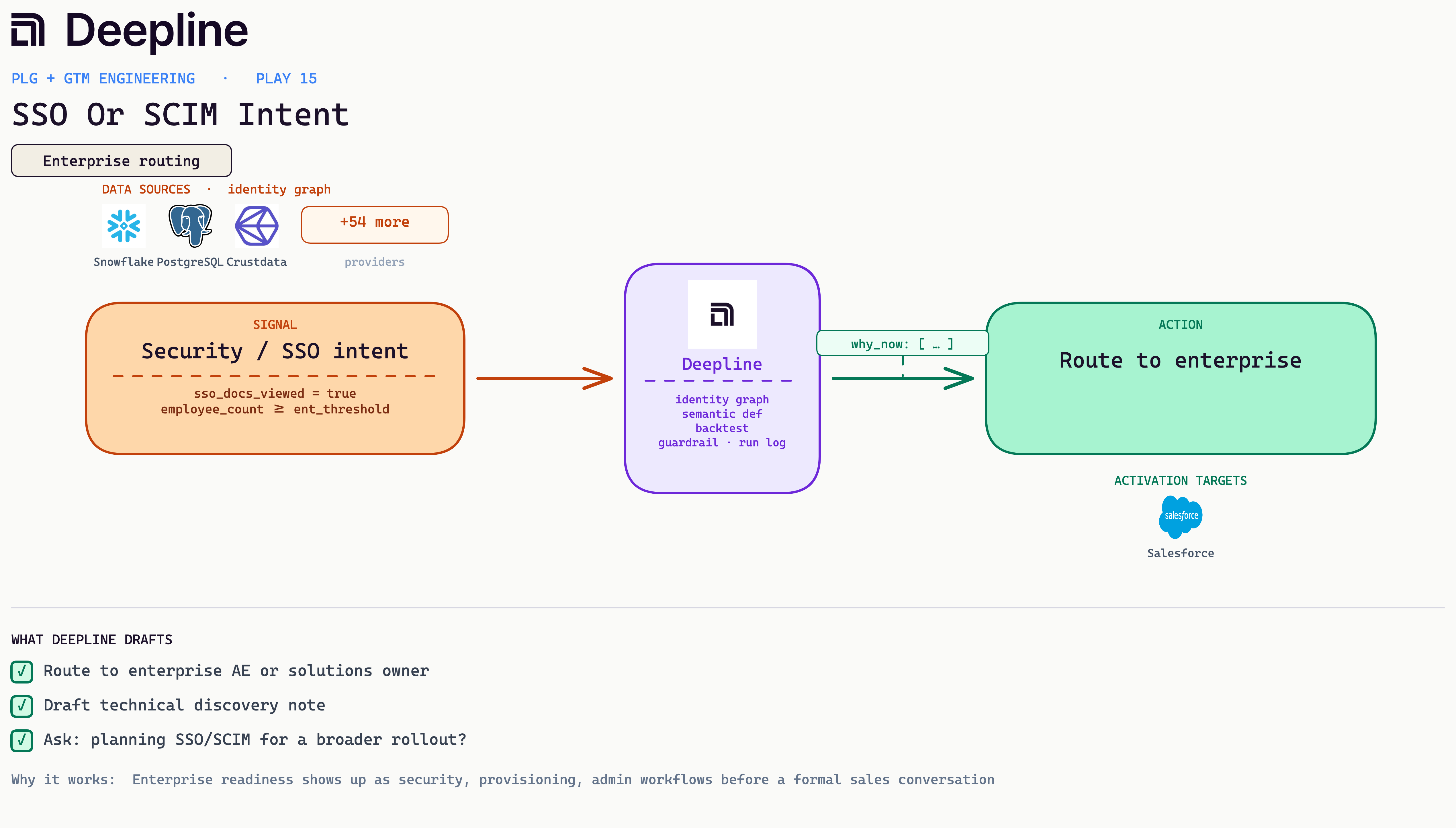
| 24 | SSO Or SCIM Intent | Route enterprise security intent |
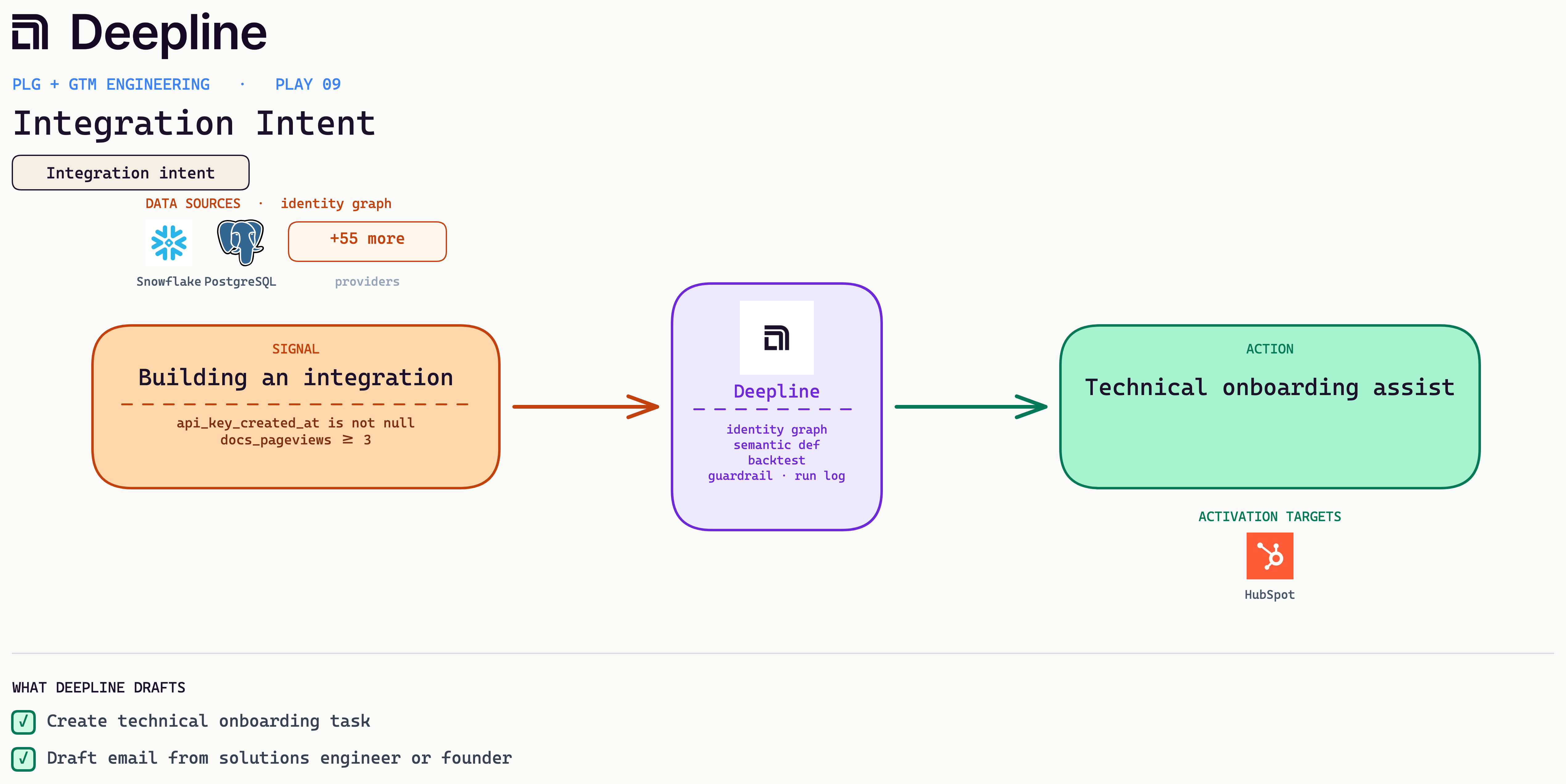
| 25 | Integration Intent | Solutions touch on integration intent |
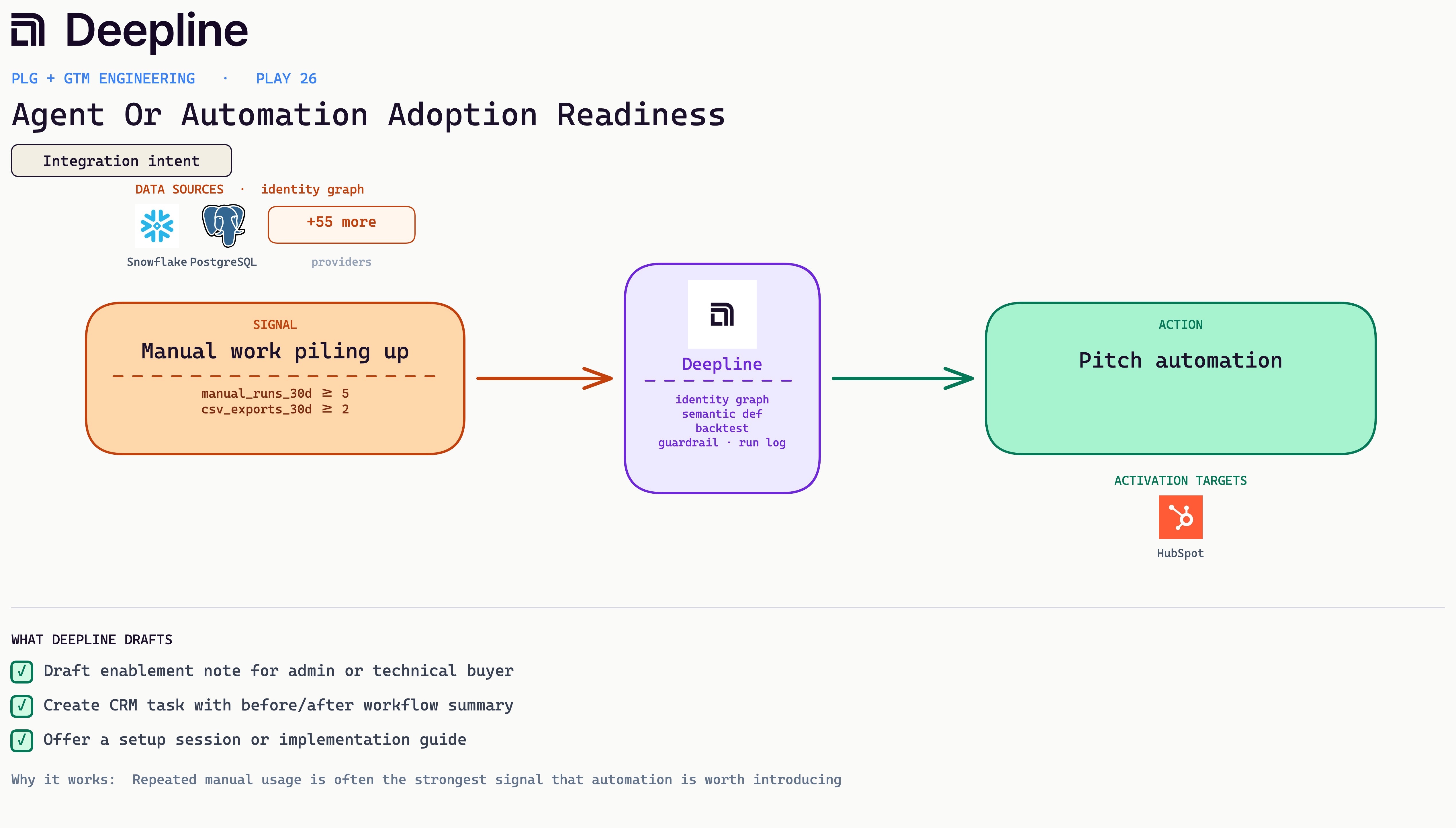
| 26 | Agent Or Automation Adoption Readiness | Pitch automation to heavy manual users |
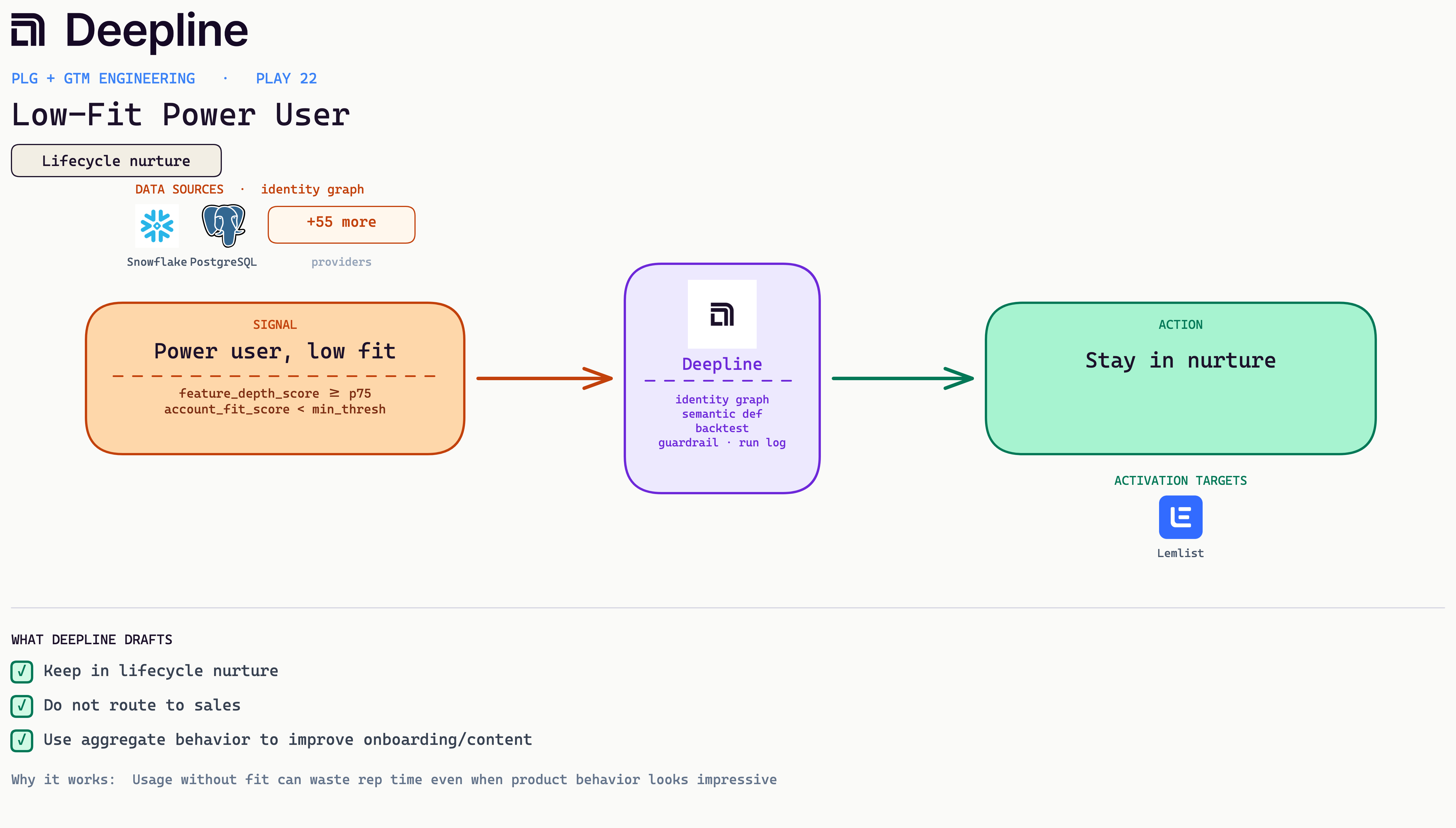
| 27 | Low-Fit Power User | Keep low-fit power users in nurture |
Recommended plays
These thirteen lead because they create or accelerate new revenue: inbound qualification, scoring, upgrades, expansion, and recovering pipeline you cannot currently see. Most need only product events plus a CRM to ship.
1. Product-Led Inbound Prioritization
A signup used a core feature and viewed pricing in the same week, so route them to a rep the same day with the action they took. Where we start: Inbound qualification is where most of our engagements begin. It pays for itself in the first month of rep time saved.
Business case: A signup who used a core feature and looked at pricing in the same week is in-market right now, and that intent decays in days. Routing them to a rep the same day, with the exact action they took, is the difference between a real conversation and a cold sequence later.
Metric: Self-serve to sales-assist conversion (directional in internal testing; confirm on your own data).
Stack: mrr from billing or customer_db, usage thresholds from product_events, Slack owner alert, sales-assist list in Attio or Salesforce.
From the field: A team watches for paid accounts that pass a seat and usage line in the same week, drafts a short expansion note, and drops the account into an assist queue an owner clears daily.
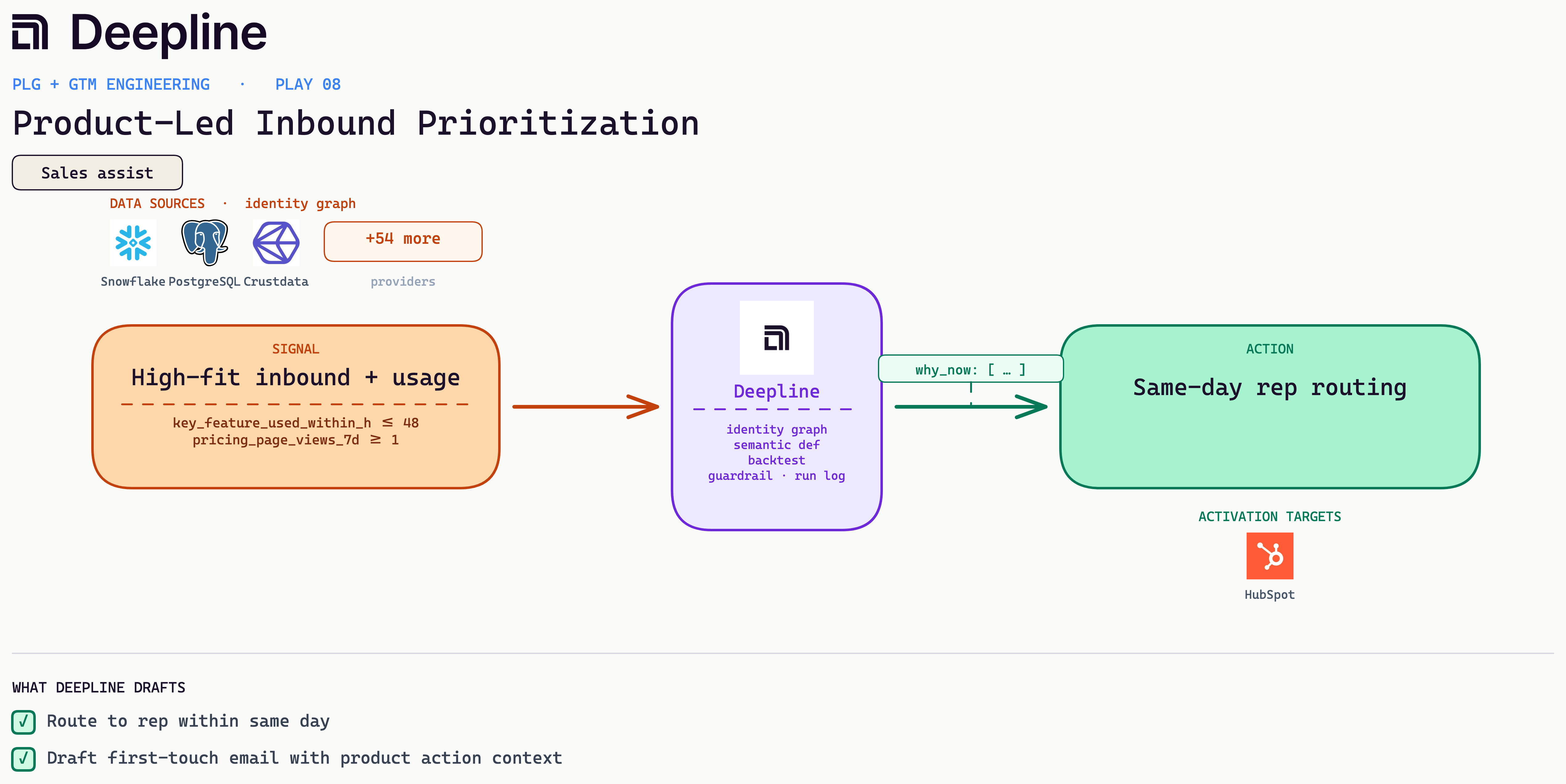
Deepline config (pseudo-code)
{
  "name": "product-led-inbound-prioritization",
  "trigger": {
    "type": "cron",
    "schedule": "*/30 * * * *"
  },
  "steps": [
    {
      "alias": "signals",
      "tool": "snowflake_run_semantic_query",
      "payload": {
        "metrics": ["key_feature_used_within_h", "pricing_page_views_7d"],
        "dimensions": ["account_id", "primary_user_email", "owner_id"],
        "filters": {
          "key_feature_used_within_h": {
            "lte": 48
          },
          "pricing_page_views_7d": {
            "gte": 1
          }
        }
      }
    },
    {
      "alias": "enrich",
      "tool": "crustdata_enrich_person",
      "payload": {
        "email": "{{signals.rows[].primary_user_email}}",
        "fields": ["title", "seniority", "company_headcount"]
      }
    },
    {
      "alias": "draft",
      "tool": "ai_inference",
      "payload": {
        "prompt": "<outbound draft, see the bar-test prompt in Prompts you can copy>"
      }
    },
    {
      "alias": "route",
      "tool": "hubspot_create_task",
      "payload": {
        "owner_id": "{{signals.rows[].owner_id}}",
        "priority": "HIGH",
        "due": "today",
        "body": "Same-day route. Draft: {{draft.text}}"
      }
    }
  ]
}
2. High-Intent Pricing Page Plus Real Usage
Pricing views land next to real product usage, so point a rep at the account instead of chasing the pricing view alone. Where we start: When a team already has product usage in the warehouse, this is usually our day-one win.
Business case: Pricing interest alone is noise. Pricing interest from someone who already ran the product is a buyer weighing cost against value they have felt. Pairing the two points reps at the accounts most likely to convert and keeps them off tire-kickers.
Metric: Strategic-account retention and QBR coverage (directional, internal).
Stack: product_events usage trend, CRM tier and last-QBR date in Salesforce or HubSpot, a QBR prep task with a draft usage summary.
From the field: A team fires a QBR prep task when a strategic account's 60-day usage is up 30 percent and the last review is null or older than 180 days, with the summary already drafted.
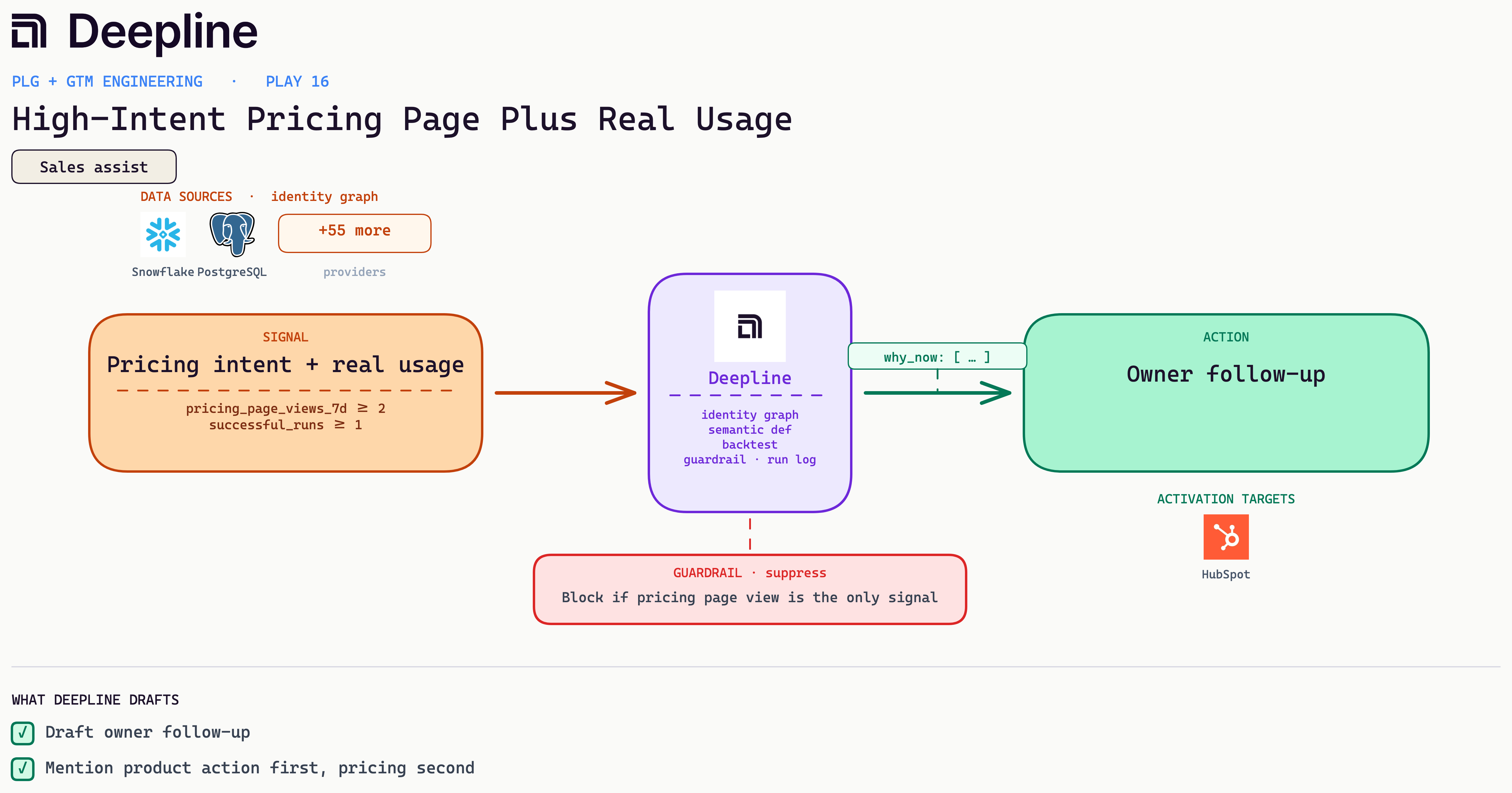
Deepline config (pseudo-code)
{
  "name": "high-intent-pricing-plus-usage",
  "trigger": {
    "type": "cron",
    "schedule": "0 */2 * * *"
  },
  "steps": [
    {
      "alias": "signals",
      "tool": "snowflake_run_semantic_query",
      "payload": {
        "metrics": ["pricing_page_views_7d", "successful_runs"],
        "dimensions": ["account_id", "owner_id", "primary_contact_email"],
        "filters": {
          "pricing_page_views_7d": {
            "gte": 2
          }
        }
      }
    },
    {
      "alias": "guard",
      "tool": "run_javascript",
      "payload": {
        "code": "return rows.filter(r => r.pricing_page_views_7d >= 2 && r.successful_runs >= 1)"
      }
    },
    {
      "alias": "draft",
      "tool": "ai_inference",
      "payload": {
        "prompt": "Owner follow-up. Lead with the real usage, mention pricing second. Block if there is no usage."
      }
    },
    {
      "alias": "notify",
      "tool": "slack_message",
      "payload": {
        "channel": "#sales-routing",
        "text": "Pricing plus usage on {{guard[].account_id}}. Draft ready."
      }
    }
  ]
}
3. Usage Limit Hit, Upgrade Path Obvious
An account keeps hitting its plan limit, so draft the upgrade note and gate it on fit before a rep sees it. Where we start: Often the first play we turn on: the signal is unambiguous and the upgrade path sells itself.
Business case: An account hitting its plan limit just ran into the exact wall your paid tier removes. That is the rare moment a price increase feels like relief, not a tax. Acting while the limit is fresh, and gating on fit so reps only see real prospects, turns a friction point into expansion.
Metric: Activation and early churn prevention (directional, varies by cohort).
Stack: product_events workflow_failed, a support-ticket check, and when there are none a support-led assist task to the CRM or Slack. No sequence, no enrichment.
From the field: A team opens a support task when an account hits repeated failed runs with zero open tickets, and the owner reaches out to fix the workflow.
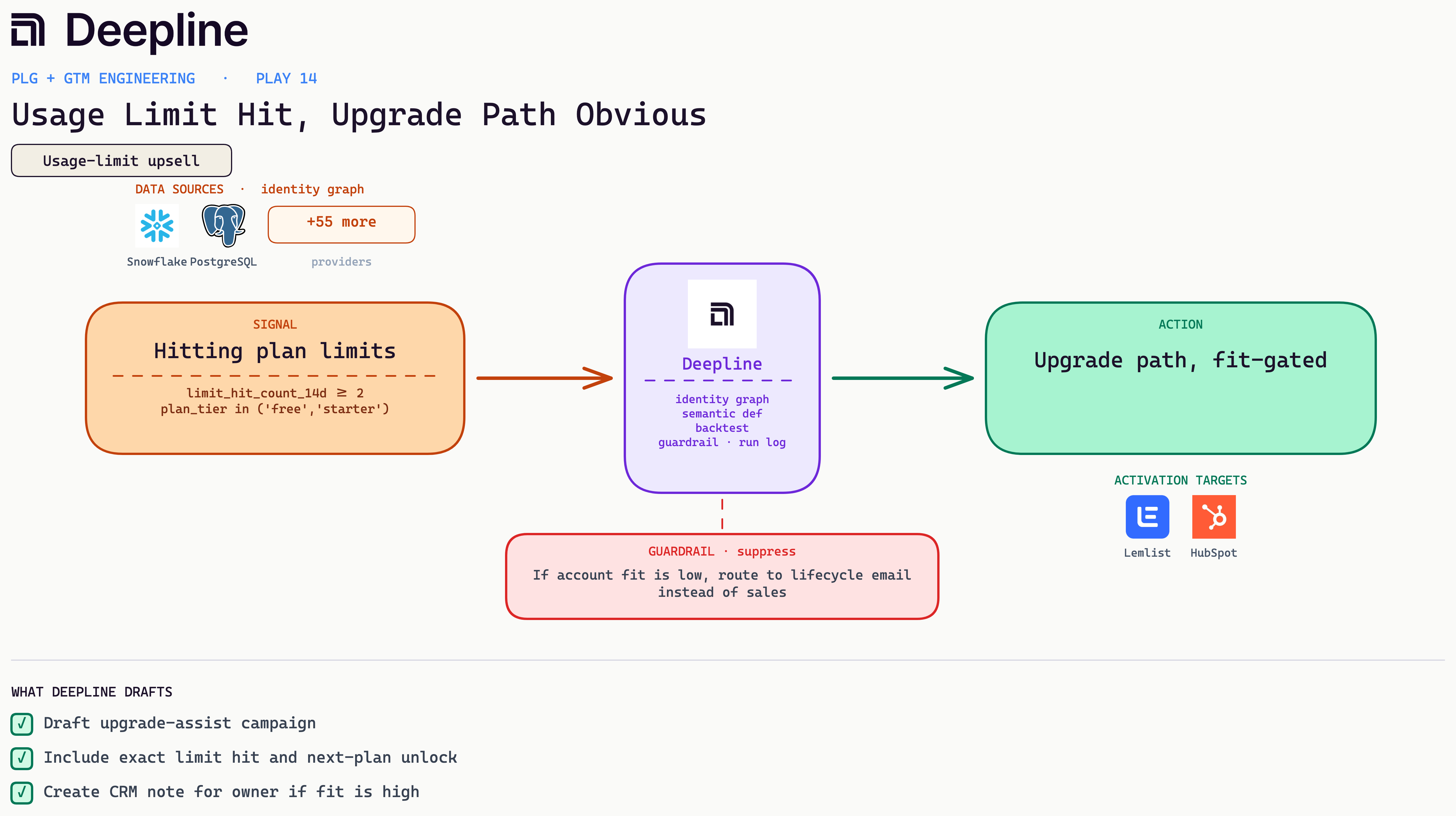
Deepline config (pseudo-code)
{
  "name": "usage-limit-hit-upgrade-path",
  "trigger": {
    "type": "cron",
    "schedule": "0 9 * * *"
  },
  "steps": [
    {
      "alias": "signals",
      "tool": "snowflake_run_semantic_query",
      "payload": {
        "metrics": ["limit_hit_count_14d"],
        "dimensions": [
          "account_id",
          "plan_tier",
          "primary_contact_email",
          "company_domain"
        ],
        "filters": {
          "limit_hit_count_14d": {
            "gte": 2
          },
          "plan_tier": {
            "in": ["free", "starter"]
          }
        }
      }
    },
    {
      "alias": "fit",
      "tool": "crustdata_enrich_company",
      "payload": {
        "domain": "{{signals.rows[].company_domain}}",
        "fields": ["headcount", "industry"]
      }
    },
    {
      "alias": "gate",
      "tool": "run_javascript",
      "payload": {
        "code": "return rows.map(r => ({ ...r, path: r.fit_score >= 60 ? 'upgrade_assist' : 'lifecycle_email' }))"
      }
    },
    {
      "alias": "draft",
      "tool": "ai_inference",
      "payload": {
        "prompt": "<outbound draft, see the bar-test prompt in Prompts you can copy>"
      }
    },
    {
      "alias": "activate",
      "tool": "lemlist_add_lead",
      "payload": {
        "campaign": "upgrade-assist",
        "email": "{{gate[].primary_contact_email}}",
        "variables": {
          "draft": "{{draft.text}}"
        }
      }
    }
  ]
}
4. Self-Serve Account Ready For Sales Assist
A paid self-serve account crosses a usage line, so tag it for sales assist and tell the owner. Where we start: A natural early build once self-serve usage is instrumented; it converts revenue you already have.
Business case: Paid self-serve accounts that cross a usage line are buying more product with no one selling to them. That is the cheapest expansion there is. A light human touch at that moment moves them up a tier before they cap out or get courted by a competitor.
Metric: Activation rate to the aha event (internal, time-boxed as the aha definition shifts).
Stack: product_events completed_setup, no aha, 3 to 10 days since signup, no open ticket, then a lifecycle email via Smartlead or Instantly or a support-assist task. One next action, not a feature tour.
From the field: A team fires a nudge naming the exact next step to first value. This is an activation rescue, so no rep sequence attaches.
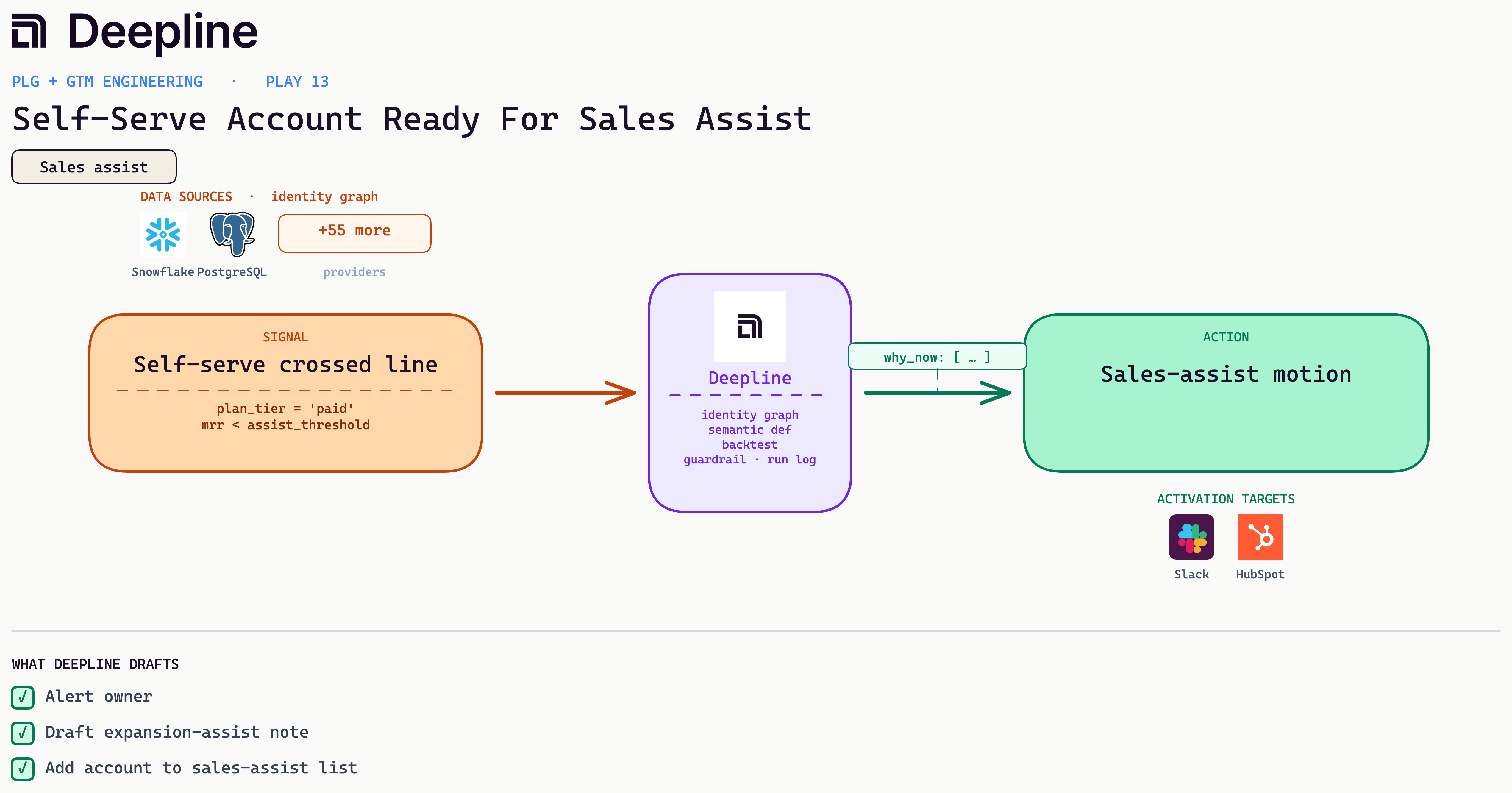
Deepline config (pseudo-code)
{
  "name": "self-serve-ready-for-sales-assist",
  "trigger": {
    "type": "cron",
    "schedule": "0 8 * * 1-5"
  },
  "steps": [
    {
      "alias": "signals",
      "tool": "snowflake_run_semantic_query",
      "payload": {
        "metrics": ["mrr", "usage_threshold_crossed_at"],
        "dimensions": ["account_id", "plan_tier", "owner_id", "company_domain"],
        "filters": {
          "plan_tier": {
            "eq": "paid"
          },
          "usage_crossed_threshold": {
            "eq": true
          }
        }
      }
    },
    {
      "alias": "gate",
      "tool": "run_javascript",
      "payload": {
        "code": "return rows.filter(r => r.usage_crossed_threshold && r.mrr < assist_threshold)"
      }
    },
    {
      "alias": "tag",
      "tool": "hubspot_update_company",
      "payload": {
        "company_domain": "{{gate[].company_domain}}",
        "properties": {
          "lifecycle_stage": "sales_assist"
        }
      }
    },
    {
      "alias": "alert",
      "tool": "slack_message",
      "payload": {
        "channel": "#sales-assist",
        "text": "Self-serve account ready: {{gate[].account_id}}, owner {{gate[].owner_id}}."
      }
    }
  ]
}
5. High-Usage Account, Stale CRM
An account is busy in the product but cold in the CRM, so log the usage and put it back in the owner's queue. Where we start: A common first build. It needs only product events and a CRM, and it surfaces revenue the team already earned.
Business case: Reps work what the CRM shows, and the last-activity field quietly hides accounts that are busy in the product but cold on paper. Closing that gap puts live, earned revenue back in front of the person who owns it.
Metric: Lead-to-meeting conversion. In our own work a ranked next-best-action queue lifted it in the mid-teens percent (internal, directional, not a published benchmark).
Stack: product_events plus signup, Crustdata firmographics for fit, same-day routing into the CRM and sequencer.
From the field: A team scores signups on feature use within 48 hours and pricing views, then drops a first-touch draft with the exact product action into the rep's queue that morning.
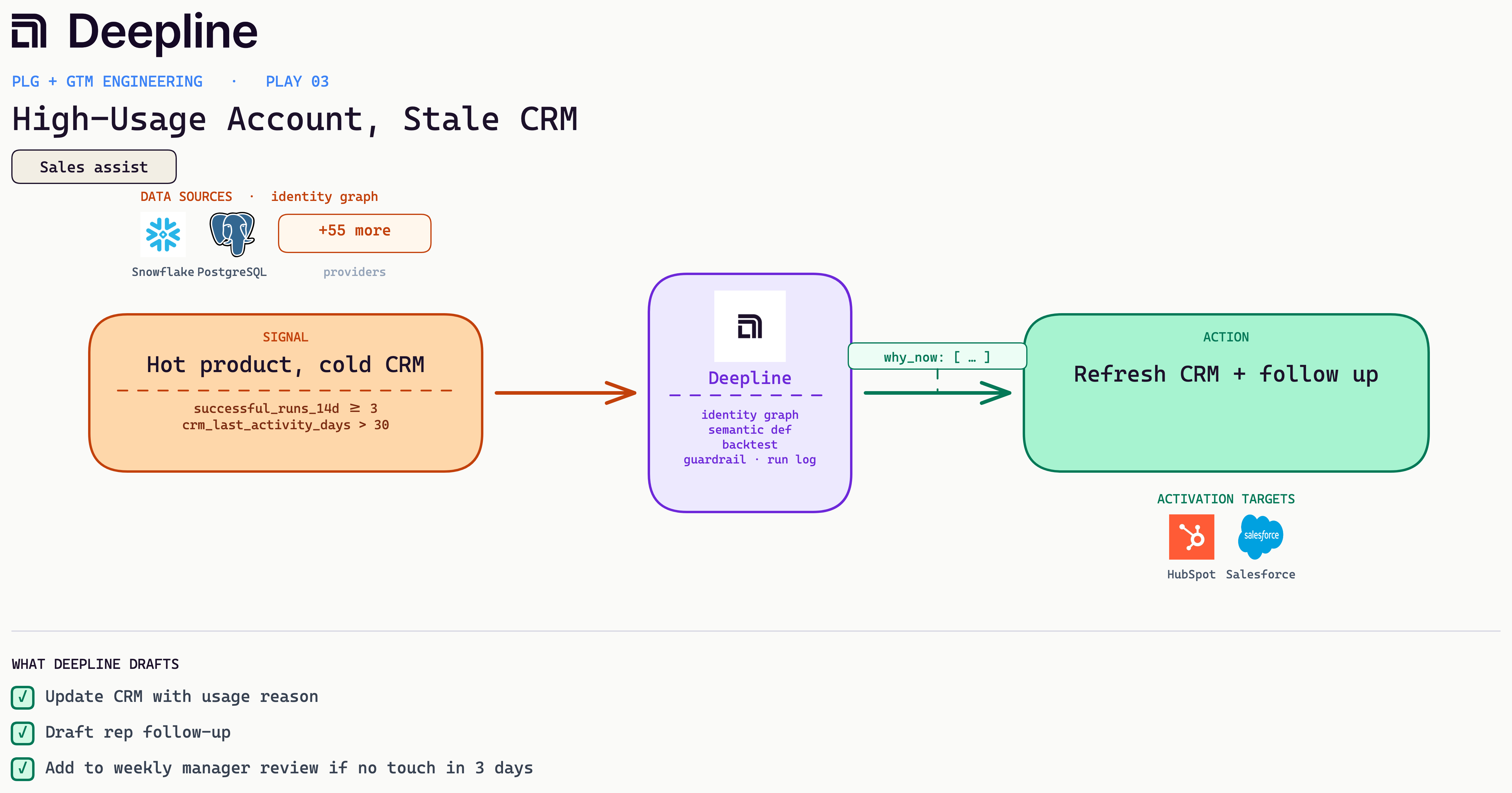
Deepline config (pseudo-code)
{
  "name": "high-usage-stale-crm",
  "trigger": {
    "type": "cron",
    "schedule": "0 7 * * *"
  },
  "steps": [
    {
      "alias": "signals",
      "tool": "snowflake_run_semantic_query",
      "payload": {
        "metrics": ["successful_runs_14d", "crm_last_activity_days"],
        "dimensions": ["account_id", "owner_id"],
        "filters": {
          "successful_runs_14d": {
            "gte": 3
          },
          "crm_last_activity_days": {
            "gt": 30
          }
        }
      }
    },
    {
      "alias": "note",
      "tool": "salesforce_create_note",
      "payload": {
        "parent_id": "{{signals.rows[].account_id}}",
        "title": "Usage spike, CRM stale",
        "body": "{{signals.rows[].successful_runs_14d}} runs in 14d, last touch {{signals.rows[].crm_last_activity_days}}d ago."
      }
    },
    {
      "alias": "draft",
      "tool": "ai_inference",
      "payload": {
        "prompt": "Warm rep re-engagement referencing recent product usage. No invented context."
      }
    },
    {
      "alias": "task",
      "tool": "salesforce_create_task",
      "payload": {
        "owner_id": "{{signals.rows[].owner_id}}",
        "subject": "Active account, stale CRM",
        "description": "{{draft.text}}"
      }
    }
  ]
}
6. Trial Setup Completed, No Sales Touch
A trial finished setup with no sales touch, so the owner reaches out naming the milestone before momentum fades. Where we start: Frequently the first activation-to-pipeline play we wire up, since the data is almost always available.
Business case: Finishing setup is the strongest signal a trial gives you, and it cools within a week. A timely owner touch that names the milestone turns a self-converting account into a real conversation before the momentum fades.
Metric: Free-to-paid upgrade rate (directional in internal tests).
Stack: limit hits from product_events, plan_tier, fit from Crustdata, Lemlist upgrade-assist for high fit and a lifecycle email for the rest.
From the field: A team drafts an upgrade note quoting the exact limit hit and what the next plan adds, and diverts low-fit accounts to nurture so reps never see them.
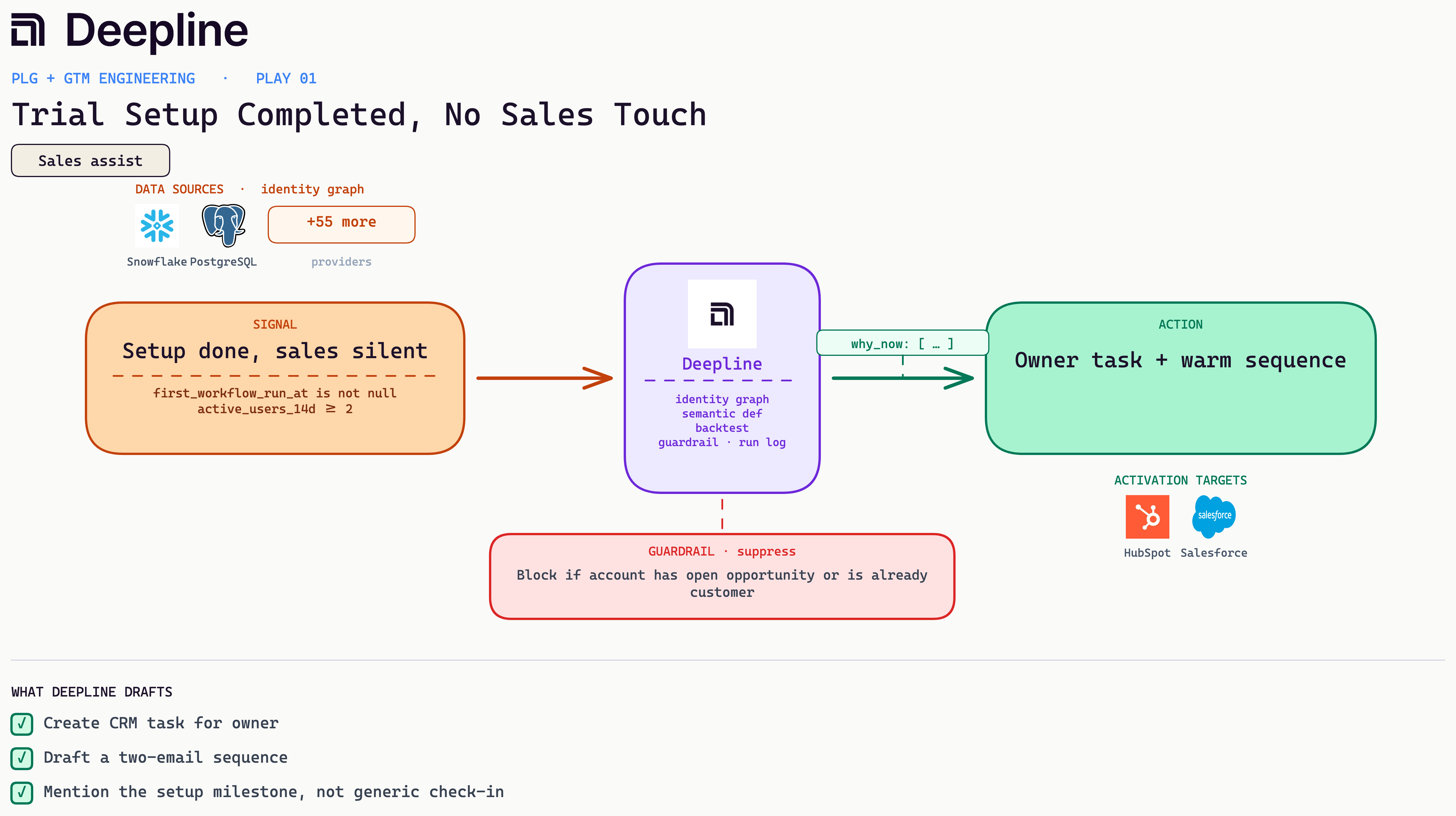
Deepline config (pseudo-code)
{
  "name": "trial-setup-no-sales-touch",
  "trigger": {
    "type": "cron",
    "schedule": "0 10 * * *"
  },
  "steps": [
    {
      "alias": "signals",
      "tool": "snowflake_run_semantic_query",
      "payload": {
        "metrics": [
          "first_workflow_run_at",
          "active_users_14d",
          "last_sales_activity_days"
        ],
        "dimensions": [
          "account_id",
          "owner_id",
          "primary_contact_email",
          "company_domain"
        ],
        "filters": {
          "active_users_14d": {
            "gte": 2
          }
        }
      }
    },
    {
      "alias": "guard",
      "tool": "run_javascript",
      "payload": {
        "code": "return rows.filter(r => r.first_workflow_run_at && (r.last_sales_activity_days == null || r.last_sales_activity_days > 14) && !r.has_open_opp && !r.is_customer)"
      }
    },
    {
      "alias": "draft",
      "tool": "ai_inference",
      "payload": {
        "prompt": "<outbound draft, see the bar-test prompt in Prompts you can copy>"
      }
    },
    {
      "alias": "task",
      "tool": "hubspot_create_task",
      "payload": {
        "owner_id": "{{guard[].owner_id}}",
        "subject": "Active trial, no sales touch",
        "body": "{{draft.text}}"
      }
    }
  ]
}
7. New Use Case Detected Inside Existing Customer
An existing customer where a new user joins with a role outside the team that originally bought.
Business case: Inside an existing customer, a new user whose role sits outside the team that originally bought is a second department picking up the product on its own. That lateral adoption is how land-and-expand starts, and catching it early lets the CSM frame the expansion before procurement ever asks.
Metric: Team-account win rate, since team adoption beats single-user usage as a readiness signal (internal, directional).
Stack: product_events invite and active counts, Slack alert with domain and user count, CRM routing to the growth or founder-led queue.
From the field: A workflow watches for new users at a customer whose function is not already represented on the account, then preps a CSM-gated note instead of sequencing the end users.
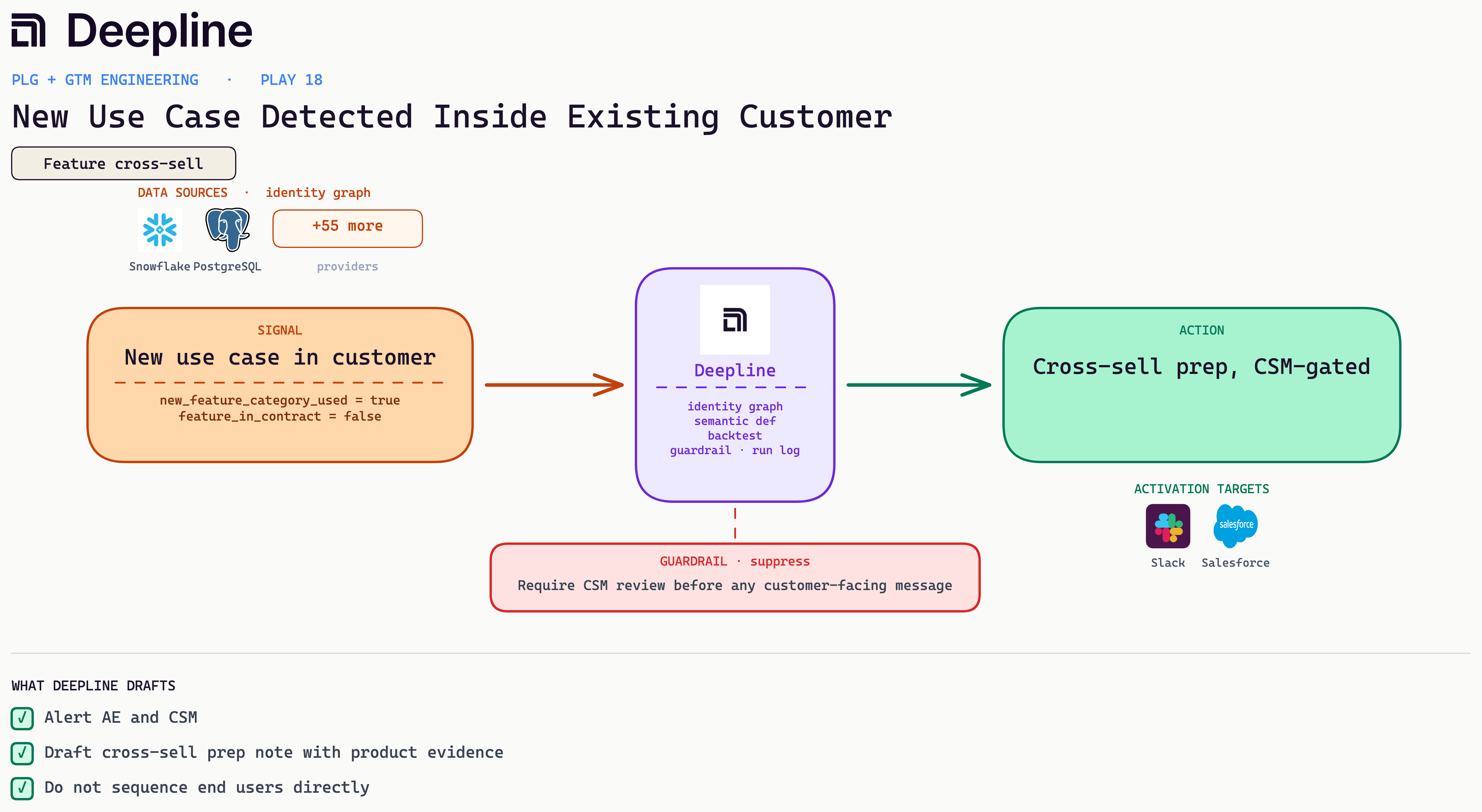
Deepline config (pseudo-code)
{
  "name": "new-function-adopting-inside-customer",
  "trigger": {
    "type": "cron",
    "schedule": "0 6 * * *"
  },
  "steps": [
    {
      "alias": "new_users",
      "tool": "snowflake_run_semantic_query",
      "payload": {
        "metrics": ["new_users_14d"],
        "dimensions": [
          "account_id",
          "ae_id",
          "csm_id",
          "new_user_emails",
          "existing_user_functions"
        ],
        "filters": {
          "is_customer": {
            "eq": true
          }
        }
      }
    },
    {
      "alias": "enrich_new",
      "tool": "apollo_enrich_person",
      "payload": {
        "emails": "{{new_users.rows[].new_user_emails}}",
        "fields": ["title", "department", "function"]
      }
    },
    {
      "alias": "detect",
      "tool": "run_javascript",
      "payload": {
        "code": "// keep accounts where a new user's function is NOT among existing teammates' functions\nreturn rows.filter(r => r.new_functions.some(f => !r.existing_user_functions.includes(f)))"
      }
    },
    {
      "alias": "prep",
      "tool": "deeplineagent",
      "payload": {
        "task": "CSM-gated cross-sell prep: summarize the new function adopting, map to the uncontracted use case, draft CSM talking points. Do not send outbound."
      }
    }
  ]
}
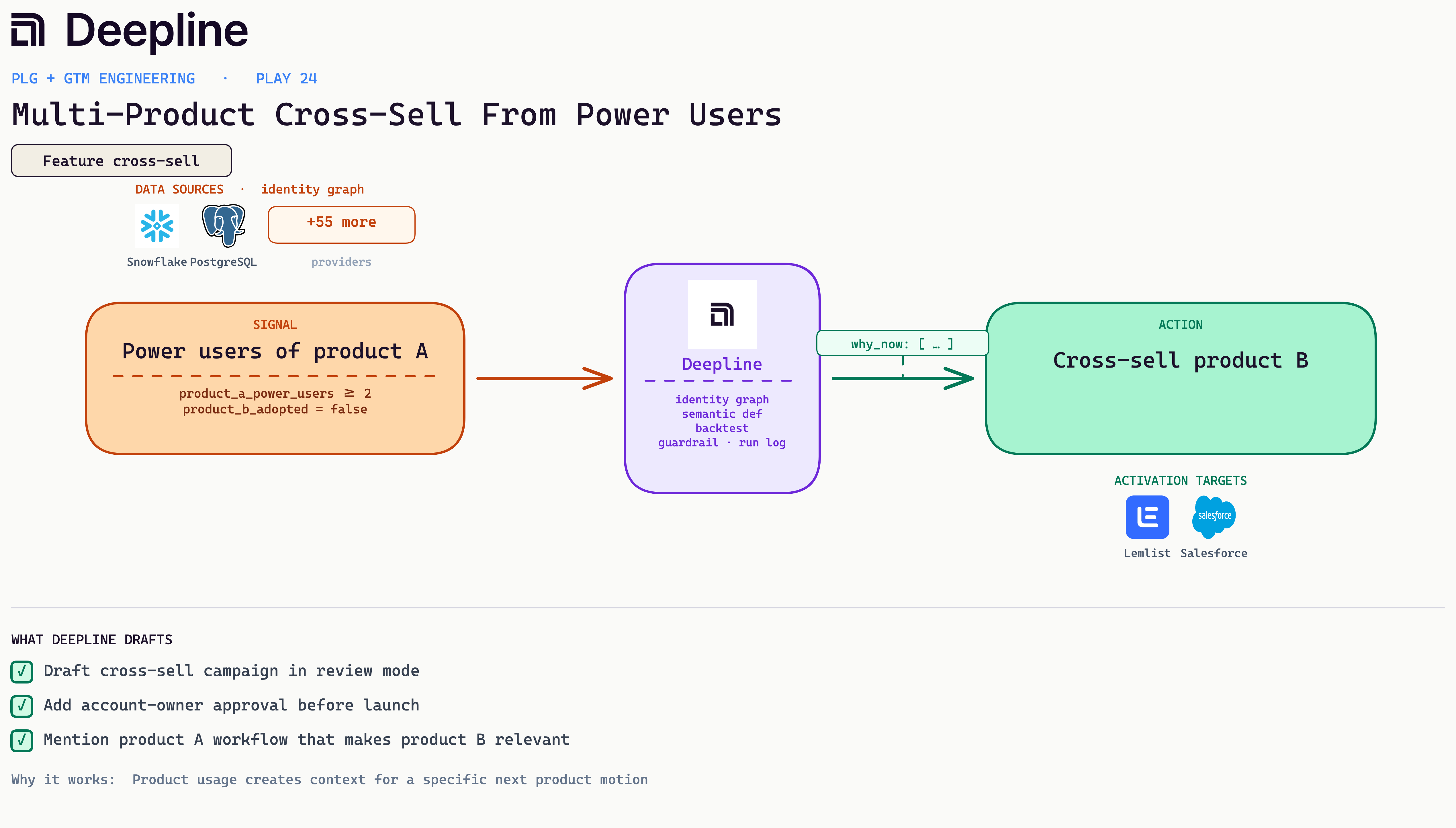
8. Multi-Product Cross-Sell From Power Users
Customers who would buy a second product, scored at the product level instead of by account health. Where we start: product-level scoring is one of the first things we set up once a customer has two products live.
Business case: Your customers carry uneven signals about whether they would buy a second product, and reading them by hand does not scale. Scoring propensity at the product level, from product-A usage trends, purchase history, and firmographics, points expansion effort at the accounts most likely to say yes instead of spraying every customer.
Metric: Automation adoption and account stickiness (directional, internal).
Stack: product_events manual runs and csv exports, admin_user_active in HubSpot, an enablement note and a CRM task with a before-and-after workflow summary.
From the field: A weekly job scores each customer's propensity to adopt product B from product-A usage, past purchases, and firmographics, and routes only the high-propensity accounts to an owner-approved draft. Claude does the scoring pass.
Deepline config (pseudo-code)
{
  "name": "product-b-propensity-scoring",
  "trigger": {
    "type": "cron",
    "schedule": "0 7 * * 1"
  },
  "steps": [
    {
      "alias": "usage",
      "tool": "snowflake_run_semantic_query",
      "payload": {
        "metrics": ["product_a_active_days_28d", "product_a_usage_mom"],
        "dimensions": ["account_id"],
        "filters": {
          "product_b_adopted": false,
          "crm_stage": "customer"
        }
      }
    },
    {
      "alias": "firmographics",
      "tool": "crustdata_enrich_company",
      "payload": {
        "account_ids": "{{usage.rows[].account_id}}",
        "fields": ["headcount", "industry", "tech_stack"]
      }
    },
    {
      "alias": "history",
      "tool": "salesforce_query",
      "payload": {
        "soql": "SELECT AccountId, SUM(Amount) total FROM Opportunity WHERE StageName='Closed Won' GROUP BY AccountId"
      }
    },
    {
      "alias": "score",
      "tool": "ai_inference",
      "payload": {
        "prompt": "<account-fit scoring, see the fit-score prompt in Prompts you can copy>",
        "output_schema": {
          "account_id": "string",
          "propensity": "number",
          "rationale": "string"
        }
      }
    },
    {
      "alias": "gate",
      "tool": "run_javascript",
      "payload": {
        "code": "return scores.filter(s => s.propensity >= 70)"
      }
    },
    {
      "alias": "draft",
      "tool": "ai_inference",
      "payload": {
        "prompt": "<outbound draft, see the bar-test prompt in Prompts you can copy>"
      }
    }
  ]
}
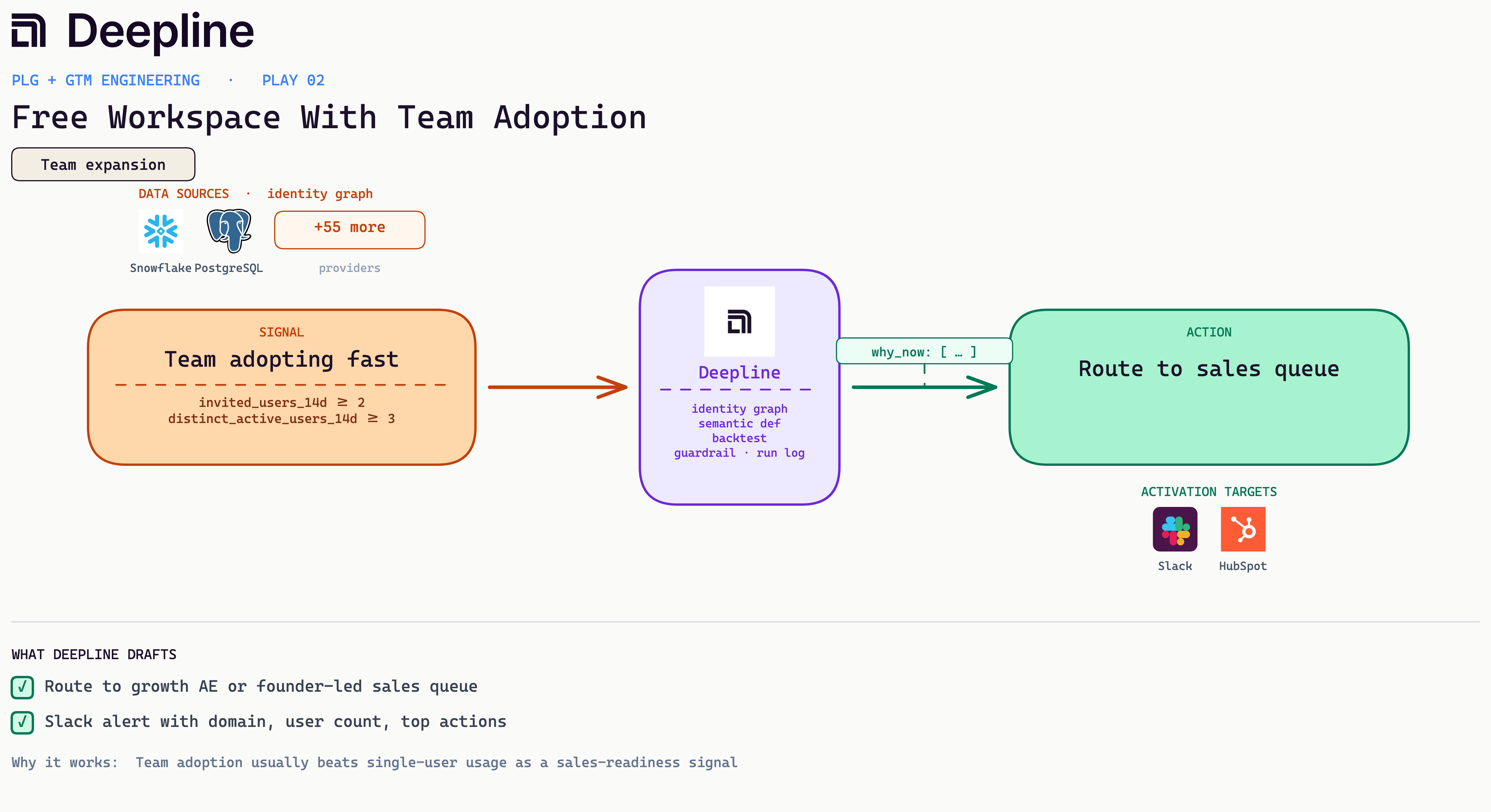
9. Free Workspace With Team Adoption
A free workspace adds teammates and gets several people active in two weeks, so route it before it converts at the free price or churns.
Business case: One curious user is a hobbyist; a workspace adding teammates and getting several people active in two weeks is a team making a decision. That shape is worth a human before it converts at the free-plan price or churns unseen.
Metric: Pricing-intent conversion to meeting; usage-backed views convert better than pricing-only in our internal cuts (directional). Instrument both segments first.
Stack: product_events pricing views, runs, and active users, owner lookup in Attio or Salesforce, follow-up draft to a CRM task or Lemlist. Block accounts whose only signal is a pricing view.
From the field: A team gates the draft on at least one successful run plus a known owner, and the note opens with the run and mentions pricing second.
Deepline config (pseudo-code)
{
  "name": "free-workspace-team-adoption",
  "trigger": {
    "type": "cron",
    "schedule": "0 */6 * * *"
  },
  "steps": [
    {
      "alias": "adoption",
      "tool": "snowflake_run_semantic_query",
      "payload": {
        "metrics": ["invited_users_14d", "distinct_active_users_14d"],
        "dimensions": ["workspace_id", "email_domain"],
        "filters": {
          "plan": "free"
        }
      }
    },
    {
      "alias": "gate",
      "tool": "run_javascript",
      "payload": {
        "code": "return rows.filter(w => w.invited_users_14d >= 2 && w.distinct_active_users_14d >= 3)"
      }
    },
    {
      "alias": "enrich",
      "tool": "crustdata_enrich_company",
      "payload": {
        "domains": "{{gate[].email_domain}}",
        "fields": ["company_name", "headcount"]
      }
    },
    {
      "alias": "alert",
      "tool": "slack_message",
      "payload": {
        "channel": "#plg-team-signups",
        "text": "Team adoption: workspace with 2+ invites and 3+ active users. Routed to growth queue."
      }
    }
  ]
}
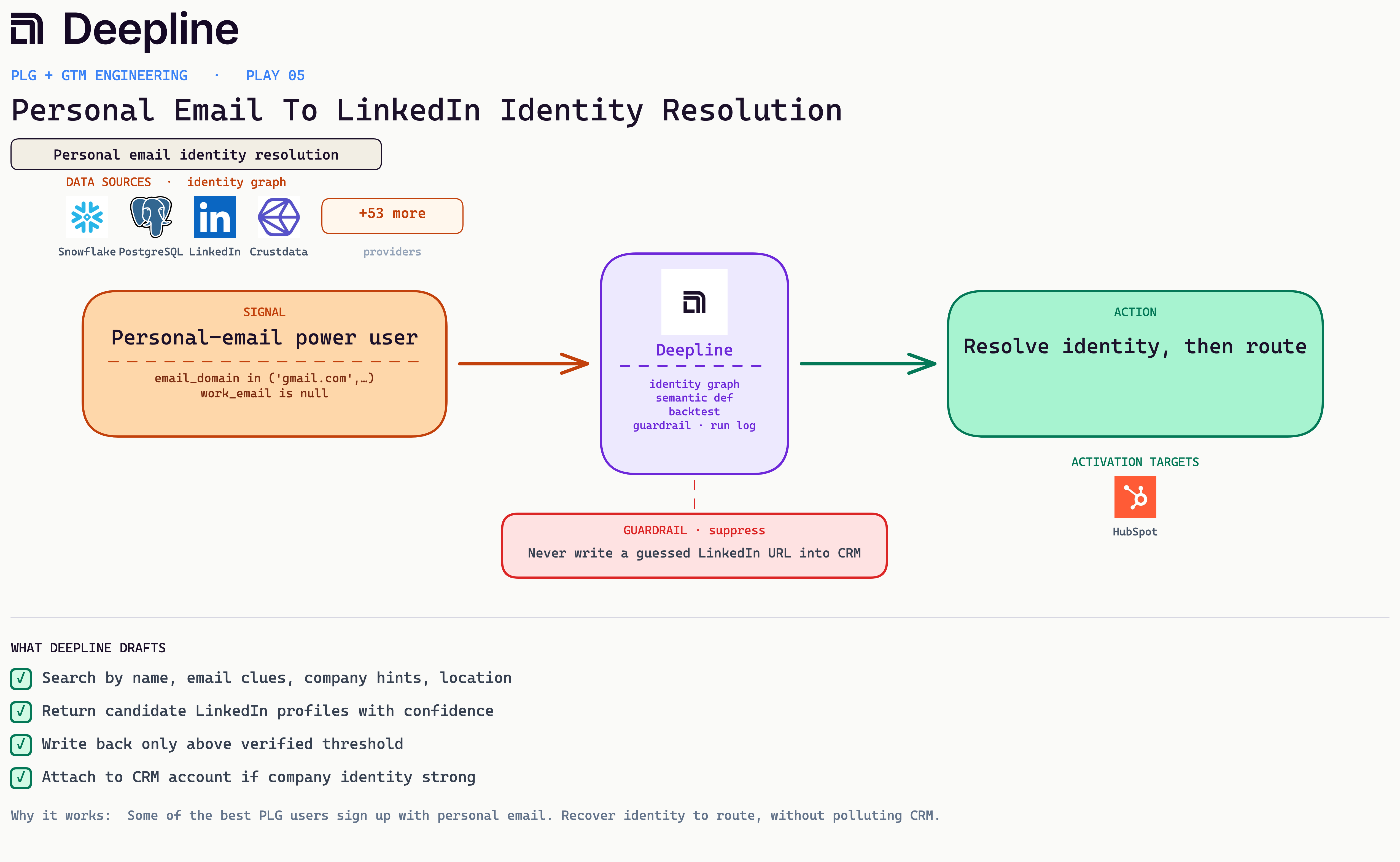
10. Personal Email To LinkedIn Identity Resolution
A webmail signup arrives with no work email, so resolve their identity from the email itself and attach LinkedIn only after a name match clears.
Business case: Personal-email signups (gmail, outlook, icloud) fall out of account-based routing and sit unscored, which is real PLG pipeline you cannot see. Recovering a name, LinkedIn, and likely company from the email alone tells you which account the signup belongs to and whether it goes to self-serve or a rep.
Metric: Identifiable PLG pipeline, the share of webmail signups you can route (directional, internal).
Stack: A reverse-email waterfall keyed on the signup email, then a name-match gate, then attach to the CRM. We start with deepline_native_enrich_contact for the cleanest coverage, coalesce findymail_reverse_email_lookup and peopledatalabs_enrich_contact for depth and a possible work email, and attach the LinkedIn URL only when the recovered name matches. Crustdata and Datagma are the wrong tools here, they reject webmail by design.
From the field: Be honest about the ceiling. On bare webmail signups with no name, hit rate is roughly 10 to 25 percent per provider, and the union across providers is barely higher, because the unresolvable rows are unresolvable by everyone. The bottleneck is the input, not the provider. We run native first, coalesce the rest, attach only on a name match, and let the misses fall off instead of chasing them.
Deepline config (pseudo-code)
{
  "name": "personal-email-identity-resolution",
  "trigger": { "type": "webhook", "event": "user.signed_up" },
  "steps": [
    {
      "alias": "filter",
      "tool": "run_javascript",
      "payload": {
        "code": "const webmail=['gmail.com','outlook.com','yahoo.com','icloud.com']; return webmail.includes(input.email_domain) && !input.work_email ? [input] : []"
      }
    },
    {
      "alias": "reverse",
      "tool": "deepline_native_enrich_contact",
      "payload": { "email": "{{filter[0].email}}" }
    },
    {
      "alias": "reverse_fallback",
      "tool": "findymail_reverse_email_lookup",
      "payload": { "email": "{{filter[0].email}}", "with_profile": true },
      "runIf": "{{reverse.person.linkedin_url}} == null"
    },
    {
      "alias": "coalesce",
      "tool": "run_javascript",
      "payload": {
        "code": "const a=reverse.person||{}, b=reverse_fallback||{}; return { name: a.first_name?`${a.first_name} ${a.last_name}`:b.name, linkedin_url: a.linkedin_url||b.linkedin_url, company: a.company_name||b.company }"
      }
    },
    {
      "alias": "guardrail",
      "tool": "run_javascript",
      "payload": {
        "code": "return (coalesce.name && coalesce.linkedin_url && nameMatches(coalesce.name, signup.claimed_name)) ? {attach:true} : {attach:false}"
      }
    },
    {
      "alias": "attach",
      "tool": "hubspot_update_contact",
      "payload": {
        "email": "{{filter[0].email}}",
        "properties": {
          "linkedin_url": "{{coalesce.linkedin_url}}",
          "company": "{{coalesce.company}}"
        },
        "skip_if": "{{guardrail.attach}} != true"
      }
    }
  ]
}
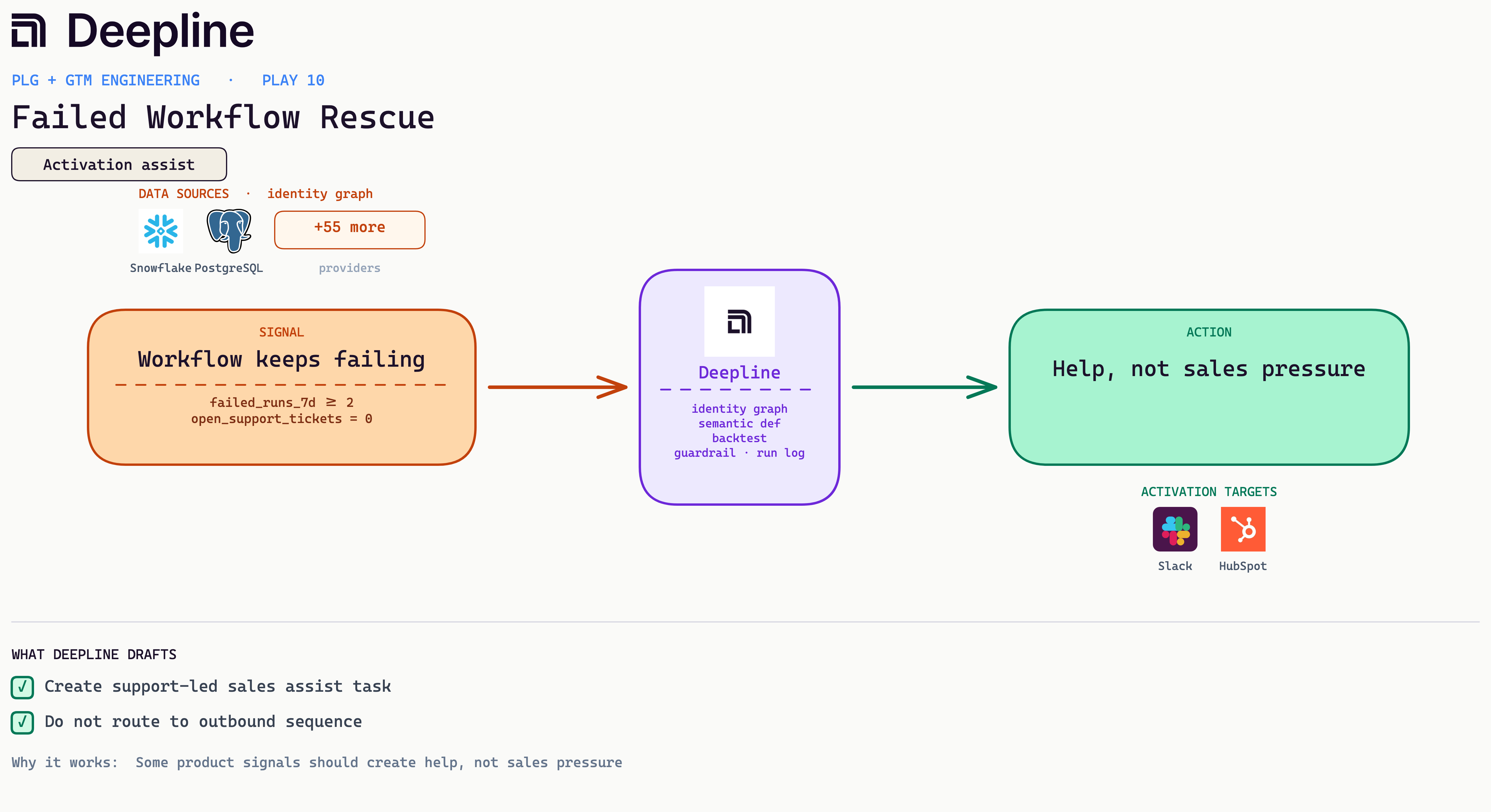
11. Failed Workflow Rescue
A user whose runs keep failing is telling you where the product blocked them, so reach out to fix the blocker before they churn in silence.
Business case: A user whose runs keep failing is telling you, in detail, what they were trying to do and where the product blocked them. Reading those failures is the cheapest user research you will get, and reaching out to fix the blocker keeps an account that would have churned in silence.
Metric: Activation and early churn prevention, plus a qualitative read on unmet user goals (directional).
Stack: product_events failed runs and error payloads, a support-ticket check, and when there are none a support-led assist task to the CRM or Slack with the failed-attempt context attached. No sequence.
From the field: At Deepline, repeated failed workflows are how we surface what a user actually wanted to build. The assist reaches out with the specific blocker, and the failure pattern feeds back into product and onboarding.
Deepline config (pseudo-code)
{
  "name": "failed-workflow-rescue",
  "trigger": {
    "type": "cron",
    "schedule": "0 9 * * *"
  },
  "steps": [
    {
      "alias": "failures",
      "tool": "snowflake_run_semantic_query",
      "payload": {
        "metrics": ["failed_runs_7d", "open_support_tickets"],
        "dimensions": ["account_id", "owner_email"],
        "filters": {
          "failed_runs_7d": {
            "gte": 2
          },
          "open_support_tickets": {
            "eq": 0
          }
        }
      }
    },
    {
      "alias": "context",
      "tool": "snowflake_run_semantic_query",
      "payload": {
        "metrics": ["last_error_message", "failed_step_alias"],
        "dimensions": ["account_id", "run_id"],
        "filters": {
          "status": "failed"
        }
      }
    },
    {
      "alias": "summarize",
      "tool": "ai_inference",
      "payload": {
        "prompt": "Summarize the failed-attempt context so support can lead a hands-on assist. Infer what the user was trying to do. No sales angle."
      }
    },
    {
      "alias": "task",
      "tool": "hubspot_create_task",
      "payload": {
        "type": "SUPPORT_ASSIST",
        "subject": "Rescue: repeated failed runs, no open ticket",
        "body": "{{summarize.text}}"
      }
    }
  ]
}
12. Workflow Failure At High-Fit Account
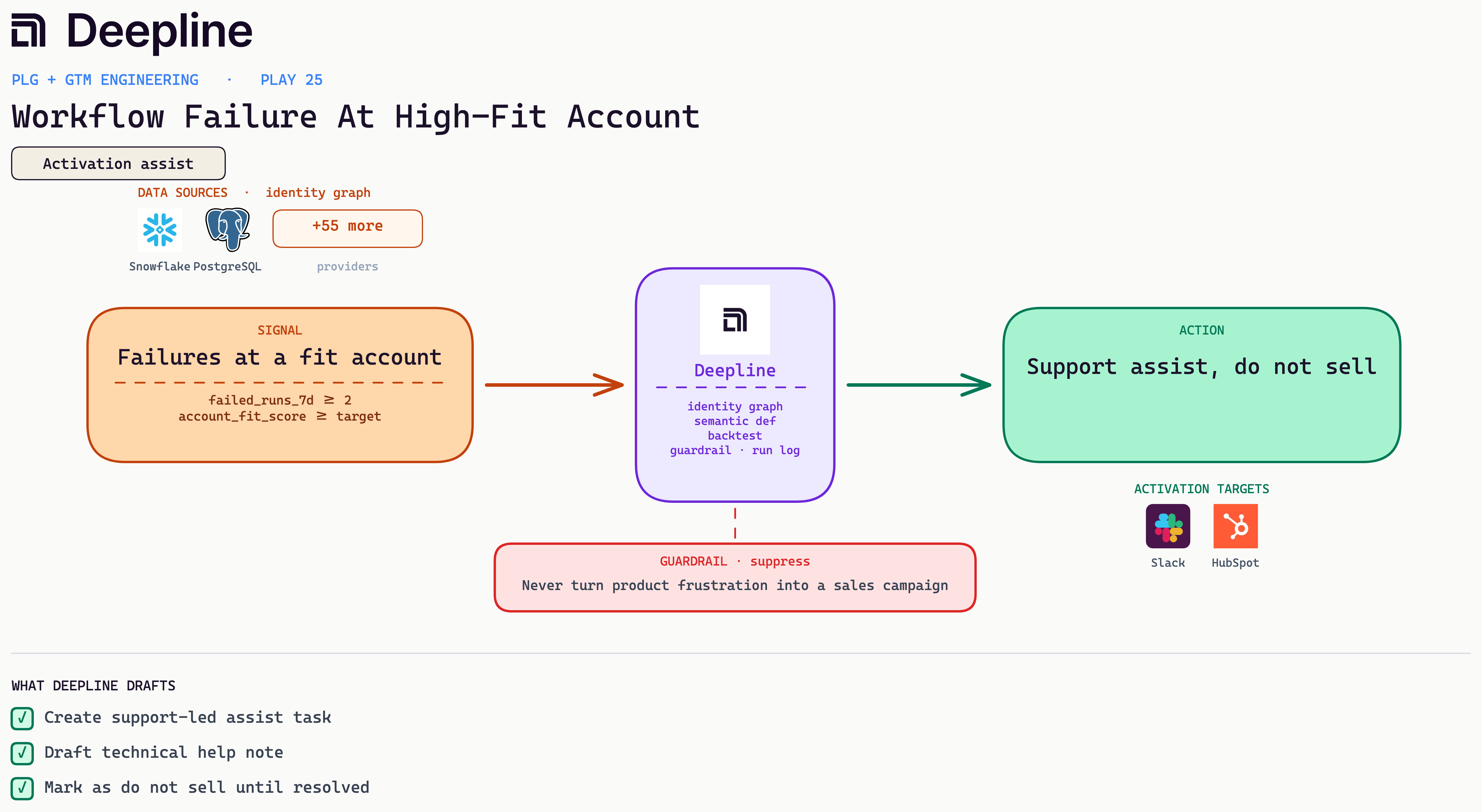
Runs keep failing at a high-fit account, so dig into the failures and offer help instead of pitching.
Business case: When runs fail at an account that already clears your fit bar, the cost is not a support ticket, it is a high-value relationship cooling while nobody notices. A real engineer on the blocker protects revenue you have a genuine shot at, and the failure pattern tells you what that account was trying to build.
Metric: High-fit retention and trust, plus learning on what high-value accounts are trying to do (directional).
Stack: product_events failures and retries, account_fit_score in Salesforce, a support-led task in Slack and the CRM with the error context. No enrichment, no sequence.
From the field: We mark these do-not-sell until resolved, route a real engineer to the blocker, and use the failed attempts to understand what the account was building. The pattern often points at the next thing to ship.
Deepline config (pseudo-code)
{
  "name": "workflow-failure-high-fit",
  "trigger": {
    "type": "cron",
    "schedule": "0 8 * * *"
  },
  "steps": [
    {
      "alias": "signals",
      "tool": "snowflake_run_semantic_query",
      "payload": {
        "metrics": ["account_fit_score", "failed_runs_7d"],
        "dimensions": ["account_id", "csm_email"],
        "filters": {
          "account_fit_score": {
            "gte": 80
          },
          "failed_runs_7d": {
            "gte": 2
          }
        }
      }
    },
    {
      "alias": "detail",
      "tool": "snowflake_run_semantic_query",
      "payload": {
        "metrics": ["error_message", "intended_output_shape"],
        "dimensions": ["account_id", "run_id"],
        "filters": {
          "status": "failed"
        }
      }
    },
    {
      "alias": "learn",
      "tool": "ai_inference",
      "payload": {
        "prompt": "Read the failed runs to infer what the account was trying to accomplish, then write a support-led assist plan. Do not pitch."
      }
    },
    {
      "alias": "flag",
      "tool": "salesforce_update_account",
      "payload": {
        "account_ids": "{{signals.rows[].account_id}}",
        "fields": {
          "do_not_sell": true,
          "reason": "high-fit account hitting failures"
        }
      }
    }
  ]
}
13. Predictive Decision-Maker Identification
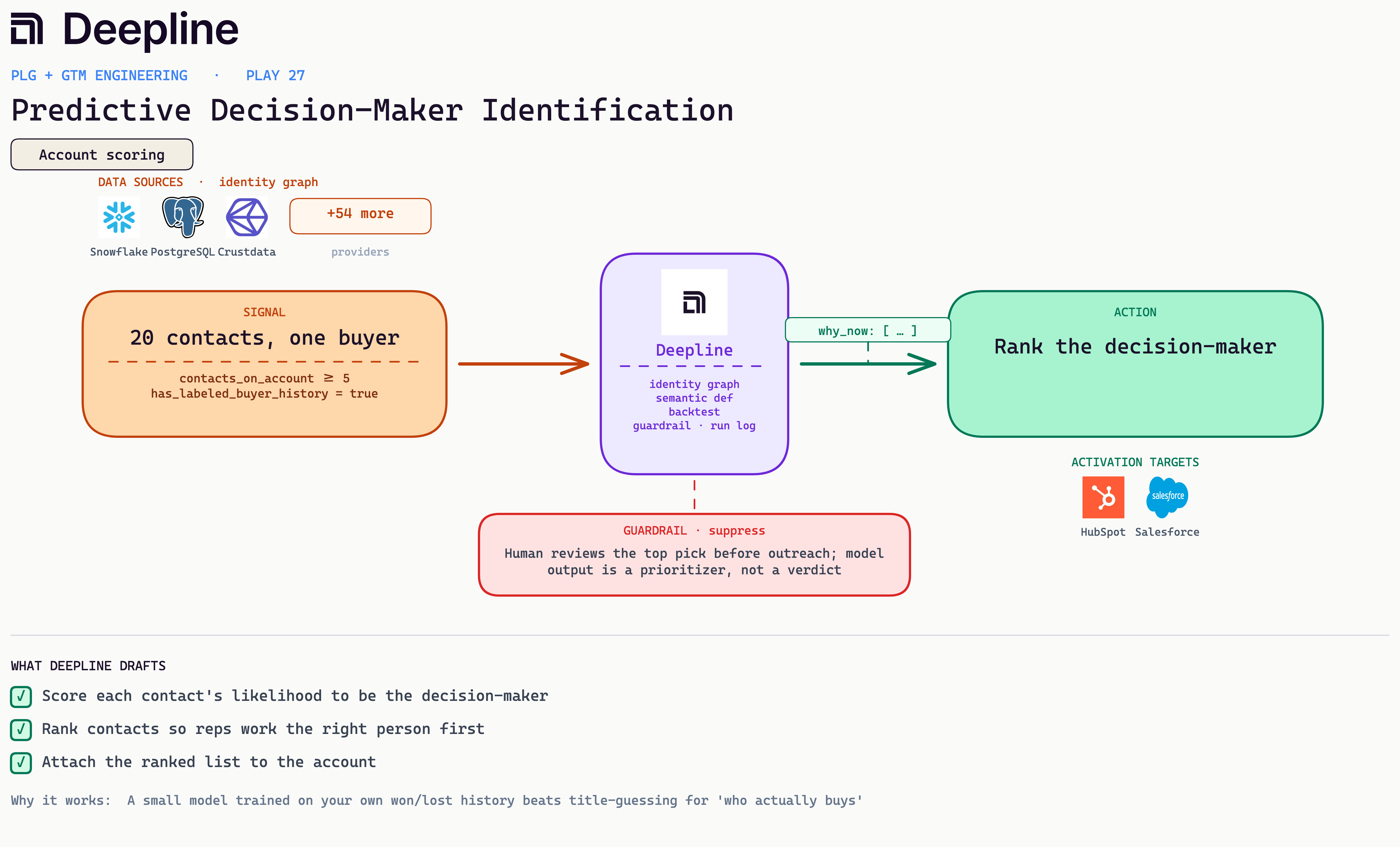
A customer account has twenty contacts using the product. Which one signs the deal?
Business case: Reps guess the decision-maker from titles, and titles lie. A VP can be a bystander while a senior IC drives the purchase. If you have closed deals already, you have the answer sitting in your own history: who actually bought, who championed, who just used the product. Turn that into a model and reps stop spreading attention evenly across twenty contacts and start with the one most likely to buy.
Metric: Rep prioritization and opp creation per account (directional). Measure how often the top-ranked contact ends up on the won deal.
Stack: Snowflake or customer_db for signups and usage, Crustdata or Apollo enrichment for titles and attributes, Claude Code to fit a small model on your labeled history, then write the ranked contacts back to HubSpot or Salesforce.
From the field: Take an account like Webflow with twenty product users. Pull each contact's signup, usage, and enrichment as features. Hand Claude Code as many labeled examples as you have, hundreds of past deals tagged with who was the buyer, the champion, and the user, and let it fit a tiny model, the same shape as lead scoring. The output is a ranked list per account so the team works the likely decision-maker first instead of emailing all twenty.
Deepline config (pseudo-code)
{
  "name": "predictive-decision-maker-model",
  "trigger": {
    "type": "cron",
    "schedule": "0 6 * * 1"
  },
  "steps": [
    {
      "alias": "contacts",
      "tool": "snowflake_run_semantic_query",
      "payload": {
        "metrics": ["signup_at", "active_days_28d", "feature_depth"],
        "dimensions": ["account_id", "contact_email", "title"],
        "filters": {
          "is_customer": true,
          "contacts_on_account": {
            "gte": 5
          }
        }
      }
    },
    {
      "alias": "enrich",
      "tool": "crustdata_enrich_person",
      "payload": {
        "emails": "{{contacts.rows[].contact_email}}",
        "fields": ["title", "seniority", "department", "tenure"]
      }
    },
    {
      "alias": "labels",
      "tool": "salesforce_query",
      "payload": {
        "soql": "SELECT AccountId, ContactId, Role FROM OpportunityContactRole WHERE Opportunity.IsWon = true"
      }
    },
    {
      "alias": "train_and_score",
      "tool": "deeplineagent",
      "payload": {
        "task": "Train rows are past won deals labeled buyer / champion / user. Features are signup, usage, and enrichment per contact. Fit a small classifier and score each current contact probability of being the decision-maker. Return contacts ranked by probability, one-line reason each."
      }
    },
    {
      "alias": "writeback",
      "tool": "salesforce_update_account",
      "payload": {
        "account_ids": "{{contacts.rows[].account_id}}",
        "fields": {
          "ranked_contacts": "{{train_and_score.ranked}}",
          "top_decision_maker": "{{train_and_score.top}}"
        }
      }
    }
  ]
}
Bonus plays
The next fourteen are worth building, just later. They skew toward protecting revenue or efficiency, which matters but tends to follow the new-revenue plays. Build them as the second wave.
14. Department Expansion
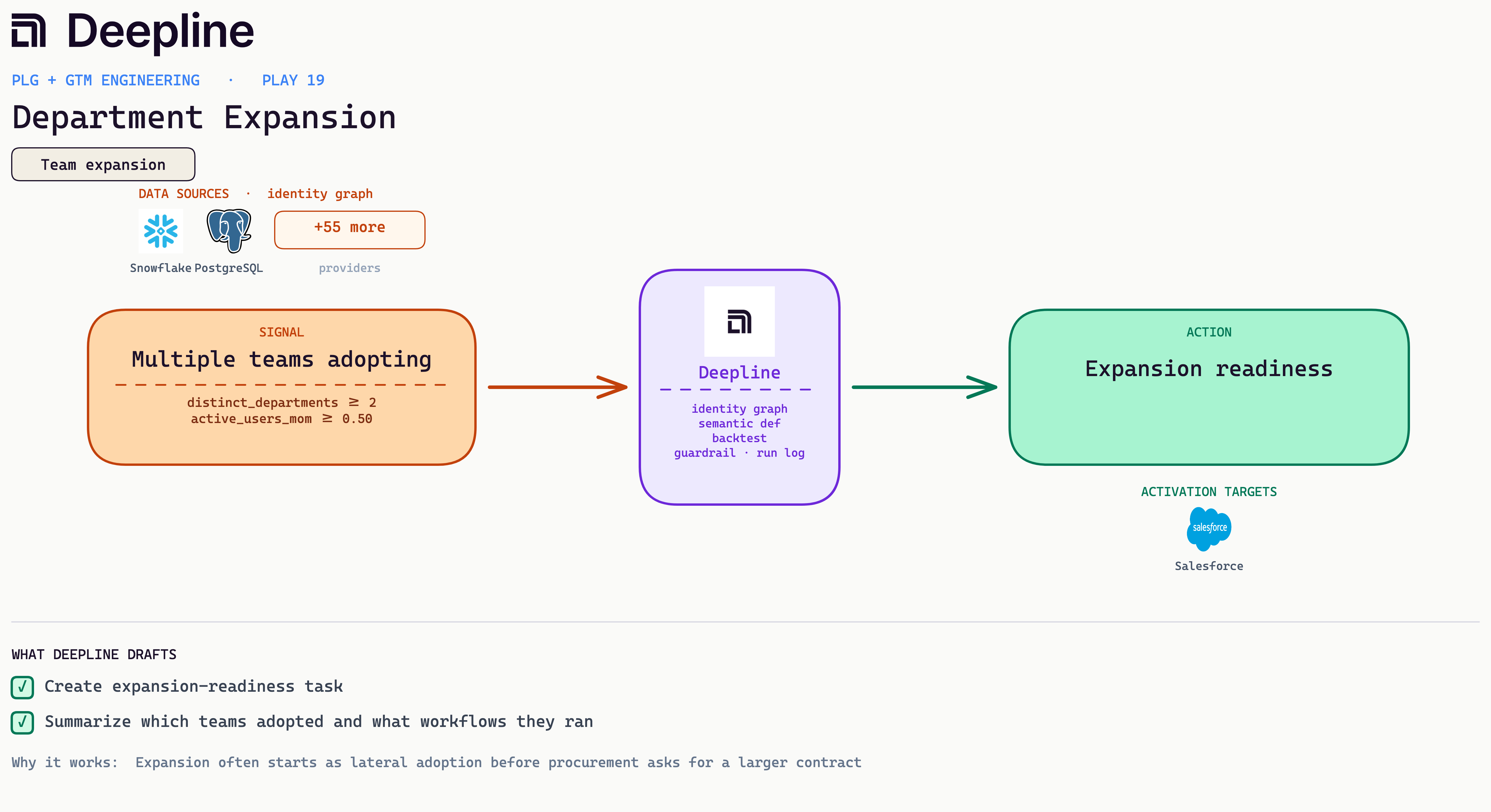
An existing customer uses a feature outside their contract, so prep a CSM-gated cross-sell.
Business case: Multiple departments adopting inside one customer means the product has spread past its original buyer, and the account is already sold on the value. Acting on that lateral growth is how a small contract becomes a large one.
Metric: Cross-sell and expansion ACV (annual contract value; internal, depends on contract structure).
Stack: product_events feature category, contract data join, AE (account executive) and CSM alert with a drafted prep note. Do not sequence end users.
From the field: A team requires CSM review before any customer-facing message, and the note leads with product evidence so the CSM walks in with proof.
Deepline config (pseudo-code)
{
  "name": "department-expansion-readiness",
  "trigger": {
    "type": "cron",
    "schedule": "0 7 * * 2"
  },
  "steps": [
    {
      "alias": "usage",
      "tool": "snowflake_run_semantic_query",
      "payload": {
        "metrics": ["distinct_departments", "active_users_mom"],
        "dimensions": ["account_id", "health_status", "csm_email"],
        "filters": {
          "distinct_departments": {
            "gte": 2
          },
          "active_users_mom": {
            "gte": 0.5
          }
        }
      }
    },
    {
      "alias": "breakdown",
      "tool": "snowflake_run_semantic_query",
      "payload": {
        "metrics": ["active_users"],
        "dimensions": ["account_id", "department"]
      }
    },
    {
      "alias": "readiness",
      "tool": "ai_inference",
      "payload": {
        "prompt": "<outbound draft, see the bar-test prompt in Prompts you can copy>"
      }
    },
    {
      "alias": "task",
      "tool": "hubspot_create_task",
      "payload": {
        "type": "EXPANSION",
        "subject": "Expansion-ready: 2+ departments, 50%+ MoM",
        "body": "{{readiness.text}}",
        "owner": "{{usage.rows[].csm_email}}"
      }
    }
  ]
}
15. Expansion Signal Before Renewal
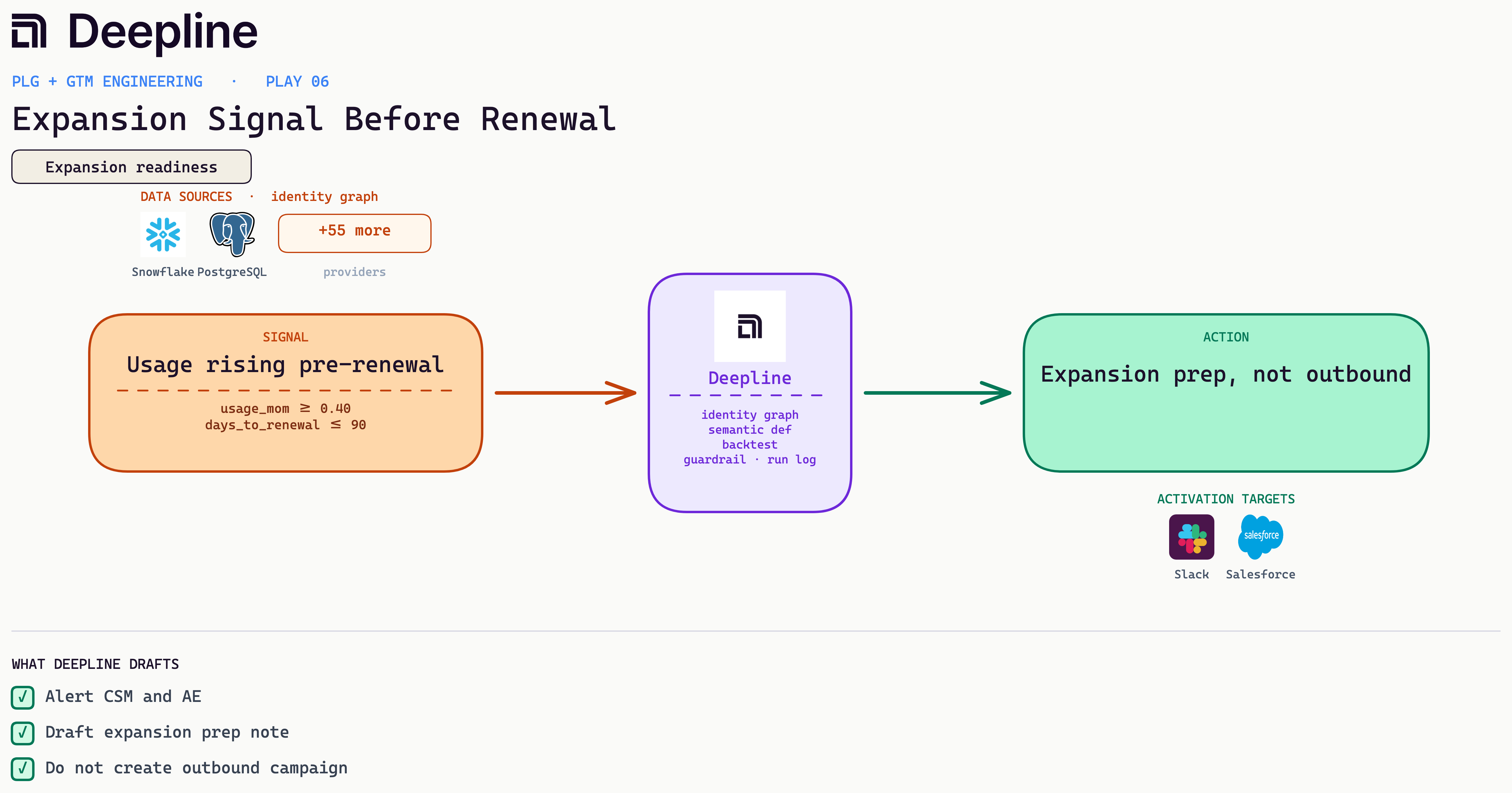
Usage is climbing in the months before renewal, so hand it to the relationship owner as an upsell, not a cold lead.
Business case: Usage climbing in the months before a renewal is the cleanest expansion signal you get, and treating a happy customer like a cold lead can sour the renewal itself. Routing it to the relationship owner turns natural growth into a structured upsell.
Metric: Rep coverage of active accounts (directional).
Stack: product_events run counts, CRM last-activity check, CRM note writeback plus a rep follow-up draft.
From the field: A data platform runs a weekly high-usage, stale-CRM sweep that writes a usage note, drafts a follow-up, and escalates to manager review if no one touches the account in three days.
Deepline config (pseudo-code)
{
  "name": "expansion-signal-before-renewal",
  "trigger": {
    "type": "cron",
    "schedule": "0 6 * * *"
  },
  "steps": [
    {
      "alias": "signals",
      "tool": "snowflake_run_semantic_query",
      "payload": {
        "metrics": ["usage_mom", "days_to_renewal"],
        "dimensions": ["account_id", "csm_email", "ae_email"],
        "filters": {
          "usage_mom": {
            "gte": 0.4
          },
          "days_to_renewal": {
            "lte": 90
          }
        }
      }
    },
    {
      "alias": "prep",
      "tool": "ai_inference",
      "payload": {
        "prompt": "<outbound draft, see the bar-test prompt in Prompts you can copy>"
      }
    },
    {
      "alias": "note",
      "tool": "salesforce_create_note",
      "payload": {
        "account_ids": "{{signals.rows[].account_id}}",
        "title": "Expansion prep before renewal",
        "body": "{{prep.text}}"
      }
    },
    {
      "alias": "alert",
      "tool": "slack_message",
      "payload": {
        "channel": "#renewals",
        "text": "Expansion signal before renewal. CSM and AE notified, prep note logged."
      }
    }
  ]
}
16. Product Champion Changed Jobs
A trusted champion changed jobs, so reach them at the new company and start the deal warm instead of cold.
Business case: A champion who already trusted your product is your highest-intent buyer hiding in a stale contact record. When they change jobs, reaching them at the new company starts a deal warm instead of paying full cost to prospect it cold.
Metric: Enterprise pipeline and ACV (directional in internal testing).
Stack: product_events sso and scim doc views, employee_count from Crustdata, route to an enterprise AE or solutions owner with a discovery note.
From the field: A team triggers on SSO docs plus an API key at large accounts, attaches an owner, and opens with one question about a broader rollout instead of a demo ask.
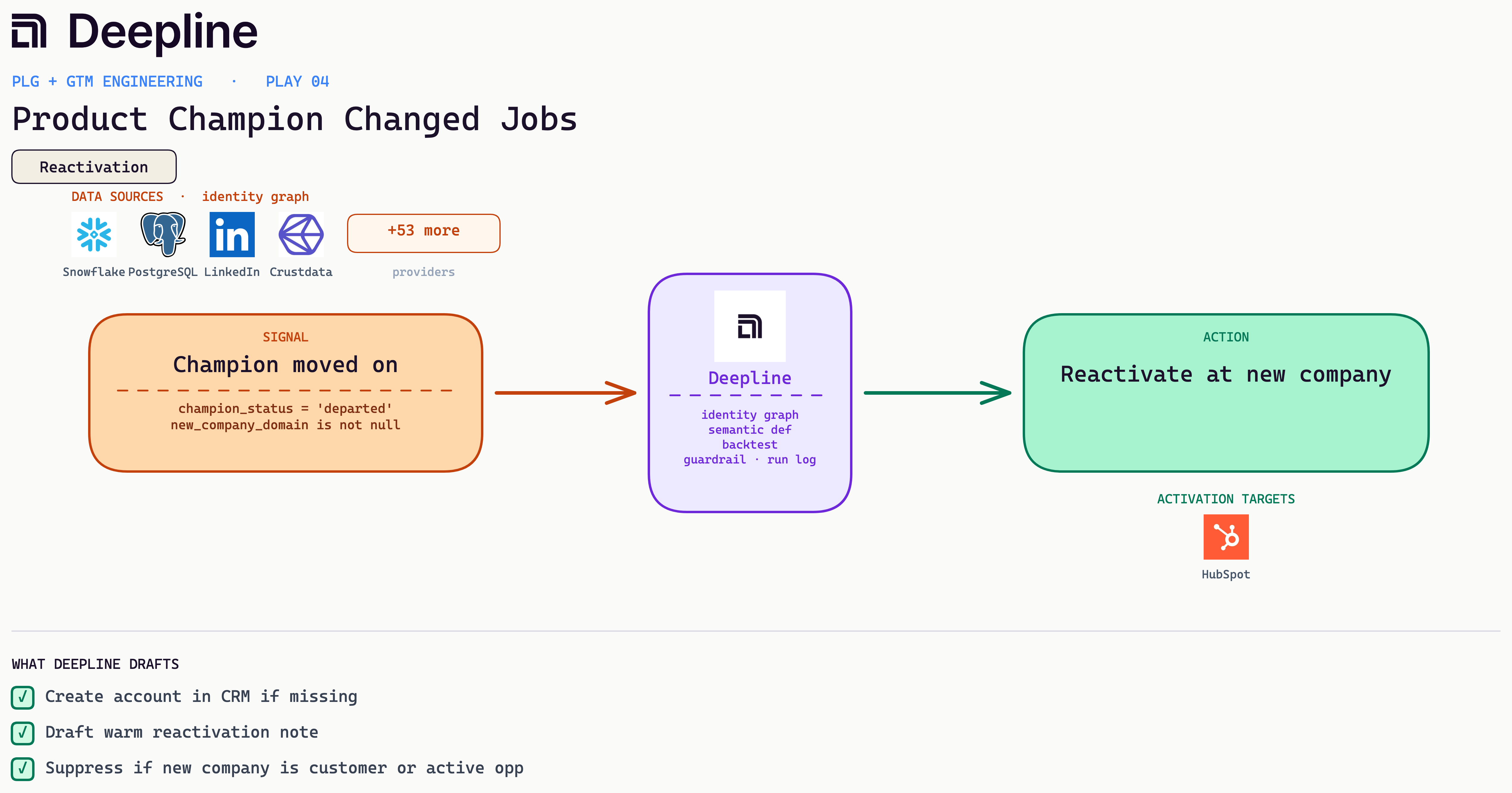
Deepline config (pseudo-code)
{
  "name": "product-champion-changed-jobs",
  "trigger": {
    "type": "webhook",
    "event": "crm.contact.job_change"
  },
  "steps": [
    {
      "alias": "verify",
      "tool": "crustdata_enrich_person",
      "payload": {
        "linkedin_url": "{{contact.linkedin_url}}",
        "fields": ["current_company", "current_title", "current_company_domain"]
      }
    },
    {
      "alias": "lookup",
      "tool": "salesforce_query",
      "payload": {
        "soql": "SELECT Id, Type FROM Account WHERE Website LIKE '%{{verify.current_company_domain}}%' LIMIT 1"
      }
    },
    {
      "alias": "suppress",
      "tool": "run_javascript",
      "payload": {
        "code": "const a=lookup.records[0]; if(a && (a.Type==='Customer' || a.has_open_opp)) return {stop:true}; return {needs_account: !a}"
      }
    },
    {
      "alias": "draft",
      "tool": "ai_inference",
      "payload": {
        "prompt": "<outbound draft, see the bar-test prompt in Prompts you can copy>"
      }
    }
  ]
}
17. Dormant High-Fit Account Reactivation
A high-fit account has gone dormant, so hold it until a fresh hiring or funding signal lands, then reactivate naming that change.
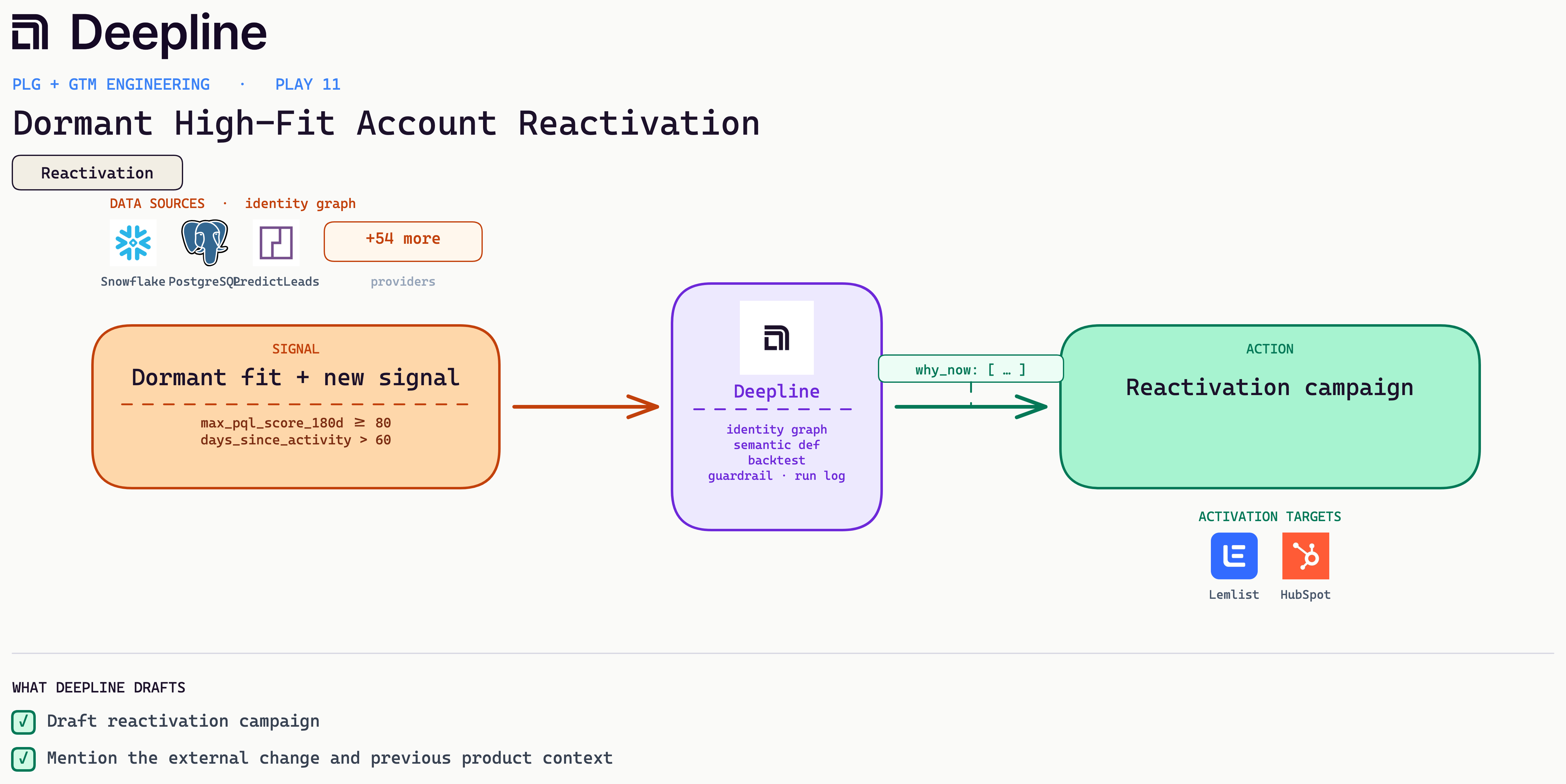
Business case: A high-fit account that went dark is cheaper to revive than a net-new logo is to source, but only when something has changed. A fresh hiring or funding signal is the reason to reach back out, and naming it beats a generic check-in.
Metric: Reactivated pipeline from accounts you already paid to acquire (directional, internal).
Stack: Snowflake for the dormant high-fit list (PQL score over 80, no activity in 60 days), PredictLeads for fresh hiring or funding events, a gated outreach draft to the AE or CS owner. No send without a fresh signal.
From the field: We hold dormant high-fit accounts until PredictLeads surfaces a real change at the company, then draft a note that opens on that change instead of a generic "checking in."
Deepline config (pseudo-code)
{
  "name": "dormant-high-fit-reactivation",
  "trigger": {
    "type": "cron",
    "schedule": "0 7 * * 1"
  },
  "steps": [
    {
      "alias": "dormant",
      "tool": "snowflake_run_semantic_query",
      "payload": {
        "metrics": ["max_pql_score_180d", "days_since_activity"],
        "dimensions": ["account_id", "account_domain"],
        "filters": {
          "max_pql_score_180d": {
            "gte": 80
          },
          "days_since_activity": {
            "gt": 60
          }
        }
      }
    },
    {
      "alias": "signals",
      "tool": "predictleads_company_events",
      "payload": {
        "domains": "{{dormant.rows[].account_domain}}",
        "event_types": ["hiring", "funding"],
        "since_days": 30
      }
    },
    {
      "alias": "gate",
      "tool": "run_javascript",
      "payload": {
        "code": "const fresh=events.filter(e => daysAgo(e.date) < 30); return fresh.length ? fresh : {stop:true}"
      }
    },
    {
      "alias": "draft",
      "tool": "ai_inference",
      "payload": {
        "prompt": "<outbound draft, see the bar-test prompt in Prompts you can copy>"
      }
    }
  ]
}
18. Multi-Threading Target Account
A target account runs on one active user with several known contacts, so multi-thread into the contacts you already have.
Business case: A named target account with one engaged user and several known contacts is a deal waiting to be widened. Multi-threading into the contacts you already have protects it against the day your single thread leaves.
Metric: Multi-product cross-sell ACV; watch product B attach rate among product A power-user accounts (directional, internal).
Stack: product_events for products A and B joined to CRM customer stage in Salesforce, a cross-sell draft in review mode for owner approval.
From the field: A team finds product A power users without product B, drafts a cross-sell that references their actual product A workflow, and holds it for the owner to approve.
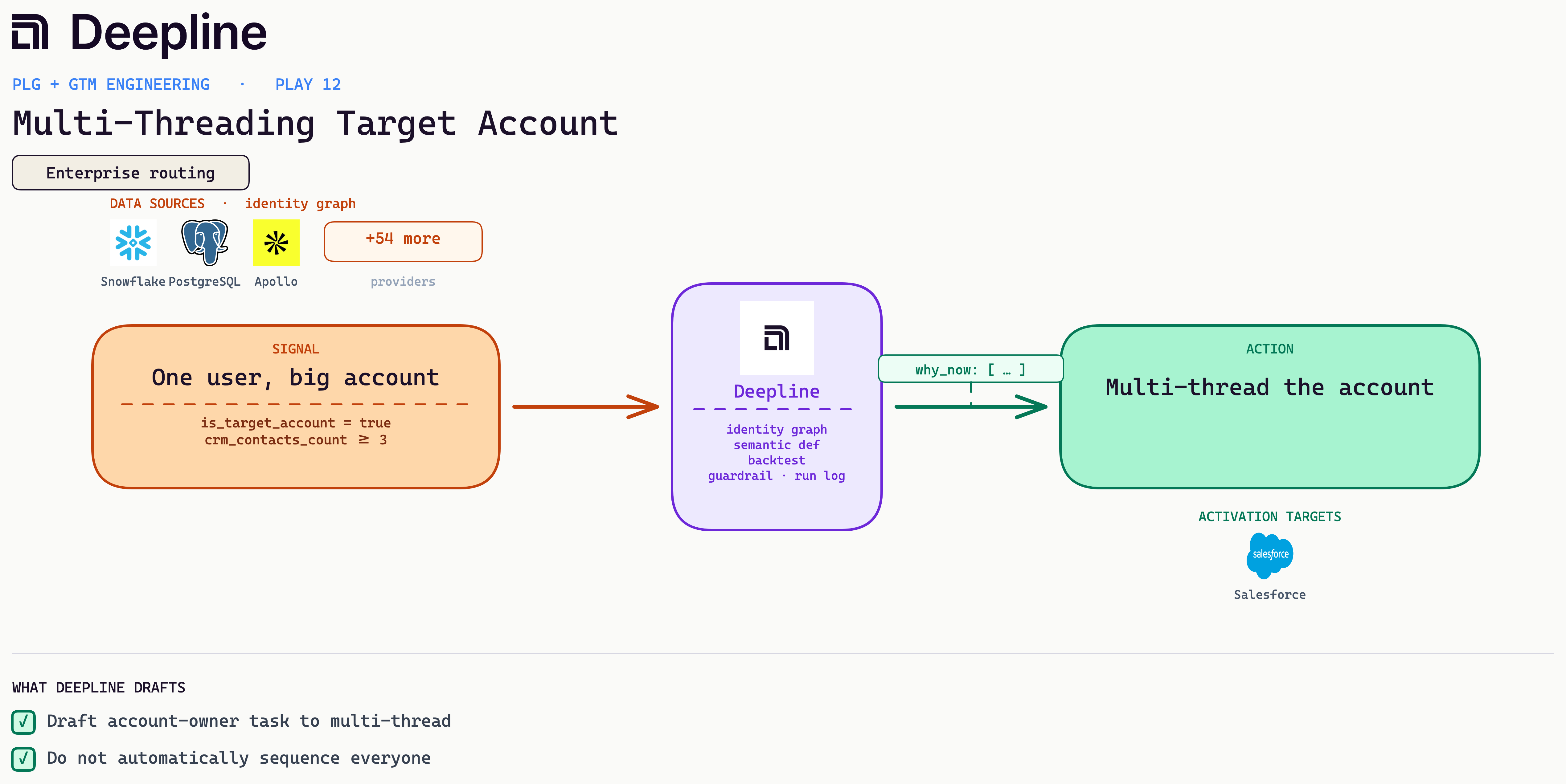
Deepline config (pseudo-code)
{
  "name": "multi-threading-target-account",
  "trigger": {
    "type": "cron",
    "schedule": "0 8 * * 2"
  },
  "steps": [
    {
      "alias": "targets",
      "tool": "snowflake_run_semantic_query",
      "payload": {
        "metrics": ["active_users", "crm_contacts_count"],
        "dimensions": ["account_id", "account_domain", "owner_email"],
        "filters": {
          "is_target_account": true,
          "active_users": 1,
          "crm_contacts_count": {
            "gte": 3
          }
        }
      }
    },
    {
      "alias": "gaps",
      "tool": "apollo_search_people_with_match",
      "payload": {
        "q_organization_domains_list": "{{targets.rows[].account_domain}}",
        "person_seniorities": ["director", "vp", "head"],
        "per_page": 5
      }
    },
    {
      "alias": "plan",
      "tool": "ai_inference",
      "payload": {
        "prompt": "Multi-threading plan: who to add, why, and a one-line intro angle per persona. Do not write a sequence."
      }
    },
    {
      "alias": "task",
      "tool": "hubspot_create_task",
      "payload": {
        "owner": "{{targets.rows[].owner_email}}",
        "subject": "Multi-thread: one active user, 3+ contacts known",
        "body": "{{plan.text}}"
      }
    }
  ]
}
19. Product Usage Up, Business Review Missing
Usage is rising at a strategic account with no recent business review, so fire a QBR prep task with the usage summary drafted.
Business case: Rising usage at a strategic account is the moment to talk expansion, and skipping the business review leaves it to renew flat on a contract sized for last year. A timely QBR turns growth into a larger commitment.
Metric: Multi-threading and opp creation at target accounts (directional).
Stack: product_events to spot the single user, CRM contact count, Apollo to fill gaps, a task for the account owner. No auto-sequencing the list.
From the field: A team flags single-threaded target accounts that already have three or more known contacts and hands the owner a drafted multi-thread plan.
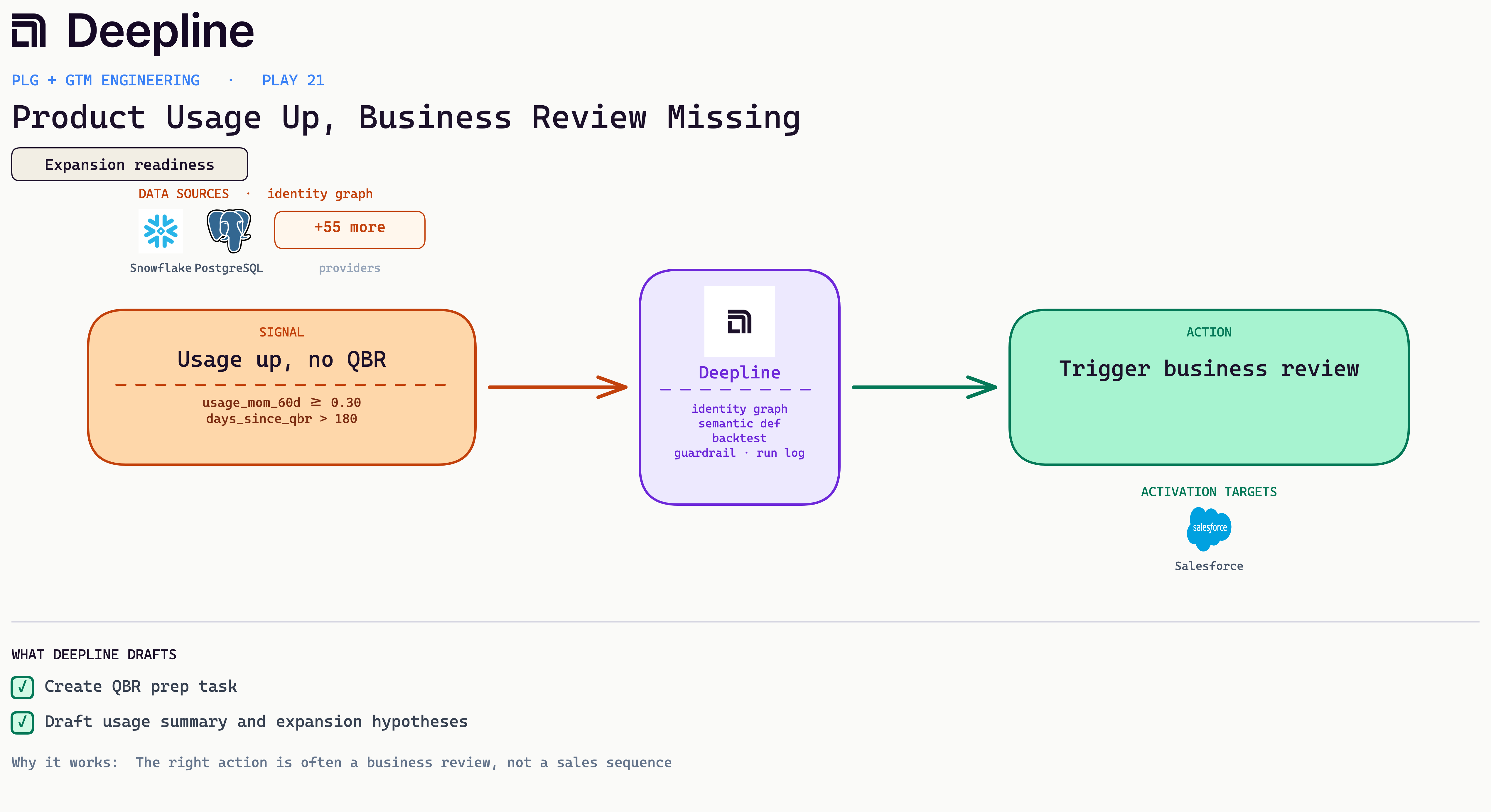
Deepline config (pseudo-code)
{
  "name": "usage-up-no-qbr",
  "trigger": {
    "type": "cron",
    "schedule": "0 9 1 * *"
  },
  "steps": [
    {
      "alias": "signals",
      "tool": "snowflake_run_semantic_query",
      "payload": {
        "metrics": ["usage_mom_60d", "days_since_last_qbr"],
        "dimensions": ["account_id", "tier", "csm_email"],
        "filters": {
          "is_customer": true,
          "usage_mom_60d": {
            "gte": 0.3
          },
          "tier": {
            "in": ["strategic", "enterprise"]
          }
        }
      }
    },
    {
      "alias": "gate",
      "tool": "run_javascript",
      "payload": {
        "code": "return rows.filter(r => r.days_since_last_qbr == null || r.days_since_last_qbr > 180)"
      }
    },
    {
      "alias": "summary",
      "tool": "ai_inference",
      "payload": {
        "prompt": "<account-fit scoring, see the fit-score prompt in Prompts you can copy>"
      }
    },
    {
      "alias": "task",
      "tool": "salesforce_create_task",
      "payload": {
        "owner_id": "{{gate[].csm_email}}",
        "subject": "QBR overdue, usage up",
        "description": "{{summary.text}}"
      }
    }
  ]
}
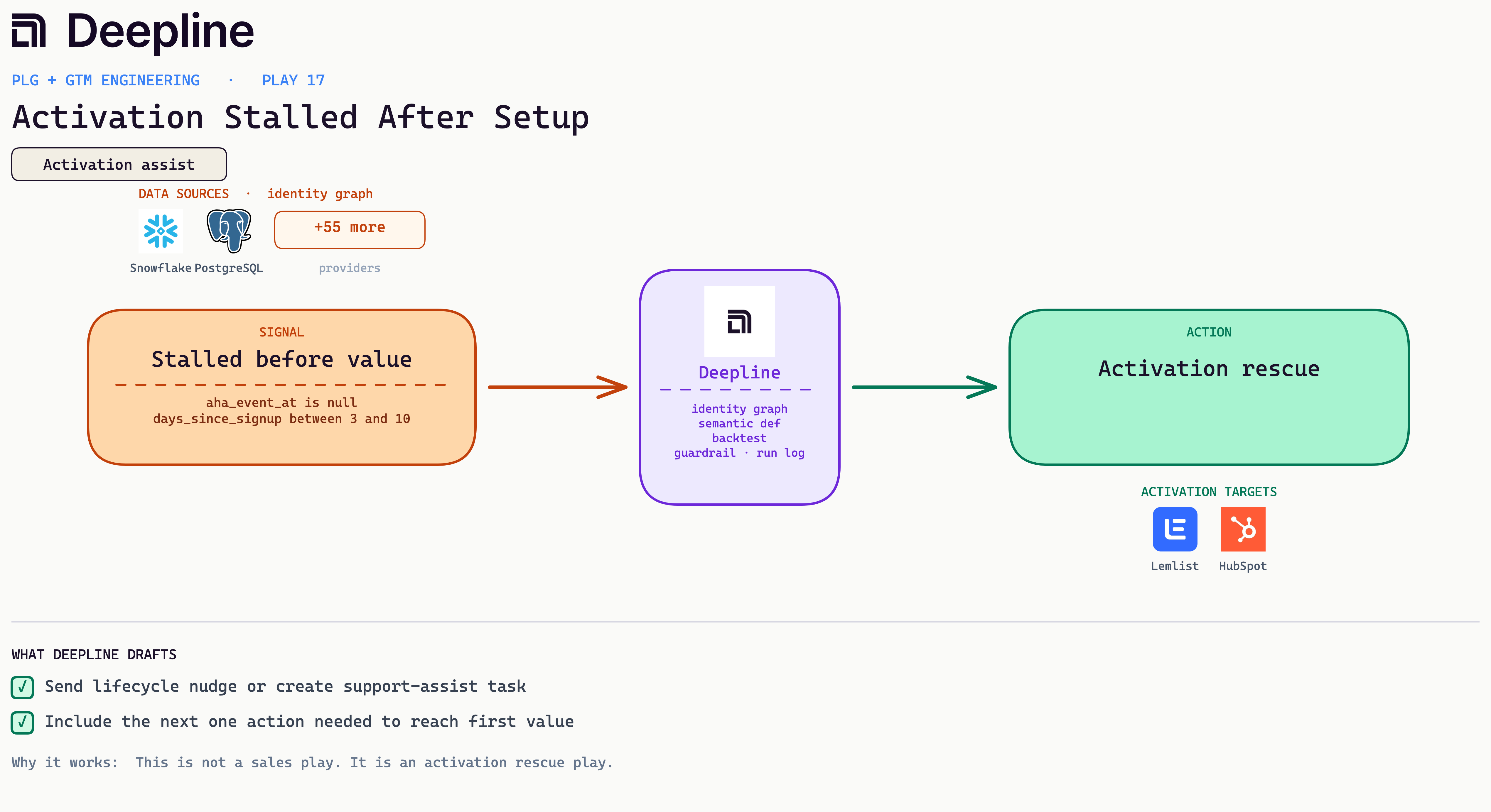
20. Activation Stalled After Setup
Setup is done but the user never reached first value, so send the single next action while the stall is fresh.
Business case: A user who finished setup but never reached first value is acquisition spend that is about to walk, often without a word. Sending the single next action while the stall is fresh is far cheaper than a win-back later.
Metric: High-fit activation rate; track the share that reach the milestone within 14 days (directional, internal).
Stack: account_fit_score to gate the list, product_events to flag the stall, a founder or rep note via Slack or a CRM task.
From the field: A team surfaces high-fit accounts that signed up but never activated, then drafts a founder note framed around removing the first-setup blocker.
Deepline config (pseudo-code)
{
  "name": "activation-stalled-after-setup",
  "trigger": {
    "type": "cron",
    "schedule": "0 */6 * * *"
  },
  "steps": [
    {
      "alias": "stalled",
      "tool": "snowflake_run_semantic_query",
      "payload": {
        "metrics": ["days_since_signup"],
        "dimensions": ["user_id", "user_email", "last_completed_step"],
        "filters": {
          "completed_setup": true,
          "aha_event_at": null,
          "days_since_signup": {
            "between": [3, 10]
          }
        }
      }
    },
    {
      "alias": "ticket_check",
      "tool": "hubspot_search_tickets",
      "payload": {
        "contact_email": "{{stalled.rows[].user_email}}",
        "status": "open"
      }
    },
    {
      "alias": "gate",
      "tool": "run_javascript",
      "payload": {
        "code": "return stalled.filter(u => !openTicketEmails.has(u.user_email))"
      }
    },
    {
      "alias": "nudge",
      "tool": "ai_inference",
      "payload": {
        "prompt": "<outbound draft, see the bar-test prompt in Prompts you can copy>"
      }
    }
  ]
}
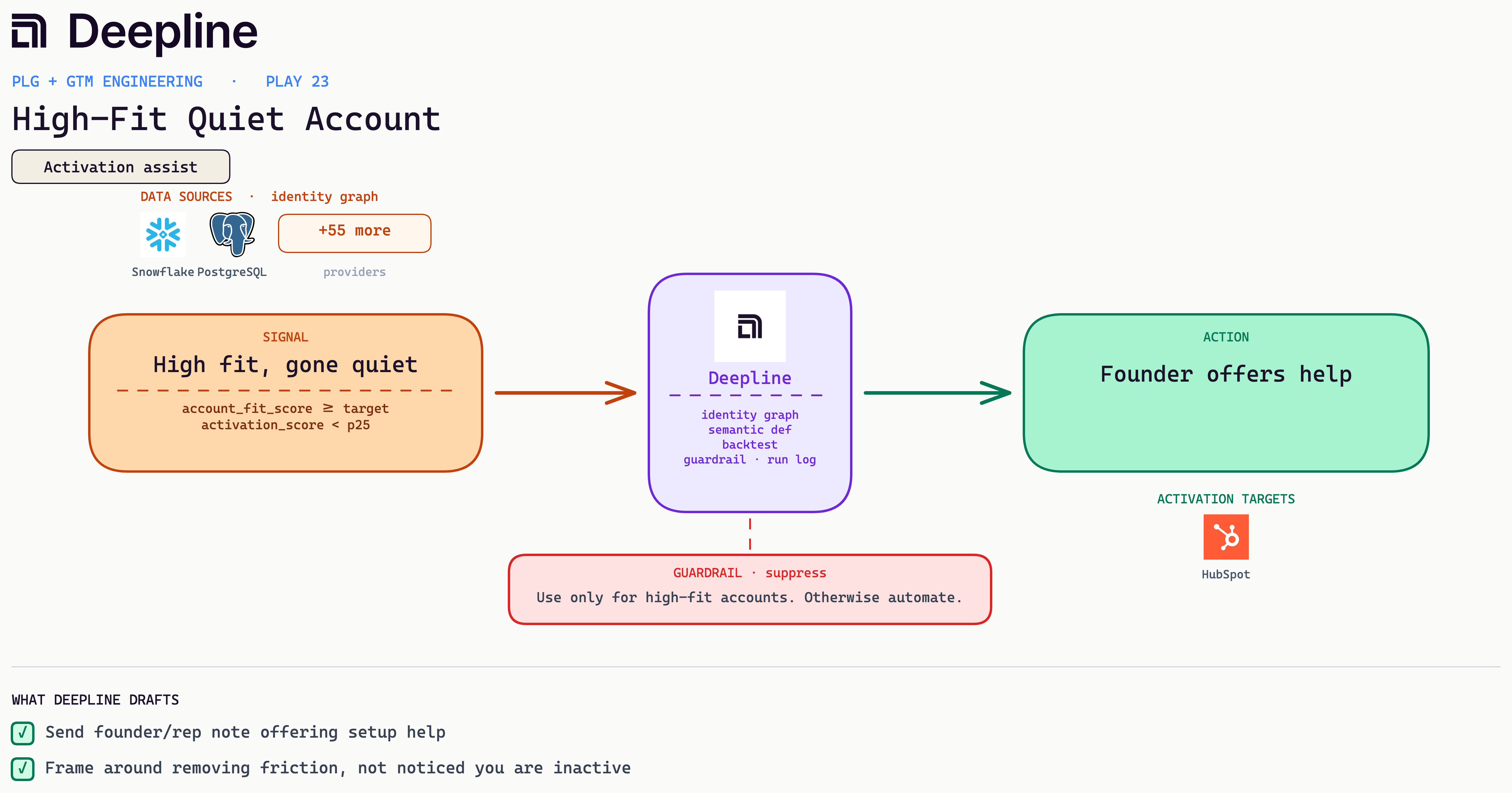
21. High-Fit Quiet Account
A high-fit account goes quiet after signup, so a founder note that removes the first-setup friction recovers it.
Business case: High-fit accounts that go quiet after signup are the most expensive misses: you already paid to acquire them and they cleared the ICP (ideal customer profile) bar. A founder note that removes the first-setup friction recovers accounts worth multiples of an average deal.
Metric: Dormant-account reactivation rate; naming the concrete change beats a generic check-in (directional).
Stack: historical PQL from the warehouse, PredictLeads for a hiring or funding event, Lemlist reactivation draft that names the change and prior product context.
From the field: A team holds dormant high-fit accounts until PredictLeads surfaces a fresh signal, then drafts a note that references what they built last time.
Deepline config (pseudo-code)
{
  "name": "high-fit-quiet-account",
  "trigger": {
    "type": "cron",
    "schedule": "0 10 * * 1-5"
  },
  "steps": [
    {
      "alias": "quiet",
      "tool": "snowflake_run_semantic_query",
      "payload": {
        "metrics": [
          "account_fit_score",
          "activation_score",
          "days_since_sales_touch"
        ],
        "dimensions": ["account_id", "account_domain", "owner_email"],
        "filters": {
          "signup_completed": true,
          "account_fit_score": {
            "gte": 80
          },
          "activation_score": {
            "lt": 30
          },
          "days_since_sales_touch": {
            "gt": 14
          }
        }
      }
    },
    {
      "alias": "context",
      "tool": "crustdata_enrich_company",
      "payload": {
        "domains": "{{quiet.rows[].account_domain}}",
        "fields": ["headcount", "recent_news"]
      }
    },
    {
      "alias": "note",
      "tool": "ai_inference",
      "payload": {
        "prompt": "<outbound draft, see the bar-test prompt in Prompts you can copy>"
      }
    }
  ]
}
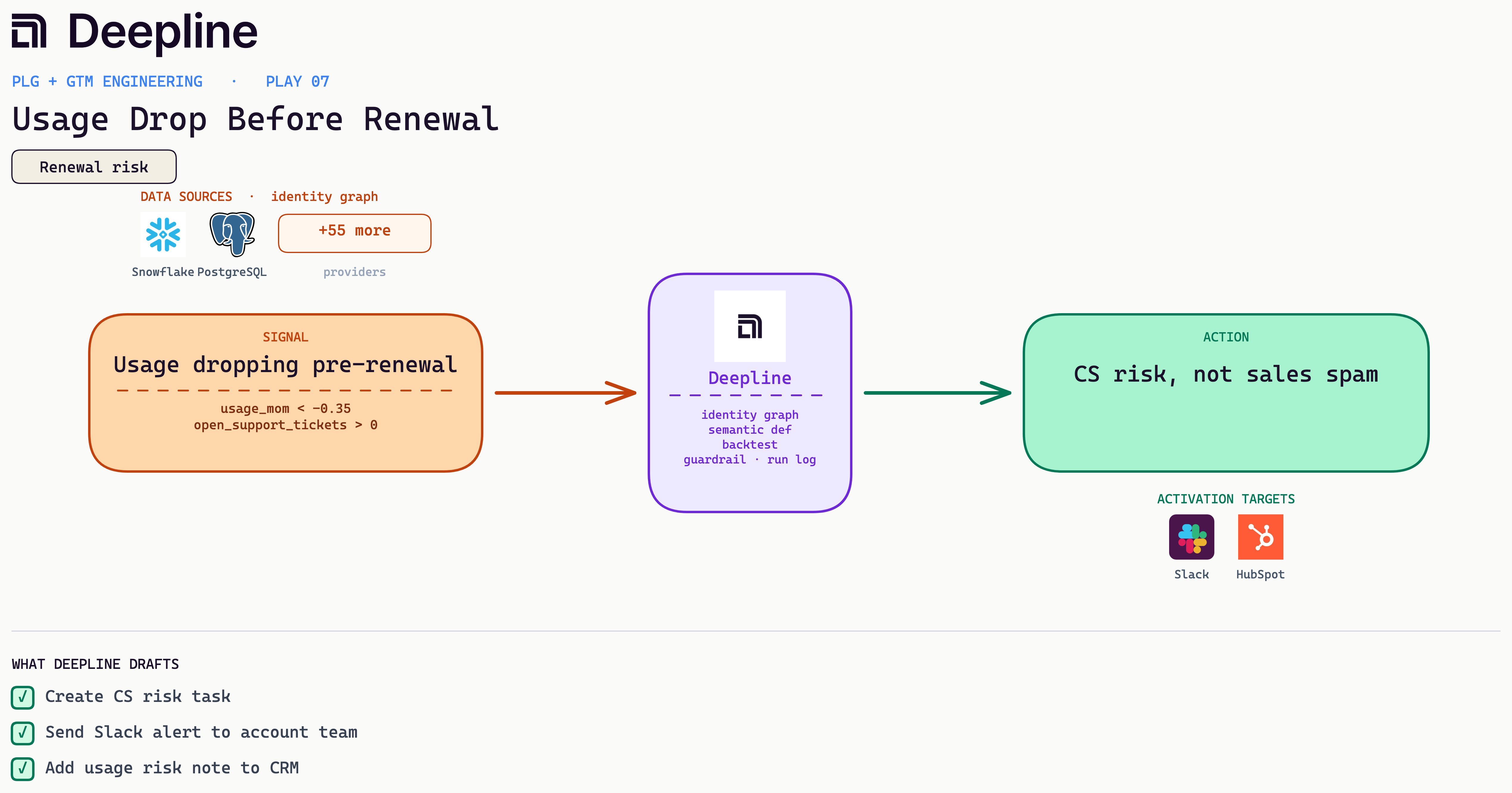
22. Usage Drop Before Renewal
Usage at a renewal account is sliding months early, so flag it to CS for a real intervention before it closes low.
Business case: A renewal that decays quietly is the most expensive to lose: it is already in the forecast and the late save closes low. Catching the slide months early gives CS room to run a real intervention.
Metric: Speed-to-lead on setup-complete accounts (internal, directional).
Stack: Snowflake or customer_db product_events, owner and open-opp lookup in Salesforce or HubSpot, Lemlist or Smartlead draft. Block if there is an open opp or the account is already a customer.
From the field: A dev-tools team joins warehouse "first workflow run" to the CRM owner daily, opens an owner task, and drafts a two-email sequence naming the setup step.
Deepline config (pseudo-code)
{
  "name": "usage-drop-before-renewal",
  "trigger": {
    "type": "cron",
    "schedule": "0 7 * * 1"
  },
  "steps": [
    {
      "alias": "usage",
      "tool": "snowflake_run_semantic_query",
      "payload": {
        "metrics": ["usage_mom", "open_support_tickets"],
        "dimensions": ["account_id", "days_to_renewal", "csm_owner"],
        "filters": {
          "days_to_renewal": {
            "lte": 120
          },
          "open_support_tickets": {
            "gt": 0
          }
        }
      }
    },
    {
      "alias": "guard",
      "tool": "run_javascript",
      "payload": {
        "code": "return rows.filter(r => r.usage_mom < -0.35)"
      }
    },
    {
      "alias": "brief",
      "tool": "ai_inference",
      "payload": {
        "prompt": "<outbound draft, see the bar-test prompt in Prompts you can copy>"
      }
    },
    {
      "alias": "task",
      "tool": "salesforce_create_task",
      "payload": {
        "owner_id": "{{guard[].csm_owner}}",
        "subject": "Renewal risk: usage down",
        "description": "{{brief.text}}"
      }
    }
  ]
}
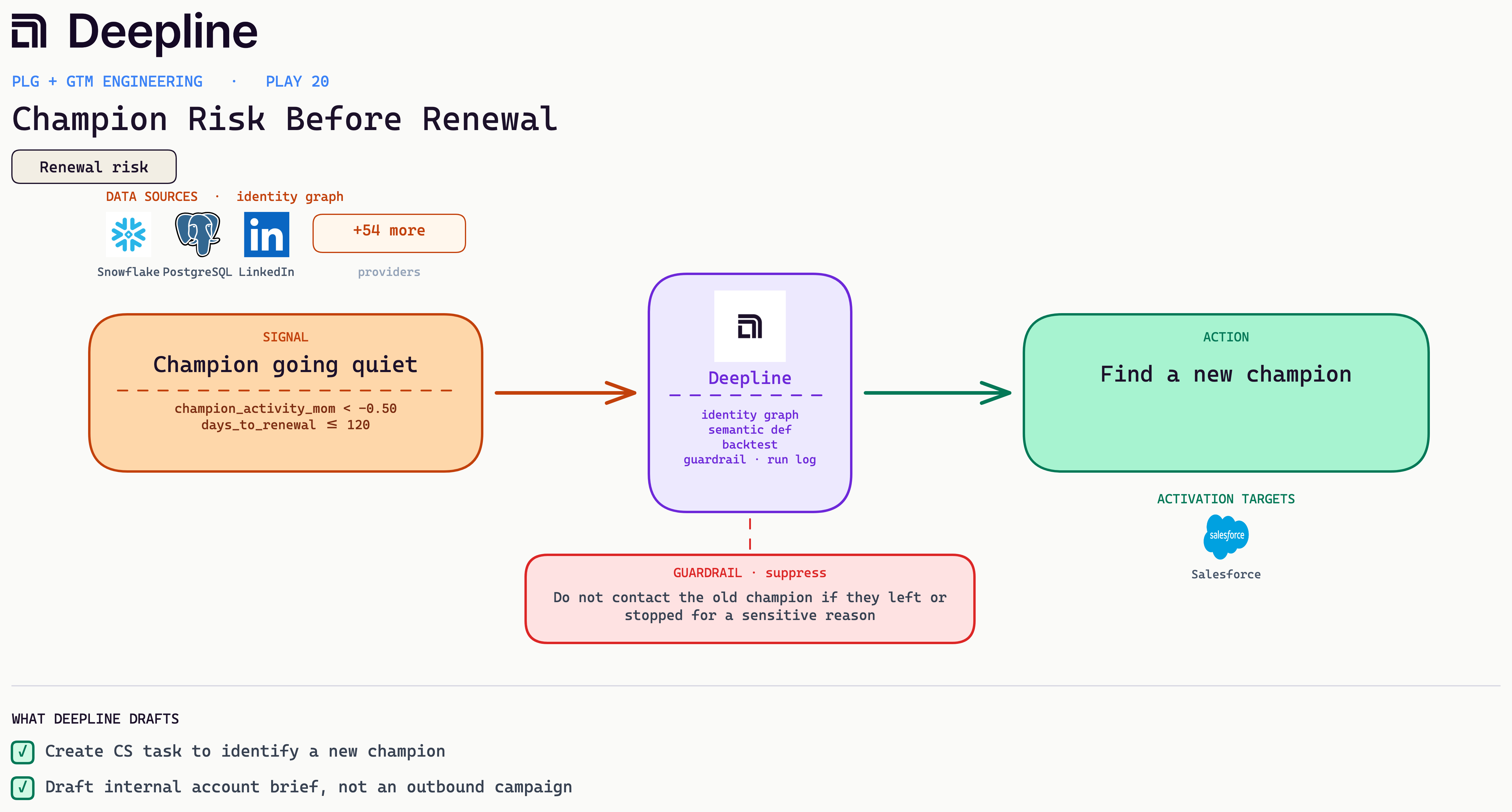
23. Champion Risk Before Renewal
A champion goes quiet inside the renewal window, so find a replacement contact before the renewal slips.
Business case: A renewal rides on the people who defend the line item, so a champion going quiet exposes the deal even when usage looks fine. Finding a replacement early is the difference between a managed transition and a surprise churn.
Metric: Warm reactivation pipeline from job changes; track sourced opps against cold outbound (directional).
Stack: LinkedIn job-change plus Crustdata, dedup against HubSpot, account create, reactivation draft.
From the field: A team runs a weekly job-change sweep, cross-checks Crustdata and Apollo against the HubSpot base, suppresses customers and open opps, and drafts a warm note at the new logo.
Deepline config (pseudo-code)
{
  "name": "champion-risk-before-renewal",
  "trigger": {
    "type": "cron",
    "schedule": "0 8 * * 2"
  },
  "steps": [
    {
      "alias": "accounts",
      "tool": "snowflake_run_semantic_query",
      "payload": {
        "metrics": ["champion_activity_mom", "account_usage_mom"],
        "dimensions": [
          "account_id",
          "days_to_renewal",
          "champion_contact_id",
          "csm_owner"
        ],
        "filters": {
          "days_to_renewal": {
            "lte": 120
          }
        }
      }
    },
    {
      "alias": "guard",
      "tool": "run_javascript",
      "payload": {
        "code": "return rows.filter(r => r.champion_activity_mom < -0.5 && r.account_usage_mom > -0.1 && r.no_new_champion)"
      }
    },
    {
      "alias": "successor",
      "tool": "predictleads_get_account_contacts",
      "payload": {
        "account_id": "{{guard[].account_id}}",
        "seniority": ["director", "vp", "head"],
        "exclude_contact_id": "{{guard[].champion_contact_id}}"
      }
    },
    {
      "alias": "brief",
      "tool": "ai_inference",
      "payload": {
        "prompt": "<outbound draft, see the bar-test prompt in Prompts you can copy>"
      }
    }
  ]
}
24. SSO Or SCIM Intent
Someone views your SSO docs and creates an API key, so route them to an enterprise owner before the security review starts.
Business case: Someone reading your SSO docs and creating an API key is scoping a real rollout, and the ACV at stake dwarfs a self-serve plan. Routing it to an enterprise owner before the security review starts is how you keep that deal from leaking.
Metric: Renewal risk on single-threaded accounts (directional, internal).
Stack: product_events champion activity, a LinkedIn departure check via Crustdata or LeadMagic, a CS task in the CRM. An internal brief, not a campaign.
From the field: A team flags champion activity down 50 percent with renewal under 120 days while usage is live, then drafts the brief. It does not contact a champion who left for a sensitive reason.
Deepline config (pseudo-code)
{
  "name": "sso-scim-enterprise-intent",
  "trigger": {
    "type": "webhook",
    "event": "product.security_intent"
  },
  "steps": [
    {
      "alias": "signal",
      "tool": "run_javascript",
      "payload": {
        "code": "const e=input.event; return (e.sso_docs_viewed && e.api_key_created && e.employee_count >= 250) ? [e] : []"
      }
    },
    {
      "alias": "firmographics",
      "tool": "crustdata_enrich_company",
      "payload": {
        "domain": "{{signal[].domain}}",
        "fields": ["headcount", "industry"]
      }
    },
    {
      "alias": "owner_check",
      "tool": "salesforce_query",
      "payload": {
        "soql": "SELECT Id, Owner.UserRole.Name FROM Account WHERE Id = '{{signal[].account_id}}'"
      }
    },
    {
      "alias": "discovery",
      "tool": "ai_inference",
      "payload": {
        "prompt": "<outbound draft, see the bar-test prompt in Prompts you can copy>"
      }
    },
    {
      "alias": "task",
      "tool": "salesforce_create_task",
      "payload": {
        "queue": "Enterprise-Inbound",
        "subject": "SSO/SCIM intent at {{signal[].domain}}",
        "description": "{{discovery.text}}"
      }
    }
  ]
}
25. Integration Intent
A user is building an integration and viewing the API docs, so a solutions touch turns the new key into a live integration.
Business case: A user building an integration is showing the strongest activation intent there is, and a build that stalls on one unclear endpoint rarely restarts alone. A solutions touch at that moment is what turns a created API key into a live, sticky integration.
Metric: Net revenue retention and expansion pipeline; track expansion opps opened before the renewal date (directional).
Stack: product_events usage trend, renewal date from the CRM, Slack alert to the CSM and AE, prep note in the CRM. No campaign tool in this path.
From the field: A team alerts the CSM and AE with a prep note when month-over-month usage jumps inside ninety days of renewal, and blocks campaign creation on those accounts.
Deepline config (pseudo-code)
{
  "name": "integration-intent",
  "trigger": {
    "type": "webhook",
    "event": "product.api_activity"
  },
  "steps": [
    {
      "alias": "guard",
      "tool": "run_javascript",
      "payload": {
        "code": "const e=input.event; return (e.api_key_created_at && e.docs_pageviews >= 3 && e.connected_warehouse === false) ? [e] : []"
      }
    },
    {
      "alias": "person",
      "tool": "apollo_enrich_person",
      "payload": {
        "email": "{{guard[].user_email}}",
        "fields": ["title", "seniority"]
      }
    },
    {
      "alias": "draft",
      "tool": "ai_inference",
      "payload": {
        "prompt": "<outbound draft, see the bar-test prompt in Prompts you can copy>"
      }
    },
    {
      "alias": "task",
      "tool": "hubspot_create_task",
      "payload": {
        "object_id": "{{guard[].account_id}}",
        "title": "Technical onboarding: API key, no warehouse",
        "body": "{{draft.text}}"
      }
    }
  ]
}
26. Agent Or Automation Adoption Readiness
An account runs the same manual exports week after week, so route them into automation enablement, not a sales task.
Business case: Repeated manual runs and CSV exports of the same shape are a customer doing by hand what your product can schedule, week after week. When the pattern is genuinely repetitive, that is a concrete enablement opening and a retention risk in one, because grinding through exports is how a user burns out on a tool.
Metric: Rep efficiency, measured as hours saved per rep per week rather than a conversion lift (directional, internal).
Stack: product_events depth from Snowflake, an account_fit_score, a writeback to HubSpot lifecycle nurture instead of a sales task.
From the field: A team recognizes deep daily usage at a below-threshold account, holds it in nurture, and routes the usage pattern into onboarding content.
Deepline config (pseudo-code)
{
  "name": "automation-adoption-readiness",
  "trigger": {
    "type": "cron",
    "schedule": "0 9 * * 3"
  },
  "steps": [
    {
      "alias": "behavior",
      "tool": "snowflake_run_semantic_query",
      "payload": {
        "metrics": ["manual_runs_30d", "csv_exports_30d"],
        "dimensions": ["account_id", "admin_user_email"],
        "filters": {
          "manual_runs_30d": {
            "gte": 5
          },
          "csv_exports_30d": {
            "gte": 2
          },
          "automation_enabled": false
        }
      }
    },
    {
      "alias": "guard",
      "tool": "run_javascript",
      "payload": {
        "code": "return rows.filter(r => r.admin_user_active).map(r => ({ ...r, repeated_export_shape: sameColumnsEachExport(r) }))"
      }
    },
    {
      "alias": "summary",
      "tool": "ai_inference",
      "payload": {
        "prompt": "<outbound draft, see the bar-test prompt in Prompts you can copy>"
      }
    },
    {
      "alias": "task",
      "tool": "hubspot_create_task",
      "payload": {
        "object_id": "{{guard[].account_id}}",
        "title": "Automation enablement",
        "body": "{{summary.text}}"
      }
    }
  ]
}
27. Low-Fit Power User
A power user sits at an account that will never clear your ICP bar, so hold them in nurture instead of handing them to a rep.
Business case: Deep usage at an account that will never clear your ICP bar is a trap: it looks like a hot lead and closes like a cold one. Holding these in nurture protects the pipeline that actually converts and keeps rep time honest.
Metric: Technical activation, read as API adoption (directional).
Stack: product_events api_key_created and docs_pageviews, CRM technical onboarding task, SE (solutions engineer) or founder draft.
From the field: A team opens an onboarding task the moment a key is created with three or more docs views, and a real engineer replies instead of a sequence.
Deepline config (pseudo-code)
{
  "name": "low-fit-power-user",
  "trigger": {
    "type": "cron",
    "schedule": "0 10 * * 4"
  },
  "steps": [
    {
      "alias": "usage",
      "tool": "snowflake_run_semantic_query",
      "payload": {
        "metrics": [
          "active_users_14d",
          "feature_depth_score",
          "account_fit_score"
        ],
        "dimensions": ["account_id"],
        "filters": {
          "active_users_14d": {
            "gte": 3
          }
        }
      }
    },
    {
      "alias": "guard",
      "tool": "run_javascript",
      "payload": {
        "code": "return rows.filter(r => r.feature_depth_score >= p75 && r.account_fit_score < min_threshold).map(r => ({ account_id: r.account_id, route_to_sales: false }))"
      }
    },
    {
      "alias": "nurture",
      "tool": "hubspot_update_record",
      "payload": {
        "object_id": "{{guard[].account_id}}",
        "fields": {
          "lifecycle_track": "product_nurture",
          "sales_routing_blocked": true
        }
      }
    }
  ]
}
Prompts you can copy
These are close to the prompts we actually run in production, with names and IDs stripped out. None of them are clever. The work is in being specific about what counts and what to refuse, then making the model show its reasoning so a human can check it.
Account fit and lead scoring
We do not ask the model a vague "is this a good lead." We give it a rubric with named bands and a hard floor, and make it return a number plus the reason, so a low score is auditable. It is the same scoring step behind the inbound-qualification and PQL plays above.
A PQL (product-qualified lead) is a signup whose product behavior, not their job title, says they are worth a rep's time.
Research {{company}} and score how well they fit our ICP.

Return JSON only:
{
  "company_summary": one sentence on what they do,
  "is_b2b": true | false,
  "gtm_motion": "plg" | "sales-led" | "hybrid" | "unknown",
  "fit_score": integer 0-10,
  "fit_rationale": one sentence on why
}

fit_score bands:
  8-10  clear ICP: B2B SaaS, agency, or fintech with a real GTM team
  5-7   adjacent: B2B services, smaller agency, early team
  0-4   wrong fit: B2C, education, healthcare, government, nonprofit, solo

Do not inflate. If they are not clearly B2B, is_b2b is false and fit_score is 0-4.
Downstream, the rule is blunt: if is_b2b is false or fit_score is below 5, the lead is blocked before it ever reaches a rep. That floor is what keeps an impressive-looking power user at a bad-fit account out of the sales queue.
Why-now and account news
For account briefs we pull recent, dated news per account, then make the model write the reason a rep would open with. Two rules:
- The news has to be dated and recent. Undated or stale items are dropped.
- Adverse news (a breach, a fine, layoffs) never becomes the opener. It is surfaced separately, flagged sensitive.
For {{account_name}} ({{account_industry}}), find news from the last 90 days that
is relevant to why we would reach out now. Search around their core priorities,
for example fraud, identity, onboarding, customer experience, depending on the
account. Neural search, news only, ten results.

Drop anything older than 90 days or with no publish date. Skip press-release
filler: announces, launches new, proud to, excited to, wins award.

From what is left, write one why-now line a rep can open with: what changed and
why it makes this a good moment to talk. If the only relevant news is negative
(a breach, a fine, layoffs, a lawsuit), do not lead with it. Surface it
separately, flagged as sensitive, so the rep knows but does not open on it.
In our real version the relevance scoring and the negative-news guard are deterministic code, not the model, so the same input always scores the same way. The model writes the sentence; the rules decide what is allowed to be the opener.
Drafting the outreach
The email prompt is the one we are most opinionated about, because this is where generic AI copy leaks into a customer's inbox. The test we use is whether a human would actually say the line out loud.
Write a short outbound email to {{first_name}} at {{company}}, using the why-now
above. Three sentences, two if you can.

Bar test, the whole thing must pass: write it like something you would say to
someone you just met at a bar who works in GTM, not a cold-email template. Would
a human actually open with this sentence in a conversation? Any framework speak,
cut it.

Do not open with: I saw, I noticed, I see that, I came across, saw you, hope this
finds you well, just reaching out. No em dashes. No exclamation marks. No invented
metrics. Do not quote their website back to them.

Structure: a real opener, one sentence on what we do, one soft question.

Return JSON: { "subject": max 6 words, lowercase, no colon, "email": the body }
Nothing here auto-sends. The draft lands for a human to approve, the same as every other play in this guide.
Backtesting before you ship
The backtest prompt earlier in this guide is the one to reach for first. Before any new rule touches a rep or a customer, run it against the last 100 leads in dry-run mode, classify would_send / blocked / incomplete, and check it against what actually happened. If the rule fires on two hundred to catch three, you see it before anyone else does.
How to start
Resist the urge to build a universal score. Pick one narrow action you can stand behind: route same-day demos for high-fit signups, or draft a sales-assist sequence, or alert the account team when usage drops before a renewal. A narrow action that a rep trusts beats a broad score that everyone second-guesses.
Then settle the event-definition question, because you cannot skip it. Define them in dbt or define them in the workflow, but a human has to say what they mean. Once that is done, Deepline handles the middle of the loop, identity through guardrails, reason payload, and run summary, and hands you a drafted action to approve. Start there and add the next play once the first one is earning its keep.