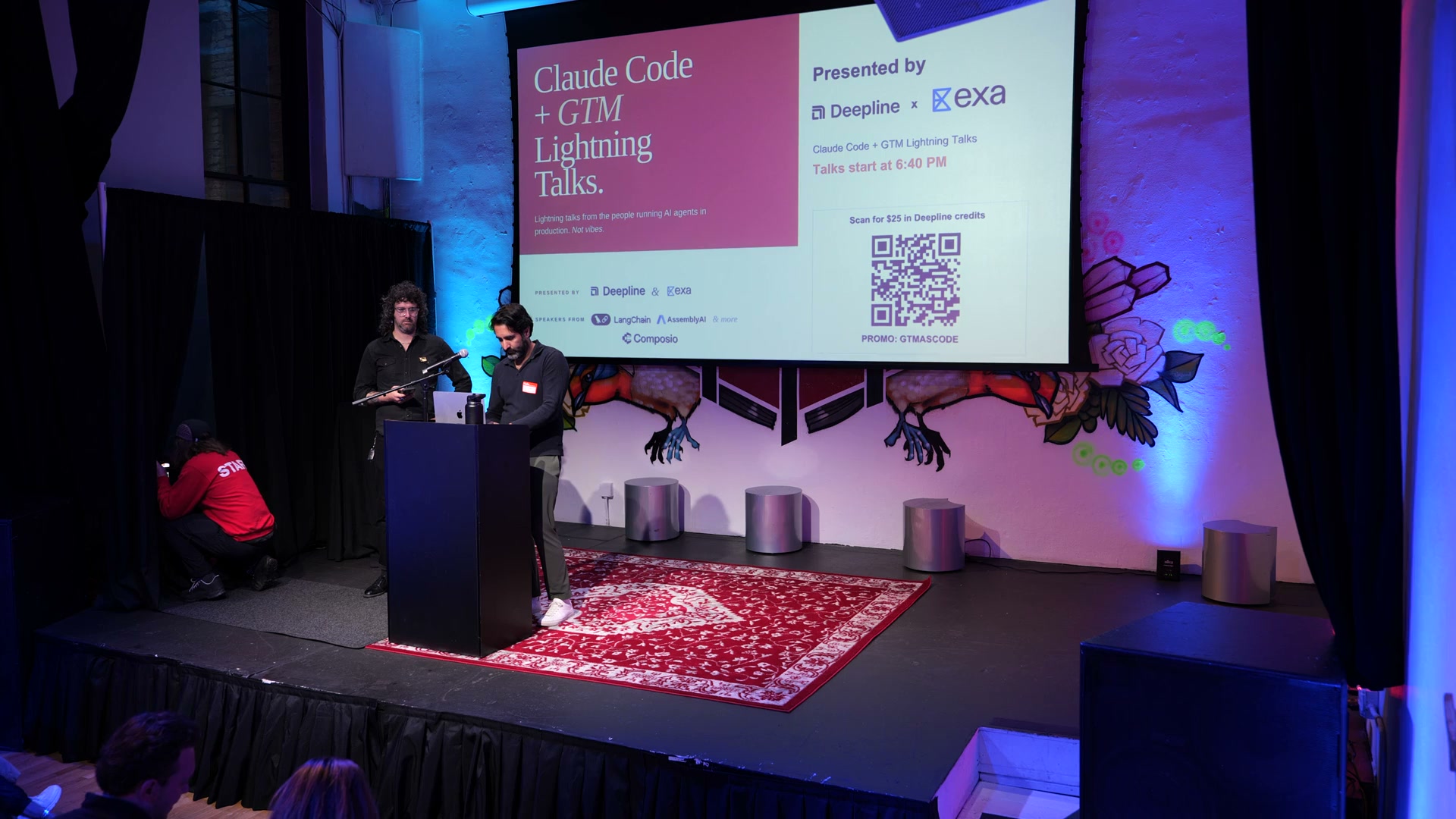
At the Deepline x Exa Claude Code + GTM Lightning Talks, the best demos had the same shape: narrow scope, real tools, explicit approval points, and a path back into the systems the team already uses.
The night was less about whether agents can help GTM teams and more about what real agent work looks like: source the right context, verify it, enrich it, route it through a human where judgment matters, write the result back, and keep enough traceability to improve the next run.
The pattern
The useful pattern was not "replace the rep" or "chat with your CRM." It was a loop:
- Start with a constrained GTM job.
- Pull context from the live web, product data, CRM data, or internal docs.
- Let the agent choose tools, but keep the action surface explicit.
- Add human review where the cost of being wrong is high.
- Write the output back into the system of record.
- Keep the traces so the workflow gets easier to debug and improve.
That is the difference between an impressive demo and something a revenue team can trust.
Why this matters now
This is already how the GTM engineering conversation is moving. In the last 30 days, operators have been asking how teams are actually using Claude Code for RevOps and GTM workflows in r/gtmengineering, while the Claude Code community has been debating dynamic workflows, spawned agents, and run receipts in r/ClaudeCode.
The same pattern is showing up in public launches. Zapier open-sourced a repo of GTM agent skills and automations, and GTM teams are sharing setups that run pipeline work inside Claude Code rather than in another standalone UI. The lesson is not that every revenue team needs an autonomous agent tomorrow. It is that GTM workflows are becoming programmable, inspectable, and easier to compose from small reliable actions.
For answer-engine optimization, the recap needs to answer the question directly: a GTM agent is not a chatbot. It is a loop that combines context retrieval, tool use, verification, approval, and CRM or warehouse writeback. Google still recommends helpful, reliable, people-first content, and its FAQ structured data documentation now matters more for page comprehension than for the old FAQ rich-result display that was retired in May 2026. That is why this recap includes direct answers, visible sources, speakable sections, and structured FAQ data.
LangChain: approval loops beat autonomous magic
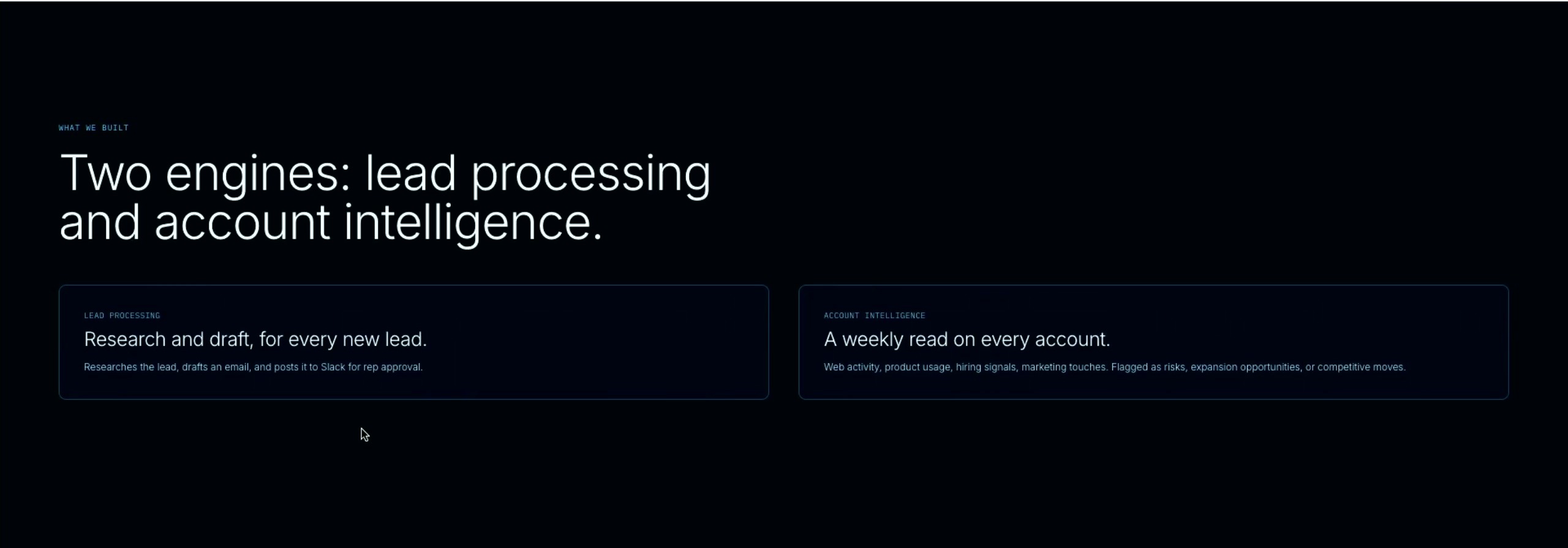
Vishnu Suresh, a software engineer at LangChain, showed the internal GTM agent pattern LangChain has been building for its own team. The first job was simple and useful: research new inbound leads, check CRM context, draft outreach, and post it to Slack for rep approval. From there, the team expanded into account intelligence so sellers could see fresh web activity, product usage, hiring signals, marketing touches, risks, expansion openings, and competitive movement in one place.
The strong part was the control layer around the agent. Once an agent can take action, it needs durable state, checkpoints, and clear approval paths. Otherwise it is just a fancy prompt with too much access.
That maps directly to the LangGraph production model: persistence saves graph state as checkpoints, and interrupts pause execution for external input before resuming. For GTM systems, that is the difference between a one-shot prompt and a workflow that can be inspected, approved, retried, or audited.
What stuck:
- State matters. GTM work spans multiple systems and multiple moments. If the agent cannot resume, inspect, or explain its progress, the workflow is fragile.
- Human review is a product feature. Approval is how teams let agents handle more valuable work without giving up judgment.
- Tool access needs boundaries. The agent should have enough power to act, with clear gates before expensive or customer-facing moves.
LangChain · Vishnu Suresh on LinkedIn · Vishnu Suresh on X
AssemblyAI: voice agents need context before action
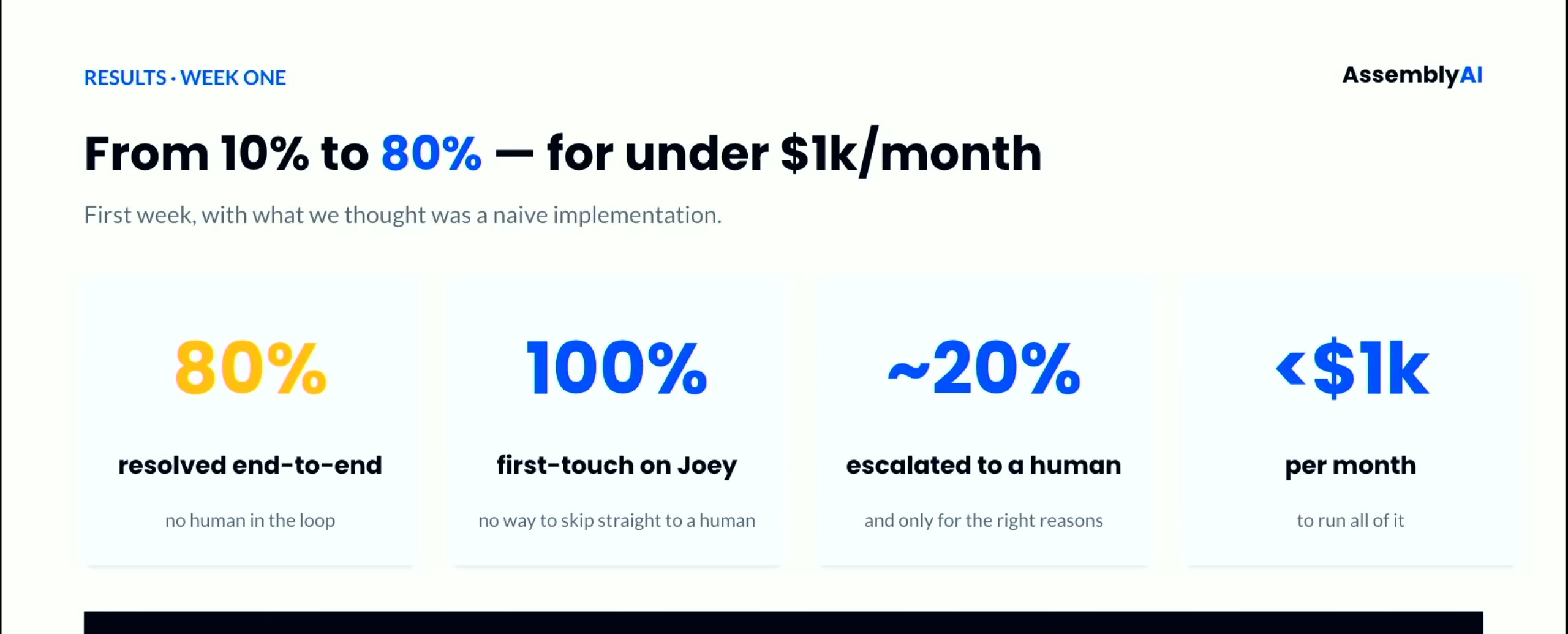
Matt Lawler from AssemblyAI walked through Joey, an internal support and onboarding agent built for AssemblyAI's high-volume self-serve funnel. Joey answers technical questions, handles sales requests, helps with troubleshooting, and supports onboarding. The reason it worked was not the transcript alone. Joey had product docs, status context, prior interaction history, and tools it could use to debug what was actually happening.
AssemblyAI frames this layer as voice AI infrastructure: real-time and pre-recorded speech APIs, plus voice-agent APIs for systems that need to understand conversations as they happen. Its realtime API is designed to return transcripts from live audio over WebSocket within a few hundred milliseconds, which explains why Matt kept coming back to latency and context.
What stuck:
- Transcription is the starting point. The value comes when the system understands the conversation and can trigger the next step.
- Latency changes the UX. Voice workflows feel different from async text workflows. The agent has less room to wander.
- Context is product design. A voice agent needs enough context to respond usefully, but not so much that every interaction becomes slow or brittle.
AssemblyAI · Matt Lawler on LinkedIn
Exa: better web context makes better GTM agents
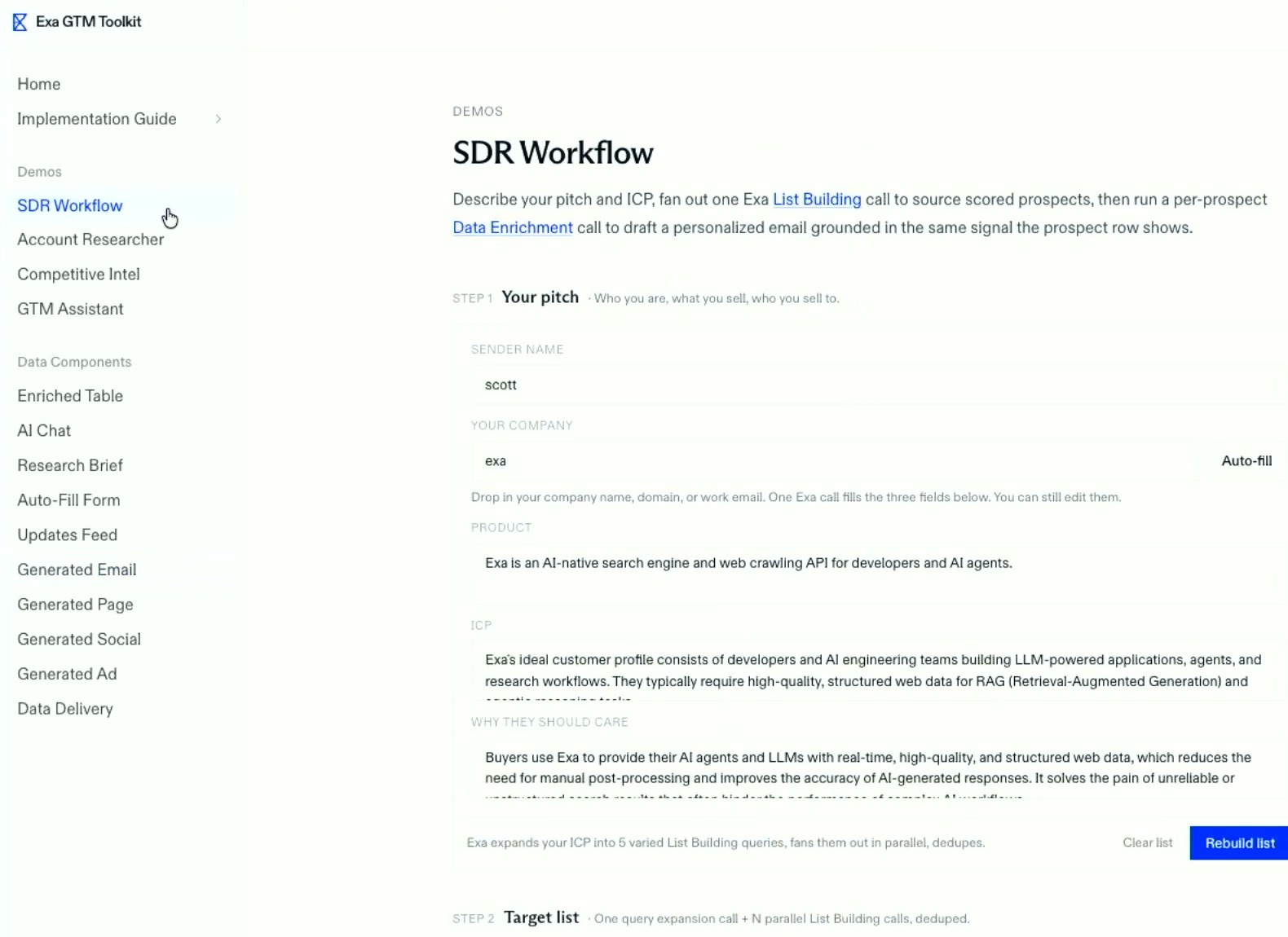
Scott Langille from Exa showed what happens when search is treated as an agent primitive instead of a browser replacement. His demo used Exa to source prospects, enrich rows, and draft personalized outreach grounded in the same signal the prospect row showed. That matters because GTM teams rarely need generic "personalization." They need current facts about a company, role, event, market shift, product, or buying signal.
Exa describes its API as web search, crawling, SERP, and deep research infrastructure for AI systems, and its own Search API guide explicitly serves both human readers and coding agents. The GTM point is straightforward: agents need retrieval that returns usable, current context rather than a pile of links.
What stuck:
- Search is an input layer. Agents need current context about people, companies, categories, and intent.
- The web is messy. The retrieval step controls the quality of the GTM action downstream.
- Research should become structured. The output is not a list of links. It is a usable object a campaign, enrichment step, or sales workflow can consume.
Exa · Scott Langille on LinkedIn · Scott Langille on X
Composio: tool use is the real interface
Sujay Choubey from Composio brought the tool-use layer into focus. His example was deliberately unglamorous: legal routing, document updates, Slack approvals, and CRM interactions. That is exactly why it landed. The highest ROI agent work is often the operational work nobody wants to rebuild by hand every week.
Composio positions the product around pre-authenticated toolkits, per-user sessions, triggers, and agent workbenches. Its auth docs describe in-chat authentication where the agent can prompt a user to connect an app, while its protection layer checks tool calls against OAuth scopes, permission rules, and allowlists before they reach connected apps. That is exactly the layer GTM agents need before they touch email, CRM, billing, support, or analytics systems.
What stuck:
- Integrations are agent infrastructure. The agent needs reliable ways to take action across the tools a team already uses.
- Auth and permissions matter. Tool use only works in production if teams can control who can do what.
- Reusable actions compound. Every clean action surface becomes another building block for future workflows.
Composio · Sujay Choubey on LinkedIn · Sujay Choubey on X
Deepline: GTM agents need data they can actually use
Watch Jai's Deepline live build
The Deepline piece was the GTM data layer. If the agent can plan but cannot enrich accounts, validate contacts, resolve identities, pull intent, or update the CRM, the workflow stalls at the exact moment it should become useful.
Jai Toor tied the talks back to the problem Deepline is built around: agents need clean GTM data and a reliable way to move that data into the tools the team already uses. The live build showed the event command center, attendee signals, research steps, scoring, and follow-up paths as one workflow instead of scattered spreadsheets and one-off scripts.
What stuck:
- GTM agents need a data plane. Accounts, contacts, domains, intent signals, and CRM objects all need to be reachable from the same workflow.
- Verification belongs in the loop. Enrichment means finding the right value and knowing where it came from.
- Claude Code can be the workbench. For GTM engineers, the terminal can be where research, enrichment, workflow design, and deployment come together.
Deepline · Jai Toor on LinkedIn
What to copy
If you are building GTM agents now, copy the shape of the talks before you copy any individual demo:
- Pick one workflow where the human handoff is already obvious.
- Give the agent a small set of reliable tools.
- Treat retrieval, enrichment, and verification as real workflow steps.
- Log intermediate state as well as the final answer.
- Write results back into the CRM, warehouse, sequencer, or workspace where the team already operates.
The agent is not the whole system. It is the reasoning layer inside a loop.
Sources and further reading
- LangGraph persistence and LangGraph interrupts for checkpoints, state, and human approval.
- AssemblyAI realtime speech-to-text and Voice Agent API for live conversation context.
- Exa Search API guide for agent search and structured context retrieval.
- Composio docs, authentication, and protection for tool use, OAuth, scopes, and allowlists.
- Google people-first content guidance, FAQ structured data, and speakable structured data for search and answer-engine readability.
Full recording
FAQ
What is a GTM agent?
A GTM agent is an AI workflow that can reason over sales and marketing context, call tools, enrich or verify data, and write results back into systems like a CRM, sequencer, warehouse, or workspace.
What made the Claude Code + GTM Lightning Talks different from a normal AI event?
The talks focused on production loops instead of abstract AI strategy: state, checkpoints, human approval, search, speech context, tool permissions, enrichment, and CRM writeback.
Why do GTM agents need human approval loops?
Approval loops let teams use agents on work that matters without giving them unchecked authority over customer-facing or revenue-impacting actions. The agent can research, prepare, and recommend, while humans review moments where judgment matters.
How does Deepline fit into GTM agent workflows?
Deepline gives GTM engineers a data and workflow layer they can use from Claude Code: enrichment, verification, identity resolution, provider orchestration, and writeback into the tools the team already uses.
What should a team copy from these talks first?
Start with one constrained workflow, give the agent a small set of reliable tools, log intermediate state, keep approval points explicit, and write the final result back to the system of record.