

Before you install
Make sure that:- Claude Desktop has Cowork enabled.
- You have a project folder Cowork can use. Deepline stores project authentication there, so reuse that folder in later sessions.
- Cowork can make network requests. If your workspace manages an allowlist, ask its owner to allow the domains your Play needs.
Install the plugin
- Open Claude Desktop and select Cowork.
- Open Customize in the left sidebar.
- Select the + next to Personal plugins.
- Select Create plugin, then Add marketplace.
-
Add this marketplace:
-
Install the
deeplineplugin. - Start a Cowork session and select the project folder.
Allow network access
In Claude Desktop, open Settings → Capabilities. Turn on Allow network egress. Set Domain allowlist to All domains, unless your workspace requires a narrower policy.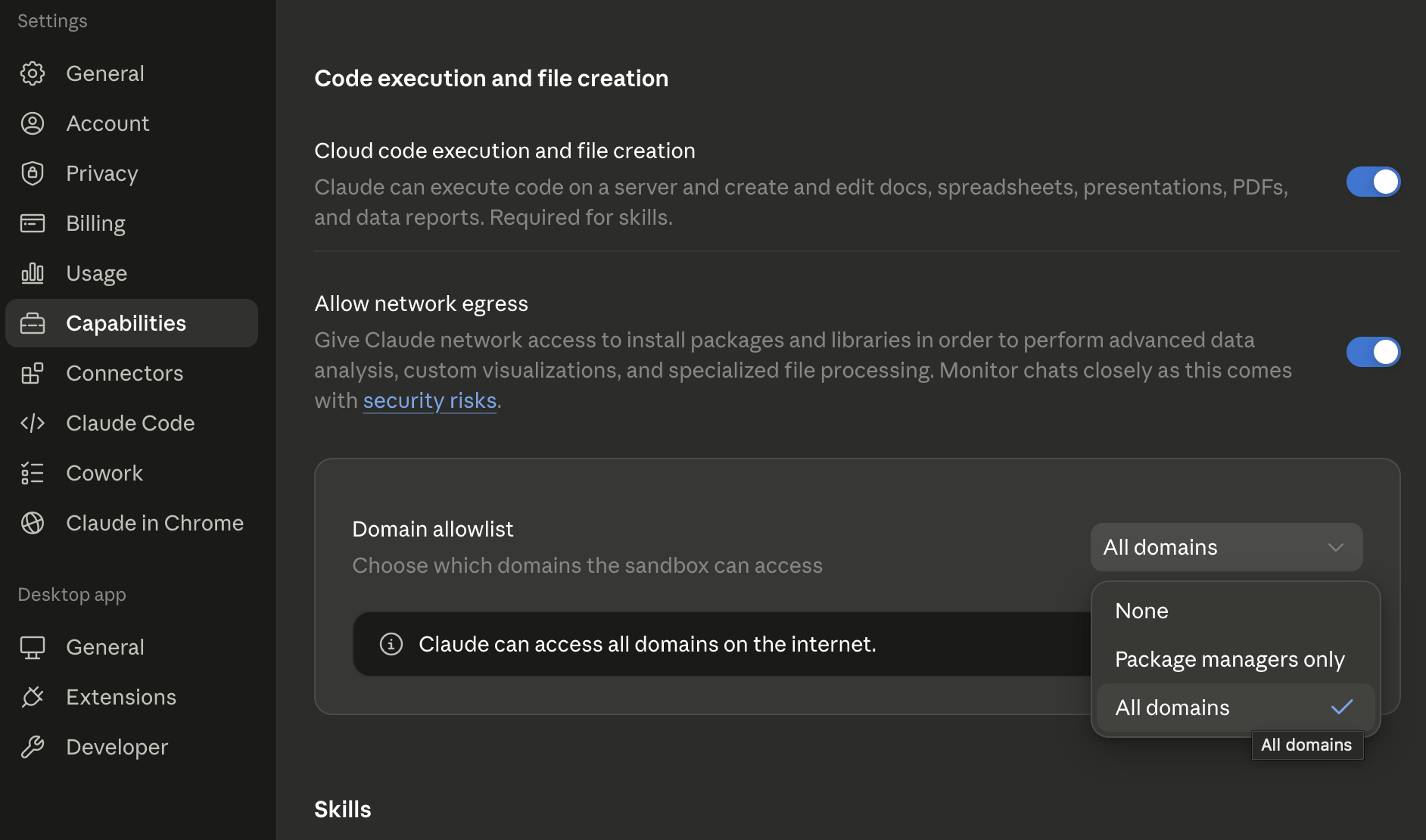
Run one small request
Start with this request:A successful first run returns a small result set and its Deepline-credit
usage. Review the fields and unresolved results before asking for more rows.
Troubleshoot
- A live call fails: confirm network egress and the current domain policy.
- Authorization repeats: open Cowork with the same project folder used for the initial authorization.
- CLI setup fails: ask Cowork to run
deepline doctor --jsonand follow the next action in its response. Do not start a second setup while authorization is pending. - Settings are locked: a Team or Enterprise owner controls Cowork or network access. Ask that owner to enable the required capability.
Install from Claude Code instead
Use the Claude Code marketplace flow when you work in a terminal rather than
Cowork.