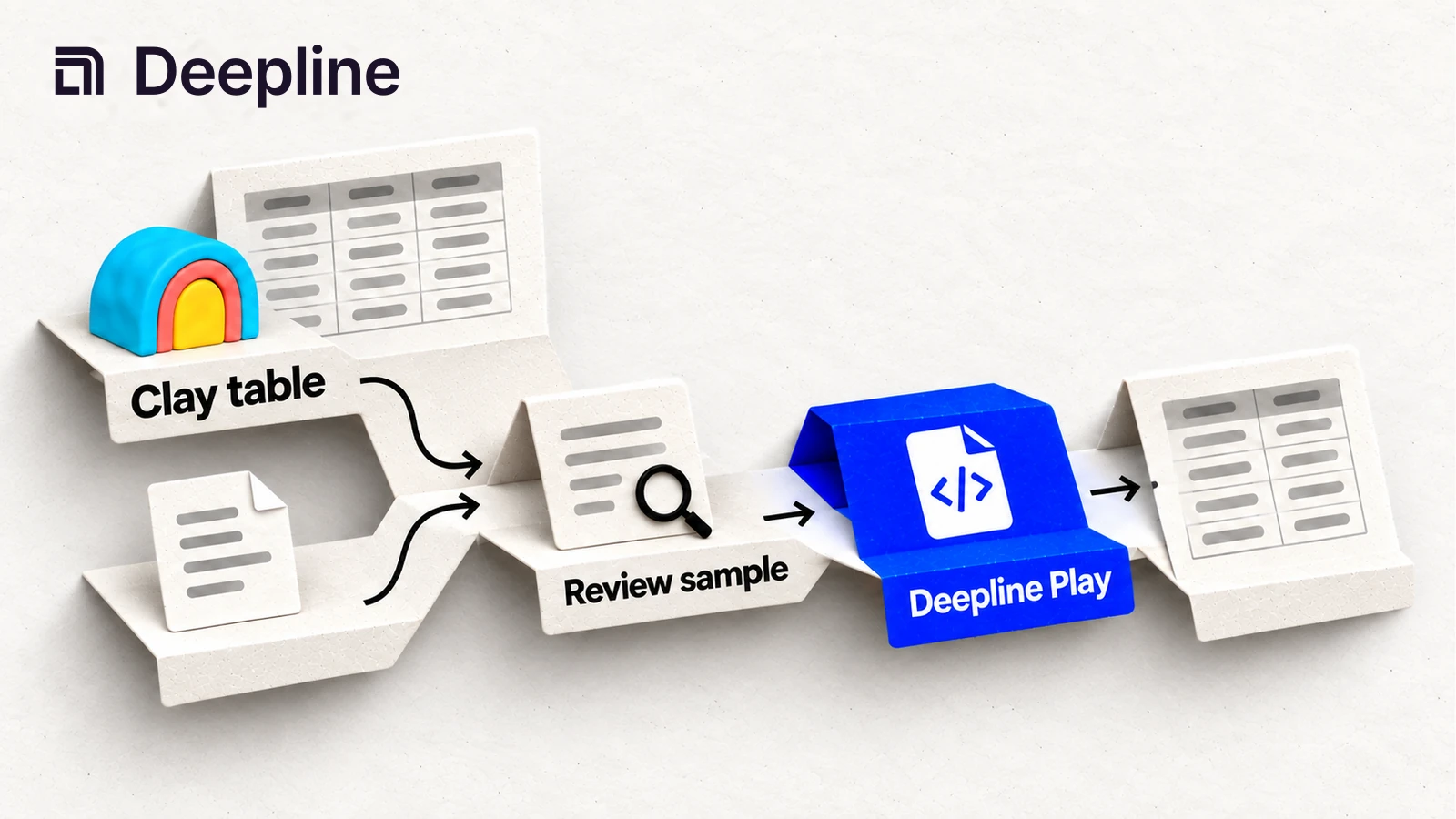
If you built enrichment workflows in Clay and want to move them to Claude Code, here's how. Same providers, same logic, full control over execution.
Why people switch
Clay is good for teams that think in spreadsheets. But there are tradeoffs that push people toward Claude Code:
Control and steerability. In Clay, you're constrained by what columns and actions exist. When something doesn't work, you wait for support or work around it. In Claude Code, you iterate in real-time. Change a prompt, rerun on 10 rows, check results, adjust. The feedback loop is minutes instead of days.
Speed of iteration. GTM teams report compressing weeks of workflow building into a single afternoon. You describe what you want, Claude Code generates the commands, you test on a sample, refine, and scale. No clicking through UI menus or learning a new tool's abstractions.
Cost comparison. Clay charges Data Credits for data plus a fixed Action Credit for every operation, on top of a platform plan. The fixed per-operation charge is where Clay bills run higher than people expect. Deepline prices each thing separately and transparently: a provider lookup is billed per transaction at a fixed, published rate (similar to how OpenRouter prices API calls), and Play compute time is billed separately by actual sandbox usage. In BYOK mode, Deepline adds no platform fee on top of either; you pay providers directly at their published rates. Test the same workflow in both products and compare the total cost per accepted result.
Rapid experimentation. When you want to try a new approach - different providers, different prompts, different waterfall order - you just say so. Claude Code rewrites the workflow. There's no migration cost to experimenting because everything is just text.
The migration workflow
Four steps. The first two are in Claude Code. The last two are in your terminal.
Step 1: Export your Clay table
Use the ClayMate Lite extension to export your Clay table's JSON configuration.
- Install ClayMate Lite from GitHub
- Open your Clay table in Chrome
- Click the extension icon and select "Export JSON"
- Save the downloaded file
Alternatively, capture network logs from Chrome DevTools:
- Open app.clay.com in Chrome and log in
- Open DevTools:
Cmd+Option+Ion Mac, orF12on Windows - Click the Network tab
- Reload the page or click around in your Clay table
- In the filter box, type
api.clay.com - Click any request, right-click, and select Copy as cURL
Step 2: Run /clay-to-deepline in Claude Code
Open Claude Code and type:
/clay-to-deepline [paste your Clay table URL or JSON]
You can paste:
- A Clay table URL (e.g.
app.clay.com/workbooks/xxx/tables/yyy) - The JSON export from ClayMate Lite
- Network logs or HAR file from Chrome DevTools
Claude Code reads your table structure and the actual AI prompt templates embedded in each column. You don't write your own prompts - Claude Code generates them based on your Clay configuration.
Review the Phase 1 doc - Claude Code produces three things before writing any scripts:
- Table summary - every column, what Clay action it runs, what model, what the output looks like
- Dependency graph - which columns feed into which (execution order at a glance)
- Pass plan - the ordered list of Deepline tool calls that replicate each Clay action
Check that:
- Prompt templates are recovered verbatim (approximated ones are flagged with ⚠️)
- The pass plan matches what your table actually does
- ICP scoring criteria are correct
Once you're happy, say "looks good" and Claude Code writes the scripts.
Step 3: Test on a sample
Export 10 sample rows from your Clay table. Run the generated scripts against those 10 rows:
./scripts/fetch_people.sh seed_people.csv pilot
./scripts/enrich_people.sh
Compare the outputs to your Clay results. If something doesn't match, tell Claude Code what's wrong. It regenerates the configuration, you rerun on the same 10 rows, and iterate until the output matches your target.
This is the key difference from Clay: rapid iteration. Change a prompt, rerun, check results, adjust. The feedback loop is fast.
Step 4: Run full and get your output
Once the sample looks good, run on your full list:
./scripts/enrich_people.sh --all
Run the normalizer to produce clean CSVs:
python3 scripts/normalize.py \
  --contacts output_people.csv \
  --out-contacts output/contacts.csv
You get:
output/contacts.csv- every person with enriched fields (email, job function, AI-generated research, ICP score)output/accounts.csv- every company with verified name, domain, social links, HQ address
Or push directly to a campaign:
deepline tools execute instantly_add_to_campaign \
  --input '{"campaign_id":"<id>","contacts":[...]}'
How Clay actions map to Deepline
The skill handles these automatically:
| Clay Action | Deepline Equivalent |
|---|---|
| Claygent web research | 3 parallel Exa searches + Claude Sonnet synthesis |
| chat-gpt-schema-mapper | `call_ai haiku` - same output, lower cost |
| octave-qualify-person | `call_ai sonnet + json_mode` ICP scorer |
| Enrichment columns | `deepline plays run prebuilt/name-and-domain-to-email-waterfall-batch --csv leads.csv --watch` with provider payloads |
| Waterfall logic | Built-in waterfall patterns |
| add-lead-to-campaign (Instantly) | `instantly_add_to_campaign` |
| add-lead-to-campaign (Smartlead) | `smartlead_api_request` |
Accuracy
26-row production test against Clay ground truth (March 2026). Small sample - results are directional:
| Metric | Match Rate |
|---|---|
| ≥95% match vs Clay | |
| Job function classification | ≥95% exact match |
| Claygent research (strategy, initiatives) | ~85% specific, actionable content |
The ~15% research gap is mostly name collisions - e.g. onit.com resolving to NASDAQ:ONIT instead of the legal-ops software company.
Cost comparison
Same 26-row test (March 2026). Clay cost uses Argon model (3 data credits/row for 10-step research).
| Clay (Growth, ~$0.05/cr) | Clay (Launch, ~$0.07/cr) | Deepline | |
|---|---|---|---|
| Cost per row | ~$0.15 | ~$0.22 | ~$0.03 |
| Method | Claygent Argon, 10 search steps | Claygent Argon, 10 search steps | 3 parallel Exa searches + Claude Sonnet synthesis |
| Time per row | ~120-140 seconds | ~120-140 seconds | ~15 seconds |
Content quality is equivalent. For large public companies, Deepline can be more current - Exa indexes recent blog and PR content faster than Google indexes 10-Ks.
When to stay on Clay
Clay is the right choice if:
- Your team prefers the spreadsheet interface and won't adopt CLI tools
- You rely on Clay's community templates that would take time to rebuild
- You want managed support and don't care about action credit pricing
Claude Code with Deepline is the right choice if:
- You want direct provider billing without credit abstraction
- You want to iterate on workflows in real-time instead of waiting on UI updates
- Your workflows should live in Git, not a SaaS platform
- You already use Claude Code for other work
Documentation-only path
If you just want to document a Clay table - understand what it does, map its dependencies, build a reference for the team - you don't need to run anything.
- Install ClayMate Lite from GitHub
- Open your Clay table in Chrome
- Click the extension icon and select "Export JSON"
- Drag the downloaded
*.jsonfile into Claude Code - Run
/clay-to-deeplineand ask for Phase 1 docs only
You'll get a full table summary, dependency graph, and pass plan - without running a single script or spending anything.
Get started
- Install Deepline CLI
- Export your Clay table with ClayMate Lite
- Run
/clay-to-deeplinein Claude Code
Questions? Join Terminal Velocity GTM on Slack or book time to chat.