> ## Documentation Index
> Fetch the complete documentation index at: https://deepline.com/docs/llms.txt
> Use this file to discover all available pages before exploring further.
# Claude Cowork
> Install Deepline as a Claude Cowork plugin, then run GTM enrichment workflows from Cowork with the same marketplace-backed tools.
Deepline supports Claude Cowork through a plugin. Install it from the Deepline plugin marketplace in Claude Desktop.
Follow the Cowork tab in the main Quick Start install instructions.
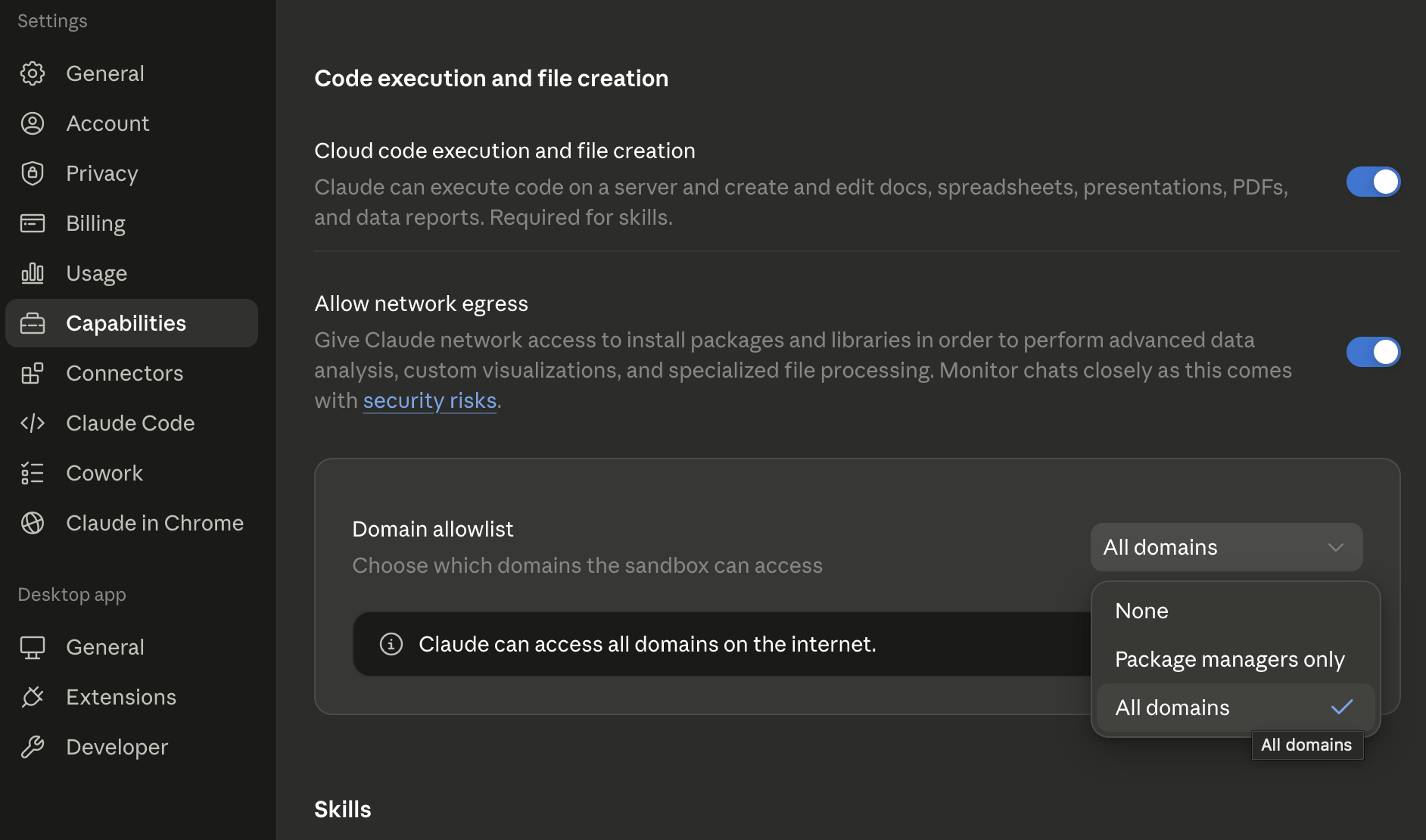
Deepline needs Cowork network egress for live API calls. In Claude Desktop, open **Settings** -> **Capabilities**, turn on **Allow network egress**, then set **Domain allowlist** to **All domains**.